



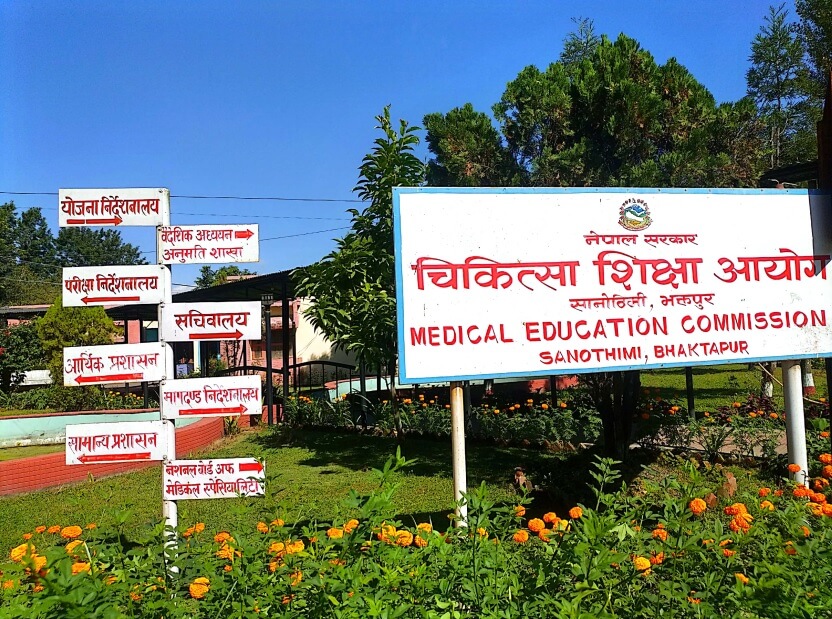
Medical Education Commission invites online applications for the selection of candidates for the following DM/MCh/NBMS-SS programs offered by various universities and academic institutions in Nepal. Eligible foreign nationals (Sub-category I: Foreign to appear and Sub-category II: Foreign NOT to appear) are requested to submit applications with specified fee from 24 November 2026, 09:00 AM (NPT) till 11 December 2026, 4:00 PM (NPT) through the web portal **https://entrance.mec.gov.np.**
1. Entrance Examination Schedule for Sub-category I (Foreign to appear DM/MCh/NBMS-SS 2026)
Examination date: December 19 December, 2026
|
S.N. |
Program |
Time (NPT) |
|---|---|---|
|
1. |
DM Medical Specialties¹/NBMS Medical subspecialties |
9:00 AM to 12:00 noon |
|
2. |
DM Emergency Medicine |
9:00 AM to 12:00 noon |
|
3. |
DM Neonatology / DM Pediatric Neurology |
9:00 AM to 12:00 noon |
|
4. |
DM Cardiothoracic Vascular Anesthesiology & Critical Care |
9:00 AM to 12:00 noon |
|
5. |
DM Critical Care Medicine/NBMS Medical subspecialty |
1:30 PM to 4:30 PM |
|
6. |
MCh Surgical Specialties¹/NBMS Surgical subspecialty |
1:30 PM to 4:30 PM |
|
7. |
NBMS-SS Gynae-Oncology |
1:30 PM to 4:30 PM |
(a) Eligible candidates interested in applying for more than one program should submit separate fees for each program through bank vouchers or online payment via the application portal. Candidates should choose only one of the two subcategories while filling up the online application form i.e.
i. Sub-category I: Foreign to appear MECEE- DM/MCh/NBMS-SS 2026.
ii. Sub-category II: Foreign NOT to appear MECEE-DM/MCh/NBMS-SS 2026, who conditionally opt to apply on the basis of obtained minimum 50th percentile (or 50% marks in case the result is in percentage system) in the recently conducted MEC approved national level common entrance examination of their respective countries. Sub-category II: Foreign NOT to appear candidates can select only those seats which remain unfulfilled after a merit-based selection process from Sub-category I candidates.
2. Programs and Minimum Qualification
|
S.N. |
Programs |
Minimum Qualification |
|---|---|---|
|
i. |
DM Medical Specialties¹/NBMS Medical subspecialties |
- MD Internal Medicine or equivalent and - Specialty Registration in Nepal Medical Council (or Medical Council of respective country). |
|
ii. |
DM Emergency Medicine |
- MD in General Practice and Emergency Medicine or equivalent/MD Emergency Medicine and - Specialty Registration in Nepal Medical Council (or Medical Council of respective country). |
|
iii. |
DM Neonatology / DM Paediatric Neurology |
- MD Pediatrics or equivalent/MD Neonatology and - Specialty Registration in Nepal Medical Council (or Medical Council of respective country). |
|
iv. |
DM Cardiothoracic Vascular Anesthesiology & Critical Care |
- MD Anesthesiology or Equivalent and - Specialty Registration in Nepal Medical Council (or Medical Council of the respective country). |
|
v. |
DM Critical Care Medicine/NBMS Medical subspecialty |
- MD Anesthesiology or equivalent/MD Internal Medicine or equivalent/MD Critical Care Medicine and - Specialty Registration in Nepal Medical Council (or Medical Council of respective country). |
|
vi. |
MCh Surgical Specialties¹/NBMS Surgical subspecialty |
- MS General Surgery or equivalent and - Specialty Registration in Nepal Medical Council (or Medical Council of respective country). |
|
vii. |
NBMS-SS Gynae-Oncology |
- MD Gynaecology and Obstetrics or equivalent - Specialty Registration in Nepal Medical Council(or Medical Council of respective country). |
¹The Candidate with Specialty subject in MD (eg: in MD Cardiology, MD Nephrology, MD Radiation Oncology etc.) and MS (eg: in MS Urology, MS Neurosurgery etc.) shall be eligible only in DM or MCh in respective subject only.
3. Seats for Foreign Category will be published soon.4. Eligibility
a) Sub-category I who appear in the entrance examination conducted by Medical Education Commission will be given the first priority in the open house matching for foreign seats.
b) If the seat remains unfulfilled after the merit-based selection process from Sub-category I candidates from Sub-category II (Foreign NOT to appear) will get the chance to select those seats on the basics of merit.
c) The remaining seats after completion of the matching of foreign candidates will be converted into paying seats for Nepalese candidates.
d) Foreign candidates who are selected for admission are required to submit original documents at the time of admission.
e) Candidates who submit the fake information/documents will be liable for legal actions as per prevailing rule and regulations of Nepal.
5. Entrance Examination Fees
|
Particulars |
Details |
|---|---|
|
Entrance examination fees |
NPR 8,000/- or equivalent (excluding bank service charge for card payment) |
|
Name of the bank |
Himalayan Bank Limited. |
|
Bank SWIFT Code: |
HIMANPKA |
|
Payment services |
Bank deposit at any branch of Himalayan Bank Limited, Card Payment, Connect IPS, Khalti, e Sewa. |
|
Account name and address |
Medical Education Commission, Sanothimi. |
6. Required documents
a) Last six digits of transaction reference number (TRN/request unique ID/Transaction code) and candidate’s mobile number (in case of bank counter payment).
b) Recent passport size photo.
c) Scanned copy of Passport or E-Aadhaar Card.
d) Scanned copy of signature
e) Scanned copy of Transcript and certificates of relevant master’s degree or equivalent.
f) Scanned copy of Professional Council registration certificate of respective country.
7. Quality of applicant's photo and scanned documents:
a) Photo of applicant
i. Image file format: The image must be in the JPEG format with good quality.
ii. Image file size: The maximum image file size is 200KB (kilobytes).
iii. Resolution: Should NOT be crispy or blurry.
b) Certificate/Documents
i. File Format: JPEG or PDF.
ii. Resolution: Should NOT be crispy or blurry.
iii. File size: The maximum file size is 200KB for JPEG and 500 KB for PDF.
8. Procedure for creating online profile and submission of the application:
a) Online profile creation
Candidates who had applied for the common entrance examination conducted in the previous year will have to use their old username and password when registering their profile. Old candidates have to update their details. New candidates will have to create online profile and submit the application form as follows.
i. Candidates should first create a profile using their email ID and password. This profile can also be used in the future as needed.
ii. To start filling up the application form, applicant has to enter the website https://mec.gov.np and go to the Online Application button then Login button. In the login page, click Don't have an account? Register here button.
OR
Browse https://entrance.mec.gov.np then click Don't have an account? Register here link.
iii. Click on Foreign radio button in Nationality and fill up applicant's Full Name, Email, Password, Confirm Password and click on Register button to create a user account.
iv. A message for email ID verification will be sent to the email address mentioned while creating profile. After logging into registered email account and clicking on the verification link, email account will be verified and activated.
v. Candidate has to log in by entering the registered email in the User Name box and the password (set while registering) in the Password box.
vi. If the email verification message is not received in the registered email, s/he has to login to the account and click on the Resend button and verify the email ID according to the above process.
vii. After accessing the online application portal of the common entrance examination, enter the main Dashboard.
viii. For creating the profile, candidate must pay the prescribed fee by clicking the Make Payment button.
ix. To fill up the online form, candidate must create his/her ‘online profile’.
x. Then the list of academic programs will appear. According to the candidate's eligibility, s/he has to select the program/s by clicking on the check box against the desired program. The total amount to be paid will be shown below the table of academic programs.
Candidate has to pay the fee by clicking on the button of the payment mode s/he wants to pay.
xi. If the cash has been deposited at the counter of the Himalayan Bank Limited, the last six digits of the transaction number (TRN) and mobile number that is specified during the transaction should be entered in the Update counter payment voucher button to proceed.
xii. After paying the fee, click the Basic Information menu, candidate must fill personal details and click on the Save and Continue button.
xiii. Fill up the educational details in the Qualifications menu and click on the Save button.
xiv. Foreign candidates can skip the Experience menu.
xv. Foreign candidates should fill up Professional Council menu.
xvi. Click on the checkbox on the Foreign category in the Reservation menu. The candidate should choose only one of the following subcategories while filling up the online application form:
-
Sub-category I: Foreign to appear MECEE-DM/MCh/NBMS-SS
-
Sub-category II: Foreign NOT to appear MECEE- DM/MCh/NBMS-SS
-
(Condition applies) and save the details along with the documents.
xvii. Candidate can add or correct the details and documents until before submitting the form.
xviii. S/he can also use this profile to fill the application form in the future.
b) Submission of application form
i. Once the application form is filled up, the necessary documents are to be uploaded and the self-declaration is to be done. It is advised to review (edit/save) the application before submission. Once the application is submitted, it is not editable.
ii. After uploading all the documents with personal details, click on the Submit Program Application button in the Dashboard menu and click on the View Details button to check all the details.
iii. To submit the application form, click the Submit Program Application button on the Dashboard menu and click Apply button. After checking the details, submit the form by clicking the Save and Submit Information button.
iv. If the candidate needs to review the information, just “save” the information initially. No information can be corrected after submission of the form.
v. Finally, confirmation page should be downloaded from Submit Program Application button.
9. Admit Card
a) Admit card will be available online five days prior to the day of the entrance examination. Candidate has to login to the online profile, click on the Application menu on the dashboard, click on View details button, click Download Admit Card link to print the admit card, which must be produced during the entrance examination. Candidates must follow all the instructions mentioned in the admit card.
b) Admit card must be printed in color.
10. Exam Center
Information & Communication Technology Centre (ICTC), Institute of Engineering, Pulchowk, Lalitpur.
11. Details about Entrance examination and admission
a) There will be 200 MCQs of ‘single best response’ type. One mark will be given for each correct answer and 0.25 marks will be deducted for a wrong answer. The duration of examination will be 3 hours.
b) Candidates should get 50th percentile score or above to be in merit list.
c) The selection of candidates will be done by the open house matching process.
d) There will be a separate merit list for each academic program. However, after matching and admission in an academic program, his/her name will be deleted from all the matching process.
e) Candidates are required to produce original documents during matching and admission in the university/academy.
f) Private practice is not allowed during the residency.
g) Candidates will be responsible for all travel arrangements. Candidates should abide by the current rules and regulations laid down by the Government of Nepal.
h) Medical Education Common Entrance Examination Committee reserves all the rights regarding the entrance examination.
12. Regarding the conduct during entrance examination
a) Candidate should appear in the examination center with an admit card and original identification document (Passport or E-Aadhaar card) as mentioned in the online form.
b) Candidates should report at their respective examination centers at least two hours before the examination.
c) Ornaments, jewelry and electrical appliances/accessories will not be allowed in the examination hall.
d) Candidates should not carry a pen or any stationery with them. Candidates are required to use the black gel pen provided in the examination hall.
e) Candidates may need to undergo both physical and electronical screening before entering the examination hall.
f) After 15 minutes from the commencement of exam no candidate shall be allowed to enter the examination center.
g) Candidates shall be allowed to leave the examination hall only after completion of the examination time.
h) Candidate can be rusticated at any time (even after admission) if found guilty of submitting forged documents and wrong identity.
i) Biometric of foreign candidates will be taken at examination center and verified at the time of matching in Medical Education Commission and after admission process.
j) The respective University/Academy will hold the original certificates of matched foreign candidates until they are enrolled in the respective university/academy.
Web portal for online application and syllabus of common entrance examination can be accessed by scanning QR codes below:
Entrance application web portal
https://entrance.mec.gov.np/Account/Login
Syllabus portal
http://mec.gov.np/np/category/syllabus
Email ID for any technical assistance: entrance@mec.gov.np
Note: For any inquiries, please contact +977-9851318498 during office hours, from 9:00 AM to 4:00 PM (NPT).
Government of Nepal, Medical Education Commission, (Directorate of Examination), Sanothimi, Bhaktapur
Phone: 6639413, 6639414, 6639415, 6639416
Website: www.mec.gov.np
Email: info@mec.gov.np
Date: 23 November,2026


Comments 0
No comments yet. Be the first to start the conversation.