



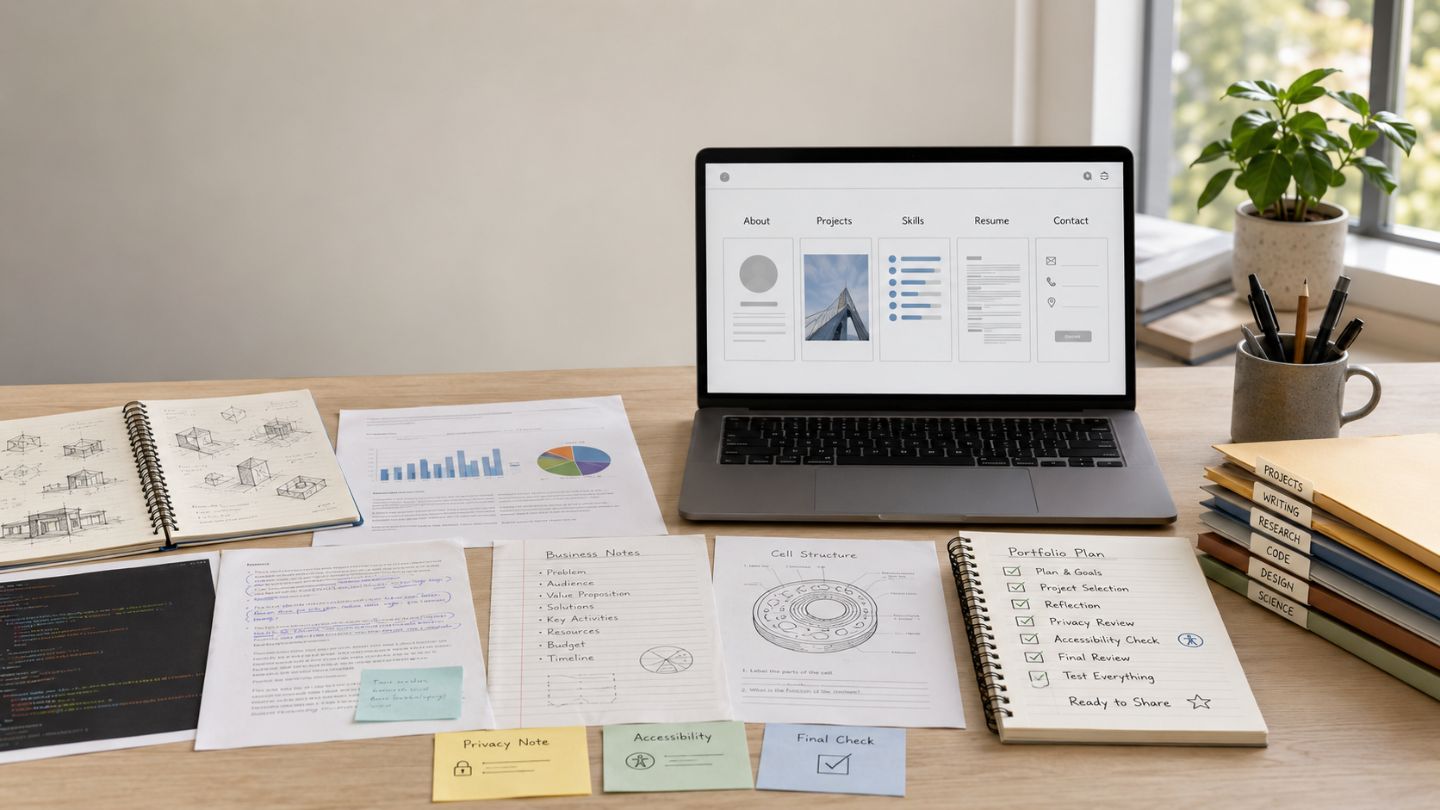
A student portfolio is a selected collection of work that shows what you have done, how you approached it, and what you learned or achieved. It is not an unfiltered folder of assignments or a resume with images.
The right portfolio depends on its purpose. A teacher may assess progress, an admissions reviewer may check program rules, and an internship reviewer may look for evidence connected to a role. One version rarely works equally well for every audience.
Answer Summary: Define the audience, collect possible evidence in a private archive, select relevant work, explain each project’s context and your contribution, choose an accessible format, check permissions and privacy, and test the final version before sharing it. Official course, institution, or application instructions take priority over general advice.
Table of Content
- What Is a Student Portfolio?
- Choose the Portfolio Purpose First
- What Should a Student Portfolio Include?
- How to Build a Student Portfolio Step by Step
- How to Build a Portfolio With Little Experience
- Student Portfolio Examples by Subject
- Common Student Portfolio Mistakes
- Final Student Portfolio Checklist
- Build Evidence Before Design
Key Takeaways:
-
Define the audience before choosing a format.
-
Keep a private archive and tailor the shared version.
-
Support skill claims with visible evidence.
-
Credit collaborators and explain your contribution.
-
Check official rules, privacy, accessibility, and links.
What Is a Student Portfolio?
A student portfolio is a curated body of evidence. “Curated” means the work has been selected and organized for a defined reader rather than uploaded in full.
Evidence may include coursework, research, code, designs, writing, presentations, experiments, data analysis, community projects, or early professional work. Each item should help the reader understand what the student did, how the work was completed, and why it matters.
The Harvard Derek Bok Center explains that academic portfolios may present a student’s strongest work or development over time and can include reflection. In learning contexts, drafts, feedback, revisions, and reflection may therefore be part of the evidence.
Student Portfolio vs Resume, CV, and Transcript
A resume or curriculum vitae summarizes education, experience, skills, and achievements. A transcript records formal academic results. A portfolio provides selected evidence and context behind some of those claims.
For example, a resume may state that a student used data analysis. A portfolio can show the question, dataset, method, chart or model, conclusion, and limitation.
| Document | Main purpose | Typical contents |
|---|---|---|
| Resume or CV | Summarize qualifications and experience | Education, roles, skills, achievements |
| Transcript | Record formal academic results | Courses, grades, credits, dates |
| Portfolio | Present selected evidence and context | Projects, samples, process, contribution, reflection |
Students preparing application documents may also use Collegenp’s guide to resume strategies for college students.
Choose the Portfolio Purpose First
The audience determines what belongs in the portfolio, how much explanation each item needs, and which format is appropriate. Keep a broad private archive, then create a shorter shared version for each purpose.
Purpose Selector
| Goal | Main reader | Evidence to prioritize | Possible format | What to verify |
|---|---|---|---|---|
| Learning or assessment | Teacher or assessor | Drafts, feedback, revisions, reflection, final work | Course ePortfolio, document, or learning platform | Instructions and assessment criteria |
| College or program application | Admissions or program reviewer | Required samples, relevant projects, process notes | Official upload system, PDF, or permitted link | Current rules, deadlines, limits, and file types |
| Internship or entry-level work | Recruiter, manager, or client | Role-related projects and individual contribution | Website, PDF, or restricted link | Access, confidentiality, and relevance |
Learning or Assessment Portfolio
A learning portfolio documents development. It may include early drafts, feedback, revisions, learning notes, and final work.
Follow the assignment instructions and marking criteria first. A polished final item alone may not satisfy a task designed to show revision or response to feedback.
College or Program Application Portfolio
An application portfolio must follow the institution’s current instructions. Portfolios are not required, accepted, or submitted in the same way across institutions, subjects, countries, or application cycles.
As a U.S.-based example, Common App support explains that participating institutions may use different portfolio-submission arrangements. Applicants should check the exact program page for accepted formats, file limits, naming rules, deadlines, and whether external links are allowed.
When a program requests a stated number, type, order, or format of samples, follow that requirement rather than a general checklist.
Internship, Job, or Freelance Portfolio
A career portfolio presents evidence relevant to a role. It does not guarantee an interview, offer, client, or other outcome.
Choose projects that match the role and identify your contribution. A research position may value methods and analysis, while a communication role may value writing, presentations, or campaign materials.
Collegenp’s article on portfolio-first skills for career preparation offers related guidance.
What Should a Student Portfolio Include?
Most student portfolios need a short introduction, selected work, project explanations, evidence-linked skills, and an appropriate contact or sharing method.
A Short Introduction and Goal
State who you are, what you study or practise, and what the portfolio is for. Use specific, factual wording rather than broad self-praise.
“Computer science student interested in data visualization and accessible web interfaces” communicates more than a general statement about passion or ambition.
Selected Projects or Work Samples
Choose work that is relevant, accurate, permitted for sharing, and varied enough to show different abilities.
Follow an official quantity when one exists. Without a stated rule, stop adding work when new items repeat evidence or make the portfolio harder to review.
Skills Supported by Evidence
Connect each skill to visible work. Code can support a programming claim, while a revised report can support research and writing.
Teamwork and communication also need context. State what the group was responsible for and what you contributed. Collegenp’s comparison of hard skills and soft skills can help label different abilities accurately.
Reflection, Learning, or Results
State what was completed, tested, revised, learned, or left unresolved. An outcome may be a prototype, argument, model, feedback, or identified limitation.
Do not invent impact figures or suggest that a classroom project produced external results when it did not.
Optional Items and Contact Details
Certificates, grades, awards, recommendations, and photographs are optional. Include them only when they are relevant, current, permitted, and useful to the reader.
Use the minimum contact information needed. Leave out home addresses, identification documents, school schedules, private records, personal phone numbers, and unnecessary information about other people.
What to Leave Out
Exclude work that is irrelevant, inaccurate, confidential, restricted, or not yours to publish. Remove private feedback, paid course material, unreleased employer work, client or patient information, and another person’s work unless permission and attribution are in place.
How to Build a Student Portfolio Step by Step
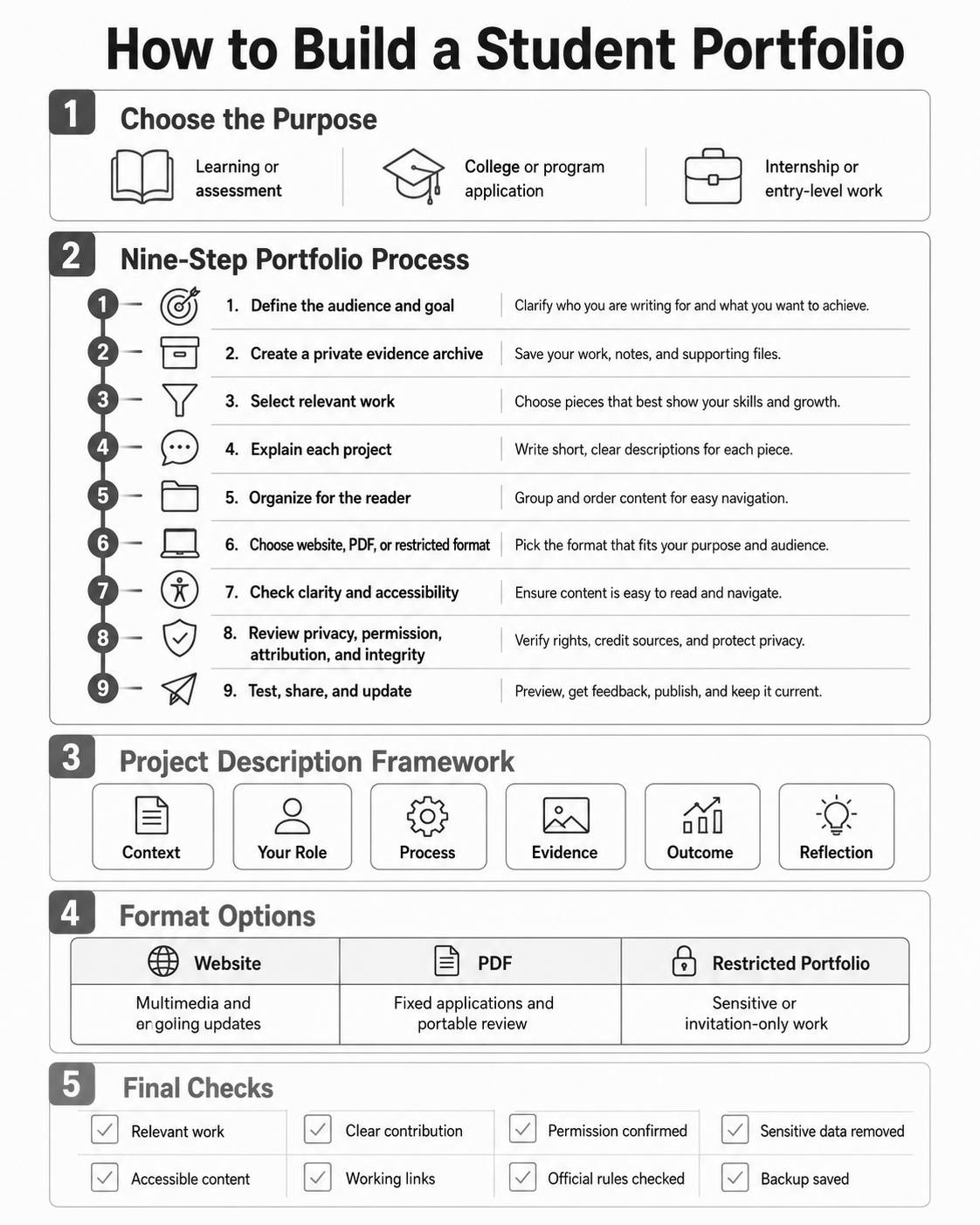
Move from purpose to evidence, explanation, format, and quality control. Starting with a template can distract from the decisions that determine whether the portfolio is useful.
Step 1: Define the Audience and Outcome
Write one sentence answering: Who will read this, and what should they understand after reviewing it?
Use that sentence as a selection rule. Work that does not support the purpose can remain in the private archive.
Step 2: Create a Master Evidence Archive
Collect finished work, drafts, feedback, images, links, dates, team details, and permission status before building the shared version.
Use consistent filenames, keep original files, and record your role while the details are clear.
Step 3: Select Relevant and Distinct Work
Test each item against three questions:
-
Does it fit the purpose?
-
Can I explain my contribution?
-
Am I allowed to share it?
Remove items that fail any test. Choose complementary evidence rather than repeated examples of the same skill.
Step 4: Turn Each Item Into a Project Story
A file without explanation forces the reader to guess. Give each project a short account of the context, your role, the process, the evidence, and the outcome.
The MIT Mechanical Engineering Communication Lab advises technical portfolio writers to identify the objective, use relevant visuals, explain the creator’s contribution, provide enough technical detail, and describe the result. The same structure can guide other subject areas.
Project-Description Framework
| Element | Question to answer |
|---|---|
| Context | What was the assignment, problem, audience, or need? |
| Your role | What did you personally do? |
| Process | Which decisions, methods, tools, or revisions mattered? |
| Evidence | What sample, image, chart, excerpt, or link supports the account? |
| Outcome | What was completed, tested, learned, or changed? |
| Reflection | What would you keep, revise, or do differently? |
Keep the description proportional. A research project may need methods and limitations. A short writing sample may need the brief, revision process, and reason for inclusion.
Step 5: Organize Around the Reader’s Questions
Put the most relevant material first and use clear labels. Keep the order consistent across project pages.
A structure such as About, Selected Work, Project Details, Resume, and Contact is often easy to review.
Step 6: Choose the Right Format
Choose a format the reader can open and the rules permit.
| Format | Suitable use | Main strengths | Main limits |
|---|---|---|---|
| Website or public ePortfolio | Multimedia work and ongoing updates | Supports links, media, and revision | Requires maintenance, privacy checks, accessible design, and working links |
| PDF portfolio | Fixed applications and portable review | Stable layout and easy attachment | File limits may apply; media is less interactive; accessibility needs checking |
| Private or restricted portfolio | Classroom, client, or invitation-only work | Offers more access control | Logins, expired links, or permissions can block the reader |
Consider access, ownership, export options, privacy, cost, device compatibility, and maintenance. Do not choose a platform only because its template looks attractive.
Step 7: Design for Clarity and Accessibility
Use readable text, descriptive headings, sufficient contrast, meaningful link labels, captions, and layouts that work on common screen sizes.
The W3C Web Accessibility Initiative explains that text alternatives should communicate the purpose or information of meaningful images. Charts and diagrams also need their essential information in text.
For PDFs, check reading order, selectable text, headings, links, and readability when zoomed. Provide captions or a transcript for video or audio when the format supports them.
Step 8: Check Privacy, Permission, Attribution, and Integrity
Confirm that you own the work or have permission to display it. Credit collaborators and third-party assets. For team projects, state what the group did and what you did.
Montclair State University’s ePortfolio guidance notes that portfolios may be public, private, or restricted and cautions against posting sensitive personal, client, student, or patient information. Access settings do not replace permission to publish another person’s information or work.
When artificial intelligence tools contributed materially, follow the course, institution, or employer policy. Describe assistance when required and do not present assisted work as entirely self-produced.
Step 9: Test, Share, and Maintain
Test links, files, media, and access settings on a phone and computer. Ask a trusted reader whether the purpose, individual contribution, and main evidence are clear.
Review the portfolio after meaningful new work and before an important submission. Replace weaker items, remove outdated claims, and keep a backup.
How to Build a Portfolio With Little Experience
Paid work is not the only valid evidence. Coursework, personal projects, clubs, volunteering, research, competitions, and community activities may be relevant when described accurately.
Use assignments when sharing is permitted. Explain the brief, constraints, contribution, and learning. You may improve the presentation, but do not change the project’s history or exaggerate its outcome.
A self-directed project can investigate a question, practise a method, or document a process. Revision can also be evidence: an early attempt, feedback, and a later version can show how you learn.
Student Portfolio Examples by Subject
Portfolios are not limited to art and design. Students in many disciplines can present research, analysis, writing, code, experiments, presentations, planning, and service work.
| Subject area | Possible evidence |
|---|---|
| STEM and computer science | Experiment summary, code repository, prototype, model, data analysis, technical report |
| Writing, humanities, and research | Essay excerpt, literature review, research poster, annotated sources, revised draft |
| Business, marketing, and data | Market analysis, campaign plan, dashboard, financial model, presentation, process map |
| Art, design, media, and architecture | Selected images, sketches, iterations, design rationale, short film, animation |
| Teaching, service, and leadership | Lesson plan, workshop resource, event plan, volunteer project, reflection, anonymized feedback |
A repository, gallery, or document link is not self-explanatory. Add context, contribution, and a reason for inclusion.
Common Student Portfolio Mistakes
Common errors include choosing a template before defining the purpose, uploading too much, showing work without context, and failing to identify an individual role in group projects.
Other risks include unsupported claims, restricted material, private data, inaccessible images, expired links, and assumptions about accepted formats. Clear selection, explanation, and checking matter more than decoration.
Final Student Portfolio Checklist
Before sharing or submitting, confirm that:
-
The audience and purpose are clear.
-
Every item supports that purpose.
-
Each project explains context, role, process, evidence, outcome, and reflection where relevant.
-
Group work and third-party material are credited.
-
Claims are accurate and supported by visible evidence.
-
Official application or assessment rules have been checked.
-
Sensitive, confidential, and restricted information has been removed.
-
Images, links, media, and PDFs are understandable and accessible.
-
The portfolio works on common screen sizes.
-
Access settings work for the intended reader.
-
A backup or tailored copy is available.
Build Evidence Before Design
A useful student portfolio begins with purpose, evidence, and honest explanation. Design helps the reader move through the material, but it cannot replace relevance, contribution, reflection, permission, or accuracy.
Start with a private archive, select work for one audience, explain each item, choose an accessible format, and complete privacy and permission checks before sharing.






Comments 0
No comments yet. Be the first to start the conversation.