



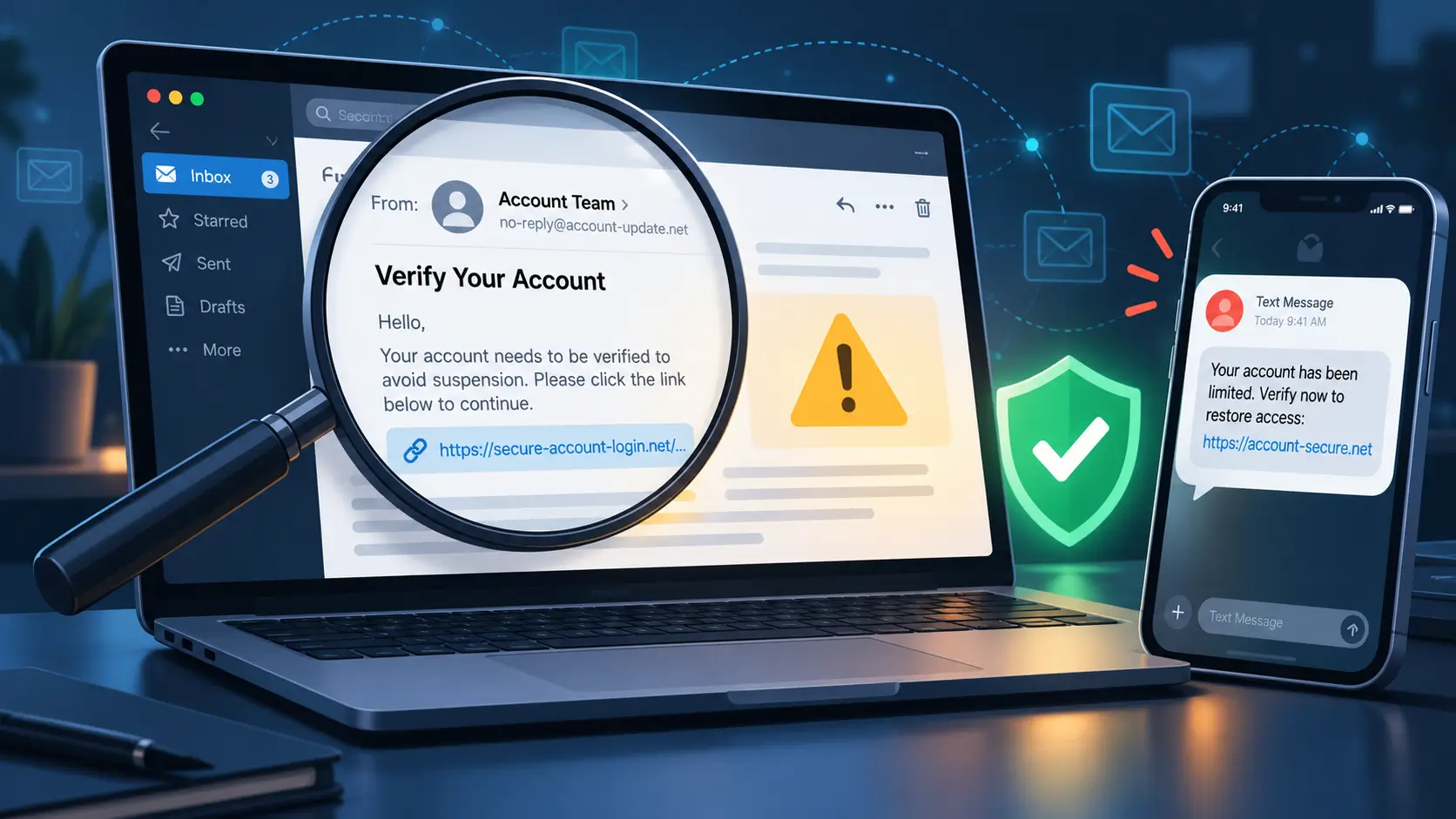
An email warns that your account will be suspended unless you verify it. A text says your parcel cannot be delivered. A message from someone at work asks you to open a document and sign in.
Any of these messages may concern something you genuinely need to handle. The difficulty is knowing whether the request is legitimate before taking action.
Phishing exploits this uncertainty.
Phishing is a form of online deception in which someone uses a communication that appears trustworthy to persuade you to reveal sensitive information, visit a fraudulent website, open harmful content, or take another unsafe action.
Recognizing phishing is not simply about finding spelling mistakes, suspicious links, or unfamiliar senders. A deceptive message can contain your name, recognizable branding, professional language, and details that match something you were expecting.
The more dependable approach is to examine what the message asks you to do, assess whether the request makes sense, and verify it through a channel you know is genuine.
The US Federal Trade Commission (FTC) and the UK's National Cyber Security Centre (NCSC) recommend checking uncertain requests through independently established websites or contact details rather than relying on those provided in the message.
Answer Summary: Phishing works by making an unverified request appear legitimate, urgent, or personally relevant. Warning signs include unexpected requests for passwords, verification codes, payments, or account changes, but convincing messages may contain none of the familiar visual clues. When uncertain, open the genuine service separately or contact the organization through a known channel. If you have already interacted with the message, the appropriate response depends on whether you disclosed information, opened content, granted access, or made a payment.
Key Takeaways:
-
Examine what an unexpected message wants you to do, not only how it looks.
-
Familiar logos, correct grammar, and personal details do not establish authenticity.
-
Check account warnings and payment requests through independently verified channels.
-
A secure HTTPS connection does not prove a website is operated by the organization it claims to represent.
-
Opening a suspicious link is different from entering credentials or installing software.
-
Password protection, multifactor authentication, and software updates reduce certain risks but cannot prevent every form of phishing.
What Is Phishing?
Phishing is a deceptive attempt to obtain information or influence someone's actions by impersonating a trusted person, service, or organization.
The sender may pretend to represent a bank, delivery company, educational institution, employer, government agency, or online platform.
The message often provides a reason to act. It may claim that a payment failed, a document is waiting, suspicious account activity was detected, or personal details need confirmation.
The request becomes dangerous when the recipient follows instructions without establishing that they came from an authorized source.
According to the FTC, phishing messages commonly seek passwords, financial information, and account details. They can also encourage recipients to open links or attachments that introduce other security risks.
Phishing is a form of social engineering, a broader term for attempts to manipulate people into disclosing information or taking actions they would not otherwise authorize.
What makes phishing different from spam or malware?
These terms describe different problems.
Spam generally refers to unwanted messages, often distributed in large quantities. Some spam is merely unsolicited advertising; other messages attempt fraud.
Phishing specifically involves deception intended to persuade the recipient to take an unsafe action.
Malware is harmful software. A phishing message may distribute malware through an attachment or download, but phishing does not necessarily involve installing software.
These distinctions matter when assessing what has happened. Receiving an unwanted message does not establish that someone accessed your account or installed harmful software on your device.
How Phishing Works
Phishing usually combines a claimed identity, a believable reason to respond, and a request that creates a security or financial risk.
Understanding those elements helps explain why a message can look ordinary while asking you to do something unsafe.
The sender appears to represent someone familiar
A phishing communication may display the name or logo of an organization the recipient recognizes.
An email can appear to come from an account provider. A message in a group chat may appear to originate from a colleague. A caller may claim to represent a financial institution.
The apparent identity encourages trust, but it does not establish who authorized the communication.
A familiar contact can also send a suspicious message if their account has been compromised or they unknowingly forwarded deceptive content.
The recipient therefore needs to assess the particular request, not merely recognize the displayed sender.
A believable problem creates a reason to act
The message introduces a situation that seems relevant.
The FTC describes phishing communications involving account problems, unfamiliar invoices, suspicious sign-in activity, and requests to confirm information.
These subjects are effective sources of confusion because legitimate organizations also communicate about account access, payments, and administrative responsibilities.
Consider an account warning that arrives while you are trying to complete an important transaction.
Ignoring a genuine warning may delay your work. Responding to a fraudulent warning may expose your credentials.
The safer response is to check the account through its established website or application rather than decide solely from the email.
Pressure encourages a response before verification
A message may claim that action is required immediately.
It might refer to restricted access, a deadline, an outstanding payment, or an opportunity that will expire.
The NCSC identifies authority, urgency, emotional pressure, scarcity, and current events as recurring characteristics of scam communications.
Urgency alone does not prove fraud. Schools, employers, financial institutions, and service providers sometimes issue legitimate time-sensitive notices.
The warning lies in the combination of pressure and an unverified instruction.
For example, a message that demands immediate payment through an unfamiliar link deserves verification even if a payment might genuinely be due.
The requested action creates the exposure
The message eventually directs the recipient toward an action.
That action may involve disclosing a password, entering a verification code, opening a file, granting device access, changing payment information, or transferring money.
The consequences depend on what follows.
A fraudulent sign-in page may capture information entered into it. A harmful attachment may affect device security. False payment instructions may redirect money to an unintended recipient.
Those are different risks requiring different responses.
The important boundary is the point at which an unverified message begins directing what you do with your information, accounts, devices, or money.
What Are the Warning Signs of a Suspicious Message?
The most useful warning signs concern unexpected requests, pressure to act, and inconsistencies with information you already trust.
No single warning sign establishes that a message is fraudulent. A message can also be deceptive without displaying obvious mistakes.
Unexpected requests for sensitive information
Treat an unsolicited request with particular caution if it asks for:
-
Account passwords or sign-in credentials
-
One-time verification codes
-
Banking or payment information
-
Personal identity details
-
Changes to account recovery settings
-
Approval of an unfamiliar sign-in
-
Installation of software or permission to control a device
-
An unexpected payment or transfer
Legitimate services may require some of these actions through their normal procedures.
The distinction is whether you reached that procedure independently or were directed there by an uncertain communication.
For example, an online service may legitimately require you to sign in. That does not establish that a login page linked from an unexpected text belongs to that service.
Urgency that discourages checking
A message deserves closer examination when it pressures you to act before confirming the claim.
A warning about account suspension can be especially difficult to judge if you have an upcoming application, examination, or work deadline.
You may be reluctant to ignore it because the consequences of missing a genuine notice appear significant.
That concern is reasonable. Verification should not mean disregarding an important obligation.
Instead, check whether the claimed problem appears in the organization's genuine account portal or can be confirmed by authorized staff.
If the issue exists, handle it through the verified process.
Unfamiliar or inconsistent sender details
A displayed sender name and the underlying email address are not necessarily the same.
A message may appear under a familiar organizational name while its actual address belongs to an unrelated domain.
Where the email application permits, inspect the complete sender address. Be cautious if it does not match the expected organization or established communication pattern.
However, a familiar-looking address is not definitive proof of authenticity. Deceptive communications can imitate legitimate identities, and legitimate organizations may use different systems to send notices.
An address is one clue, not a final verdict.
Links that do not match the expected destination
A message may display recognizable text while the underlying link points somewhere different.
Some email applications allow users to preview a link's destination without opening it. This can reveal an obvious mismatch.
On mobile devices, the full destination may be difficult to view. Shortened links and unfamiliar domain structures can also make visual inspection less useful.
If you cannot confidently establish the destination, there is no need to use the link to test it. Open the genuine service separately.
A link does not become trustworthy because it appears inside a polished message.
Professional design and correct spelling
Poor grammar, awkward wording, and unusual formatting can raise suspicion, but their absence offers limited reassurance.
The NCSC warns that convincing scam communications can be difficult to recognize, even for experienced readers.
Accurate personal details and familiar context are similarly inconclusive.
A message referring to a course you enrolled in, a parcel you expected, or a company you recently contacted may feel relevant. That relevance does not authenticate the communication.
How to interpret common warning signs
|
What you notice |
Why it deserves attention |
A safer way to check |
|---|---|---|
|
Unexpected request for a password or verification code |
Account credentials may be targeted |
Open the genuine account separately |
|
Urgent payment or account warning |
Pressure may discourage verification |
Confirm the specific problem through the official service |
|
Sender address or link appears inconsistent |
The communication may involve impersonation |
Use independently established contact details |
|
Familiar logo, name, or professional wording |
Presentation can imitate a trusted source |
Verify the requested action, not the appearance |
|
Unexpected attachment or QR code |
It may lead to an unsafe file or destination |
Confirm the purpose and sender before proceeding |
|
HTTPS or a padlock appears on a website |
Encryption does not establish the site's legitimacy |
Verify that the destination belongs to the intended service |
The purpose of checking these signs is to decide whether independent confirmation is necessary.
Trying to accumulate enough visual clues to declare a message genuine can create false confidence.
How to Verify a Suspicious Message Safely
The safer way to verify a suspicious message is to check its specific claim through a contact route established independently of the message.
You do not need to prove that the communication is fraudulent before deciding not to follow its instructions.
Identify the action being requested
First, separate the message's explanation from what it wants you to do.
A delivery warning may be asking for a payment. An account-security notice may be directing you toward a sign-in page. An unexpected document may be asking for permission to access an account.
Identifying the action clarifies what needs protection.
If the sender is requesting credentials, the concern is account access. If the request involves changed banking instructions, the concern is whether the payment destination was authorized.
These differences help determine how to verify the claim.
Use an independently established website or contact channel
Instead of opening the supplied link, access the organization through a website, application, or contact method you already know is genuine.
A saved bookmark or established account application can be useful. If you need a telephone number, obtain it from a verified official source or existing trusted documentation.
For school-related messages, use the institution's established portal or administrative contact.
For workplace requests, an existing internal directory, supervisor contact, or IT support channel may provide an appropriate route.
The FTC and NCSC both recommend contacting the purported sender directly through known, genuine details rather than information supplied in an uncertain message.
Confirm the specific request
Finding that an organization exists, or that you hold an account with it, is not enough.
You need to confirm what the message is asking you to do.
For an account warning, check the genuine account or contact authorized support.
For an unexpected document request from a colleague, verify that the colleague intended to send it.
For revised payment instructions, confirm the changes through an established contact method before making a transfer.
A useful distinction is that knowing the organization does not authenticate every message claiming to represent it.
What if the message is genuinely urgent?
Independent verification can take additional time, and this matters when a deadline is close.
However, urgency does not require using the communication's supplied link or telephone number.
Suppose a message claims that your school account will become unavailable before an important submission deadline.
You can open the established student portal, review official notices, or contact the institution's authorized support channel.
If the warning is genuine, complete the required action through that verified route.
This approach addresses both concerns: avoiding a deceptive request and ensuring that a legitimate obligation is not overlooked.
How Phishing Appears Across Different Communication Channels
Phishing is not limited to email. The same deceptive request can arrive through text messages, social platforms, telephone calls, or QR codes.
The communication channel changes which details you can inspect, but not the need for independent verification.
Email phishing
Email allows senders to include logos, formatted text, links, attachments, and detailed explanations.
Fraudulent emails may imitate routine invoices, account notices, or document-sharing requests.
Inspect the requested action and the context in which it arrived.
If a message unexpectedly asks you to open an attachment, confirm why the file was sent before opening it.
If it claims there is an account problem, check through the genuine service.
Text-message phishing
Phishing through text messages is often called smishing.
These messages may contain short account warnings, delivery notifications, or payment requests.
The limited screen space on mobile devices can make it difficult to inspect full sender information or link destinations.
An unfamiliar number alone does not establish fraud, but a message that unexpectedly asks you to provide information or visit a website deserves verification.
For delivery notices, an established retailer or delivery service account may provide a separate way to check whether a genuine delivery issue exists.
Messaging apps and social media
A message forwarded through a group does not become authentic because a familiar person shared it.
This matters for school notices, job-related documents, internship information, and workplace communications that circulate through informal groups.
If a forwarded message directs you to an unfamiliar login page or requests payment, confirm the information with the organization responsible for the process.
A friend or colleague may be acting in good faith without having verified the original source.
Phone-call phishing
Voice-based phishing is commonly called vishing.
A caller may claim to represent an organization and request account information, verification codes, or immediate action.
A familiar caller name, professional speaking style, or apparently official number does not establish that the caller is authorized.
If the request is unexpected, end the call and contact the organization through an independently verified number.
This avoids relying on contact information supplied during the uncertain conversation.
QR-code phishing
A quick-response (QR) code can direct a device to a website without showing the complete destination in the surrounding message.
The FTC warns that fraudulent QR codes can direct users toward imitation websites requesting sensitive information. It also describes reports of deceptive codes being placed over legitimate ones and unexpected QR-code messages using delivery or account problems as explanations.
QR codes are not inherently suspicious. They are routinely used for legitimate purposes.
The concern arises when an unexpected code asks you to visit an unfamiliar destination, enter credentials, or make a payment.
If your device shows a destination preview, inspect it before opening the webpage. A recognizable-looking address is not proof of legitimacy, so use an independently established route when the request remains uncertain.
What to Do if You Clicked a Phishing Link or Shared Information
The response to a suspected phishing incident should reflect what you did, rather than treating every interaction as an account compromise.
Receiving a message, opening a webpage, entering a password, installing software, and making a payment create different levels of potential exposure.
The FTC's recovery guidance separates account-information exposure, device access, and financial transactions because they require different responses.
Identify what happened
|
Your interaction |
Appropriate response |
|---|---|
|
You received or read the message without responding |
Avoid the requested action. Verify the claim separately if necessary, then report or delete the message |
|
You opened a link but entered no information and installed nothing |
Stop interacting with the page. Close it and check whether anything unexpected was downloaded or permitted |
|
You entered a password |
Change the password through the genuine service. Change passwords on other accounts where it was reused |
|
You shared a verification code or approved an unexpected sign-in |
Review account security promptly through the official service and contact its support team if needed |
|
You opened a suspicious file or granted device access |
Use trusted security tools and obtain technical assistance where necessary |
|
You disclosed payment details or transferred money |
Contact the bank or payment provider promptly through verified contact details |
|
You lost access to an account |
Follow the provider's official recovery procedure and review security settings after regaining access |
These responses are general guidance. Technical recovery, financial remedies, and reporting obligations depend on the circumstances, provider, and country.
If you opened a link but entered nothing
Opening a suspicious link does not, by itself, establish that a password was stolen or an account was compromised.
However, the absence of an obvious problem is not proof that every interaction was harmless.
Close the webpage and check whether an unexpected file was downloaded or a permission was granted.
If you suspect harmful software was downloaded or opened, update trusted security protection and run a scan. Seek technical support if the results are unclear or suspicious behavior continues.
The FTC recommends security scanning when a suspicious link or attachment may have downloaded harmful software.
Changing a password is important when credentials were exposed, but a link click alone does not establish that such exposure occurred.
If you entered a password
Treat a password entered into a fraudulent sign-in page as potentially exposed.
Access the genuine account through an independently established route and change the password.
If the same password was used on other services, change it there as well.
Review account security information where available, including recent sign-ins, connected devices, recovery methods, and unfamiliar account changes.
If the service provides a way to end unrecognized sessions, use the official account-security procedure.
If you cannot sign in, use the account provider's established recovery process.
For school or workplace accounts, notify the appropriate IT team because the affected account may connect to institutional services or shared information.
If you shared a verification code
A one-time verification code can be useful for legitimate account authentication, but it should not be disclosed in response to an unexpected request.
If you shared a code or approved a sign-in you did not initiate, treat the event as a possible account-security incident.
Open the genuine service separately, review account activity and security settings, and contact the provider's support team where appropriate.
Changing the password alone may not address every kind of unauthorized access. The relevant account recovery and session-management procedures depend on the service.
If you opened a suspicious file or granted access
An unexpected attachment or software-access request introduces a different concern from simply viewing a message.
If harmful software is suspected, stop interacting with the suspicious content, update trusted security tools, and scan the device.
The FTC recommends obtaining technical support from a trusted provider when assistance is needed to identify or remove harmful software.
If the device belongs to a school or employer, follow the organization's incident-reporting procedures. Institutional devices may require a coordinated technical response.
If you provided financial or identity information
Contact the affected financial institution or payment provider through verified channels and explain what occurred.
Ask about available account protections, transaction-review procedures, and recovery options.
A payment cannot be assumed recoverable. The available remedies depend on the payment method, provider, applicable rules, and timing.
If sensitive identity information was disclosed, seek guidance from the institution responsible for the affected account or an appropriate local identity-protection or consumer-support service.
For students and younger users, involving a trusted adult or school support person may help when the incident affects payment accounts, identity information, or institutional access.
How Can You Reduce Phishing Risks?
Protective measures can make some phishing attempts less damaging, but they do not remove the need to verify unexpected requests.
Account protection, device security, and communication judgment address different parts of the problem.
Use distinct passwords and protect recovery accounts
Using different passwords for different accounts reduces the risk that one exposed password will also provide access to unrelated services.
A reputable password manager can help generate and store distinct credentials.
Protect the email account and recovery methods connected to your other services. Someone who gains unauthorized access to a recovery account may be able to interfere with access to other accounts.
If a password is exposed, replace it rather than relying on its previous strength.
Enable multifactor authentication
Multifactor authentication (MFA) requires additional authentication beyond a password.
The FTC recommends MFA because it can make unauthorized account access more difficult when a password has been disclosed.
However, not every MFA method provides the same resistance to phishing.
The National Institute of Standards and Technology (NIST) explains that manually entered one-time passcodes are not considered phishing-resistant authentication. A fraudulent sign-in process can potentially obtain or misuse such a code.
By comparison, properly configured WebAuthn/FIDO2 authentication, including compatible passkeys, uses cryptographic mechanisms connected to the intended service's authenticated domain.
NIST identifies this as a phishing-resistant approach because it reduces the ability of an impersonating sign-in website to reuse valid authentication responses.
This distinction does not mean ordinary MFA is useless. It can still provide meaningful protection compared with relying on a password alone.
Nor does phishing-resistant authentication prevent every kind of deception. A person may still be persuaded to disclose information or authorize an improper payment outside the sign-in process.
Keep software and security protection updated
Software updates can address security weaknesses that harmful content may exploit.
Keep operating systems, browsers, and relevant applications updated through trusted sources.
Security tools and email filters may detect or block some malicious communications, files, and websites.
However, filtering is not a reliable method for certifying that every message reaching your inbox is safe.
The FTC recommends updated security software, device updates, multifactor authentication, and backups as complementary precautions.
Backups may help protect access to important files after certain device problems. They cannot undo information already disclosed to a fraudulent recipient.
Understand what HTTPS does
HTTPS encrypts communication between a browser and the website it connects to.
This is useful for protecting information during transmission, but it does not establish that the website belongs to the organization it claims to represent.
The FTC explains that fraudulent websites can also use encrypted connections.
A browser may therefore show HTTPS or a padlock while the website itself is controlled by someone attempting to obtain your information.
The connection can be encrypted without the recipient being trustworthy.
If an unexpected message directs you to a website, checking its identity and the legitimacy of the requested action remains necessary.
How and Where Should You Report a Suspicious Message?
A suspicious message can generally be reported through the relevant platform, organization, or national reporting system.
The appropriate destination depends on the communication channel, the affected account, and your country.
Report through the platform or organization
Many email and messaging services provide options for reporting phishing or suspicious communications.
Use the service's official reporting instructions where available.
If the message concerns a school, employer, or organization whose systems you use, notify the appropriate administrator or security team.
Reporting may help the organization investigate similar communications or protect affected accounts.
For institutional accounts, follow any instructions about preserving the original message or related evidence before deleting it.
If you have disclosed credentials or granted access, do not rely on reporting alone. Take the relevant account or device-protection steps as well.
Use the appropriate reporting authority
National cybercrime and consumer-protection reporting systems differ.
In the United States, the FTC directs consumers to report phishing and fraud through its official reporting system at ReportFraud.ftc.gov.
In the United Kingdom, GOV.UK provides guidance for reporting suspicious emails, text messages, websites, and other communications. The applicable process can also differ within the UK depending on the incident and location.
Readers in other countries should consult the responsible national cybersecurity authority, consumer-protection body, law enforcement agency, or affected financial institution.
The reporting service used in one country should not be assumed to apply worldwide.
Conclusion
Phishing works by making an unverified request appear trustworthy, relevant, or urgent.
The communication may contain familiar names, accurate details, and professional formatting. None of those features establishes that the requested action is authorized.
A more dependable decision starts with identifying what the message wants you to do. If the request is unexpected or uncertain, confirm it through a genuine website, application, or contact channel established separately from the communication.
This allows legitimate account, school, workplace, and payment responsibilities to be handled without depending on potentially deceptive instructions.
If you have already interacted with a suspicious message, identify what information or access was exposed and respond accordingly.
Recognizing phishing does not require certainty about every message. It requires making important account, information, and payment decisions through channels whose legitimacy you have independently established.
References
1. Federal Trade Commission (FTC). How To Recognize and Avoid Phishing Scams. September 2022. Consumer Advice, United States. Supports phishing definitions, common message themes, independent verification, and basic prevention.
2. National Cyber Security Centre (NCSC). How to Spot a Scam Email, Text Message or Call. Published November 2021; reviewed September 2022. United Kingdom. Supports warning signs, impersonation, pressure tactics, and verification through official contact details.
3. Federal Trade Commission (FTC). What To Do if You Were Scammed. June 2026. Consumer Advice, United States. Supports separate recovery responses for exposed credentials, device access, identity information, and financial transactions.
4. National Institute of Standards and Technology (NIST). SP 800-63B: Authenticator and Verifier Requirements. Digital Identity Guidelines, Revision 4, 2025. Supports the distinction between ordinary verification codes and phishing-resistant WebAuthn/FIDO2 authentication.
5. Federal Trade Commission (FTC). Scammers Hide Harmful Links in QR Codes to Steal Your Information. December 2023. Consumer Advice, United States. Supports the discussion of deceptive QR-code destinations and verification precautions.
6. Federal Trade Commission (FTC). Are Public Wi-Fi Networks Safe? What You Need To Know. February 2023. Consumer Advice, United States. Supports the distinction between HTTPS encryption and website authenticity.
7. UK Government. Avoid and Report Internet Scams and Phishing. GOV.UK. Official United Kingdom guidance on reporting suspicious emails, messages, websites, and related fraud.







Comments 0
No comments yet. Be the first to start the conversation.