



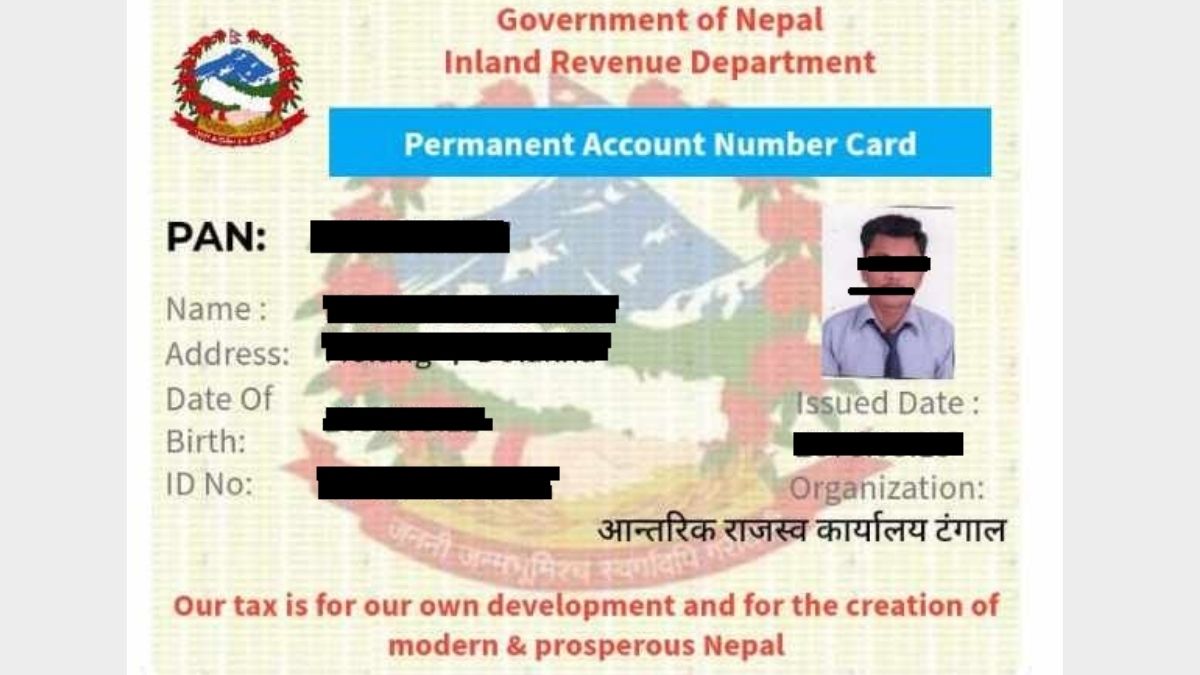
How to Get a PAN Card Online in Nepal
Are you about to start a job? Are you thinking of investing in the share market? Or are you planning to register your own business? If the answer to any of these questions is “yes,” the first document you need is a PAN card.
In the past, getting a PAN card often meant standing in line for hours, making mistakes while filling out paper forms, and dealing with a complicated process. But with the concept of “Digital Nepal,” the Inland Revenue Department (IRD) has made this process much easier.
As a subject expert and writer on economic issues, I have helped hundreds of people with the process of obtaining a PAN card. In this article, I will explain the entire process of applying for a PAN card from home in clear, simple language, like a friend teaching a friend, without any mechanical or overly technical wording.
Once you finish reading this article, you will no longer need to visit a cyber café repeatedly or pay money to middlemen.
Table of Content
- How to Get a PAN Card Online in Nepal
- Introduction to PAN Card and Its Importance
- Preparation Before Applying (Pre-requisites)
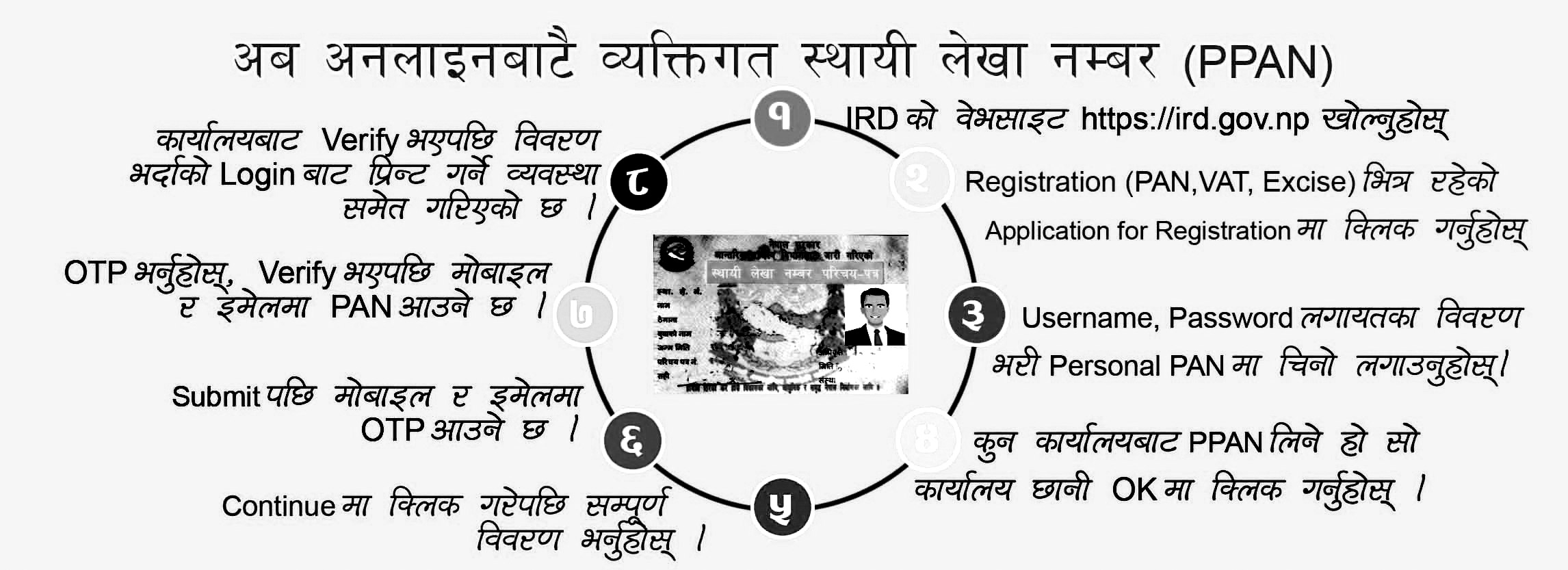
- Step-by-Step Online PAN Application Process
- Office Visit and PAN Card Collection (Physical Verification)
- Getting a PAN Through the Nagarik App (Alternative Method)
- Common Mistakes and Solutions (Expert Troubleshooting)
- Frequently Asked Questions (FAQs)
- Conclusion
Introduction to PAN Card and Its Importance
Before going into the process, it is important to understand why PAN is necessary. Many people see PAN simply as a government card, but it is actually your financial identity.
What Is PAN?
PAN stands for Permanent Account Number. It is a special nine-digit code issued by the Inland Revenue Department of the Government of Nepal to identify taxpayers. Just as your citizenship certificate identifies you as a Nepali citizen, your PAN identifies you as a member within Nepal’s tax system.
Why Do You Need a PAN Card? (Practical Reasons)
According to research and current law, PAN is mandatory for the following reasons:
-
For salaried employees (Salary): Under the rules of the Government of Nepal, if you work in any institution and receive a salary of more than 2,000 rupees, PAN is compulsory. With PAN, only 1% social security tax is deducted from your salary. If you do not have PAN, your employer cannot legally pay you, or even if they do, a much higher amount of tax may be deducted.
-
Share market (Stock Market): To open a Demat account and trade shares, PAN is mandatory.
-
Bank loans (Bank Loans): For bank loans of 50 lakh rupees or more, banks require a PAN card.
-
Business registration: From small shops to large companies, you need PAN (or VAT) for business registration and for paying taxes.
-
Foreign currency exchange: When going abroad or when applying for a dollar card, PAN is required.
Types of PAN
Before applying, you should be clear about which type of PAN you need:
-
Personal PAN (Personal PAN – PPAN): For salaried employees, students, investors, or independent professionals (freelancers). (Most people need this type.)
-
Business PAN (Business PAN): For those registering a shop, firm, or company.
-
Withholding PAN (Withholding PAN): For entities that only deduct tax and do not operate for profit (for example, NGOs, government offices).
Preparation Before Applying (Pre-requisites)
Many people get stuck after starting the form because their documents are not ready. In my experience, you should prepare the following items in advance for a successful application:
-
Citizenship certificate: A clear photo or scanned copy of the front and back of your citizenship. (Size: less than 200 KB, in JPG format.)
-
Passport-size photo: A recent digital photo of yourself.
-
Mobile number and email: Use your own mobile number for verification and for future password recovery.
-
Nepali typing tool: Some details in the online form must be filled in Nepali. For this, install “Hamro Keyboard” or “Google Input Tools” on your computer.
-
Internet browser: It is best to use Google Chrome or Mozilla Firefox.
Step-by-Step Online PAN Application Process
Now we move into the main process. This process is based on the IRD system currently in use (2024), which I have personally used. Follow the steps below calmly, without rushing.
Step 1: Visit the Inland Revenue Department Website
First, open the browser on your computer or mobile and type: www.ird.gov.np
This is the official tax portal of the Government of Nepal. For security, always use a website that ends with .gov.np.
Step 2: Go to the Taxpayer Portal
On the website homepage, there are many options. Do not be confused.
-
On the lower part of the homepage or in the menu bar, you will see a link named “Taxpayer Portal.” Click on it.
-
A new tab or window will open. On the left side, you will see a menu tree.
Step 3: Select Registration
-
In the left-hand menu, click on “Registration (PAN, VAT, EXCISE).”
-
In the sub-menu that appears, click on “Application for Registration.”
Step 4: Fill Initial Details (Obtain Submission Number)
This is the most important technical step. Here, you are creating a temporary account for your application.
-
Username: The system may generate a code based on the date and time, or you can use your own name.
-
Submission Number: This box is empty at first. After you fill in the details and click “OK,” a number appears here.
(Warning: Write this number down on paper. If the power goes out or the internet disconnects, you can restart the form using this same number.) -
Password: Choose a strong password.
-
Contact No: Enter your mobile number.
-
Email Id: Enter your email address.
- IRO Name: This is the most important field. IRO (Inland Revenue Office) is the tax office where you will go to collect your PAN card.
Suggestion: Choose an office that is convenient for you. For example, if you live in Baneshwor, Kathmandu, you can choose “IRO New Baneshwor” or “Taxpayer Service Office, Chabahil.” If you live outside the Kathmandu Valley, choose the office located at the district headquarters of your district.
After filling in all details, click the “OK” button. You will now receive a Submission Number. Keep it safe and click “Continue.”
Step 5: Fill the Main Form (Personal Details)
A long form will now appear. Do not be nervous; we will complete it in three sections.
(a) Personal details (Basic Information)
-
Name (in English):
Write your name exactly as it appears on your citizenship, with correct spelling. -
Name (in Nepali):
Enter your name in Nepali. Use Unicode or a Nepali typing tool. -
Date of Birth:
Enter your date of birth in B.S. (Bikram Sambat) according to your citizenship. The A.D. (Gregorian) date will appear automatically. -
Nationality:
Select “Nepali.” -
Citizenship No:
Enter your citizenship number, the district where it was issued, and the date of issue.
(b) Address
There are two types of address:
-
Permanent Address:
Enter the same details as in your citizenship. If your citizenship mentions an old VDC, enter accordingly, or convert it to the current local level as appropriate. -
Current Address:
Enter the details of where you are currently living. The PAN card is not issued solely on the basis of this address, but it is needed for contact purposes.
(c) Source of Income and Occupation
Why are you taking PAN?
-
If it is for a job: select “Employment.”
-
If it is for the share market: select “Investment.”
-
If it is for business: select “Business.”
-
For other reasons: select “Other.”
Step 6: Upload Documents
Many applications get rejected at this stage, so be careful. At the top, there is a tab named “Upload” or “Documents.”
-
Photo:
Upload your passport-size photo. Keep the file name short (for example: photo.jpg). -
Citizenship (Scanned):
Upload a file that clearly shows both sides of your citizenship, either scanned on a single page or created by combining two clear images.
Expert suggestion: Your photo and citizenship must be clear. If they are blurred, the office may not be able to verify them.
Step 7: Final Submission
Check all details carefully one more time.
-
Is the spelling correct?
-
Is the date of birth correct?
-
Is the selected office (IRO) correct?
If everything is correct, click the “Save” button and then the “Submit” button at the end.
After you click Submit, a message appears:
“Are you sure you want to submit? After submission, you cannot change the details.”
Click “Yes.”
An application form (Application Receipt) will now appear on the screen. The Submission Number will be shown in large letters at the top. Print this page or save it as a PDF.
Office Visit and PAN Card Collection (Physical Verification)
Many online articles incorrectly claim that “PAN can be made entirely online.” In the context of Nepal (up to 2024), you can only submit the application online; you must still visit the tax office to collect the card. In offices where a biometric system is implemented, your fingerprints and photo are taken.
What to Take to the Office?
-
Printout of the online form (or the paper where you have written the Submission Number).
-
Original citizenship certificate.
-
One photocopy of your citizenship.
-
One passport-size photo (in some cases, it may be needed if the system photo does not appear properly).
What Happens at the Office?
-
Go to the Inland Revenue Office (IRO) that you selected in the form. (You must visit the same office you chose.)
-
Go to the “PAN Registration Section” or “Service Centre.”
-
Give your Submission Number and citizenship to the staff.
-
The staff will check your details in the system and verify them against your citizenship.
-
If everything is correct, they will print your PAN card, stamp it, and hand it to you.
The good news: If there is no heavy crowd, this entire process inside the office usually takes only 10 to 15 minutes. There is no fee for this; a personal PAN is free of charge.
Getting a PAN Through the Nagarik App (Alternative Method)
If the website process feels complicated, you can use the Government of Nepal’s “Nagarik App” to make it even easier.
-
Download the Nagarik App on your mobile and create an account.
-
Inside the app, tap on the icon labeled “PAN.”
-
Go to “Register PAN.”
-
The app will automatically pull most of your details (name, photo, address) from the citizenship database.
-
Fill in the remaining details (IRO office, contact number).
-
Submit the form.
When you submit via the Nagarik App, you also receive a Submission Number. You still need to visit the tax office with this number. The advantage of the Nagarik App is that once your PAN is issued, your digital PAN card appears in the app itself, which you can use in many situations.
Common Mistakes and Solutions (Expert Troubleshooting)
In my experience, applicants frequently make these five major mistakes:
Problem 1: Incorrect Name or Date of Birth
Solution:
If you have not clicked the “Submit” button yet, you can correct the details. If you have already submitted, leave that Submission Number as it is. Create a new Username and start a fresh form from the beginning. As long as you do not go to the office, the old application will automatically remain unused and effectively cancelled.
Problem 2: Selecting the Wrong Office (IRO)
Solution:
If you live in Kathmandu but mistakenly choose “IRO Jhapa,” you will have to go to Jhapa to collect your card. Therefore, if such a mistake occurs, the best solution is to submit a new application as described above.
Problem 3: Forgetting the Submission Number
Solution:
If you forget the number, you can use the “Search Submission Number” feature on the website, but this is a bit more complex. It is easier to take a photo of the Submission Number on your mobile at the time you write it down.
Problem 4: Not Knowing How to Type in Nepali
Solution:
You can write your name in a Unicode converter or tools like Google Translate and then copy and paste it into the form.
Problem 5: Going to the Office on a Holiday
Solution:
Government offices are open for half a day on Friday and closed on Saturday and public holidays. The best time to visit is from Sunday to Thursday between 10:30 a.m. and 3:00 p.m.
Frequently Asked Questions (FAQs)
How much does it cost to make a PAN card?
Personal PAN is free. You do not have to pay even 1 rupee at the government office. For Business PAN, business registration fees may apply, which are related to the Department of Commerce or the local level.
Can I send someone else to collect my PAN card?
Generally, this is not allowed. Because biometric data (fingerprints) and a photo may need to be taken, the person must be present in person. In serious illness or special situations, a close relative can go with a power of attorney, but this depends on the decision of the office head.
After how many years does a PAN card need to be renewed?
A PAN card number is permanent and does not have an expiry date. Therefore, it does not need to be renewed. However, if it is a Business PAN, you must file tax returns every year.
If my citizenship is lost, can I use a driving licence or passport to get PAN?
For Nepali citizens, citizenship is mandatory. For foreign nationals, PAN can be obtained using a passport.
What should I do if my surname changes after marriage?
You must visit the tax office with your marriage registration certificate and citizenship and fill out a form to update your details. Your PAN number remains the same, but your name is updated.
Conclusion
Getting a PAN card is not just about completing a government procedure; it is also a step towards becoming a responsible citizen. If you follow the process described above, you can obtain your PAN card easily, without hassle, without the help of middlemen, and without spending money on brokers.
My final suggestion: Use technology. Fill out the form from home and prepare all your documents before going to the office. This will save both your time and your energy.
If you face any technical problems while filling out the form, do not forget to call the toll-free number of the Inland Revenue Department or read the “User Guide” available on its website.






Comments 0
No comments yet. Be the first to start the conversation.