




TU Makes Online Application Mandatory for Transcript for Four-Year Bachelor’s Level Students
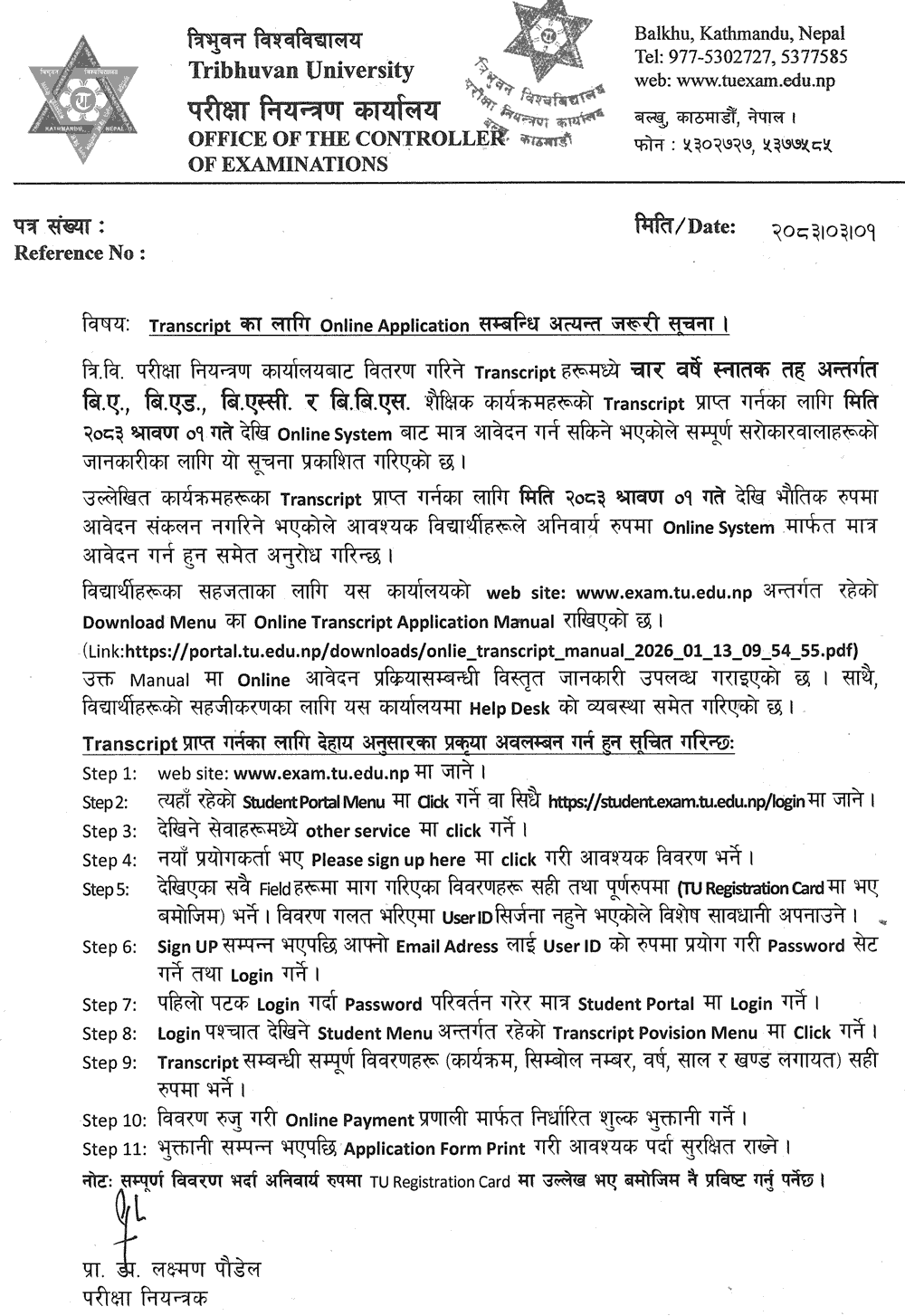
Tribhuvan University, Office of the Controller of Examinations, Balkhu, has made it mandatory to apply online to obtain transcripts for various academic programs under the four-year bachelor’s level. The office published a very urgent notice on 2083/03/01, informing that this arrangement will come into effect from 2083 Shrawan 1.
According to the notice, from 2083 Shrawan 01, applications for transcripts of four-year bachelor’s level academic programs, including B.A., B.Ed., B.Sc., and B.B.S., can be submitted only through the online system. Since physical applications for the mentioned programs will not be collected from Shrawan 1, the office has requested the concerned students to apply compulsorily through the online system.
For the convenience of students, the Online Transcript Application Manual has been placed in the “Download Menu” on the office’s official website, www.exam.tu.edu.np. The manual provides detailed information on the online application process. A Help Desk has also been arranged at the office to facilitate students.
Process to Be Followed by Students to Obtain Transcript
The office has published the following step-by-step process for online application:
Step 1: Go to the website www.exam.tu.edu.np.
Step 2: Click on the “Student Portal Menu” available there, or go directly to https://student.exam.tu.edu.np/login.
Step 3: Among the services displayed, click on “other service.”
Step 4: New users should click on “Please sign up here” and fill in the required details.
Step 5: Fill in all the displayed fields correctly and completely as mentioned in the TU Registration Card. Special care must be taken, as the User ID will not be created if incorrect details are entered.
Step 6: After completing Sign UP, use your email address as the User ID, set the password, and log in.
Step 7: While logging in for the first time, change the password and only then log in to the Student Portal.
Step 8: After login, click on the “Transcript Povision Menu” under the Student Menu.
Step 9: Fill in all transcript-related details correctly, including program, symbol number, year, academic year, and part.
Step 10: Verify the details and pay the prescribed fee through the Online Payment system.
Step 11: After payment is completed, print the Application Form and keep it safe if required.
Note: While filling in all details, they must compulsorily be entered exactly as mentioned in the TU Registration Card.
This notice has been certified and issued by Prof. Dr. Laxman Paudel, Controller of Examinations of Tribhuvan University.





Comments 0
No comments yet. Be the first to start the conversation.