




Digital life now runs through phones, laptops, and cloud accounts. Grades, CVs, internship offers, bank apps, and private conversations all sit on the same small set of devices. That setup saves time, yet it opens many doors for fraud and data loss.
Reports from the United States Federal Trade Commission show that consumers lost more than ten billion dollars to fraud in 2023. A large share of victims were in younger age groups, including people in their twenties. In that age band, a higher percentage of fraud reports involved financial loss than in older age bands. Young adults often meet scammers on social media and messaging apps, where fake offers and emotional pressure feel normal at first glance.
Security studies on education and training providers highlight another risk. Colleges, universities, and schools carry large sets of personal records. Attackers know this and regularly target learning platforms, portals, and payment systems. Investigations of global breach data indicate that human actions, such as clicking a fake link or reusing a password, play a role in most incidents.
For students and young professionals, cybersecurity is not an abstract technical topic. It affects money, grades, job prospects, reputation, and mental health. The good news is that small, consistent habits lower risk more than expensive tools.
Table of Content
- Why is Cybersecurity Essential for Young People
- How Cyber Attacks Reach Students and Early-Career Workers
- Key Cybersecurity Concepts in Simple Terms
- Managing Your Digital Identity and Online Footprint
- Strong Passwords and Multi-Factor Authentication
- Keeping Devices and Networks Safer
- Safer Online Communication and Collaboration
- Cybersecurity in Study and Workplace Settings
- A Simple Cyber Hygiene Routine You Can Keep
- What To Do After a Cyber Incident
- Cyber Awareness as a Career Advantage
- Key Points You Can Apply Today
- FAQs
Why is Cybersecurity Essential for Young People
Students and early-career workers often live a mixed digital life. One phone handles lecture notes, bank transfers, family calls, part-time work apps, and social channels. If that phone falls into the wrong hands, or if a key account gets taken over, the impact spreads quickly.
A compromised email account may allow an attacker to reset passwords on other platforms. A hacked social account may be used to send requests for urgent payments to friends. Access to a student portal may let someone view grades or even submit work under another person’s name. For young professionals, a breach in a work account can damage trust with clients or supervisors, even when the mistake was unintentional.
Money loss is only one part of the damage. Leaked private photos, old chat logs, or sensitive health or immigration documents can travel through groups and sites without consent. That can lead to stress, anxiety, or shame. In some cases it can affect applications for study abroad, employment, or visas if information is misused.
This age group sits at the entry point to work life. First impressions with employers form through email, video calls, shared documents, and online profiles. Basic online safety and respect for confidentiality signal maturity and reliability.
How Cyber Attacks Reach Students and Early-Career Workers
Attackers study behaviour patterns and adapt messages to them. For young people, some tactics appear again and again.
Phishing and social tricks
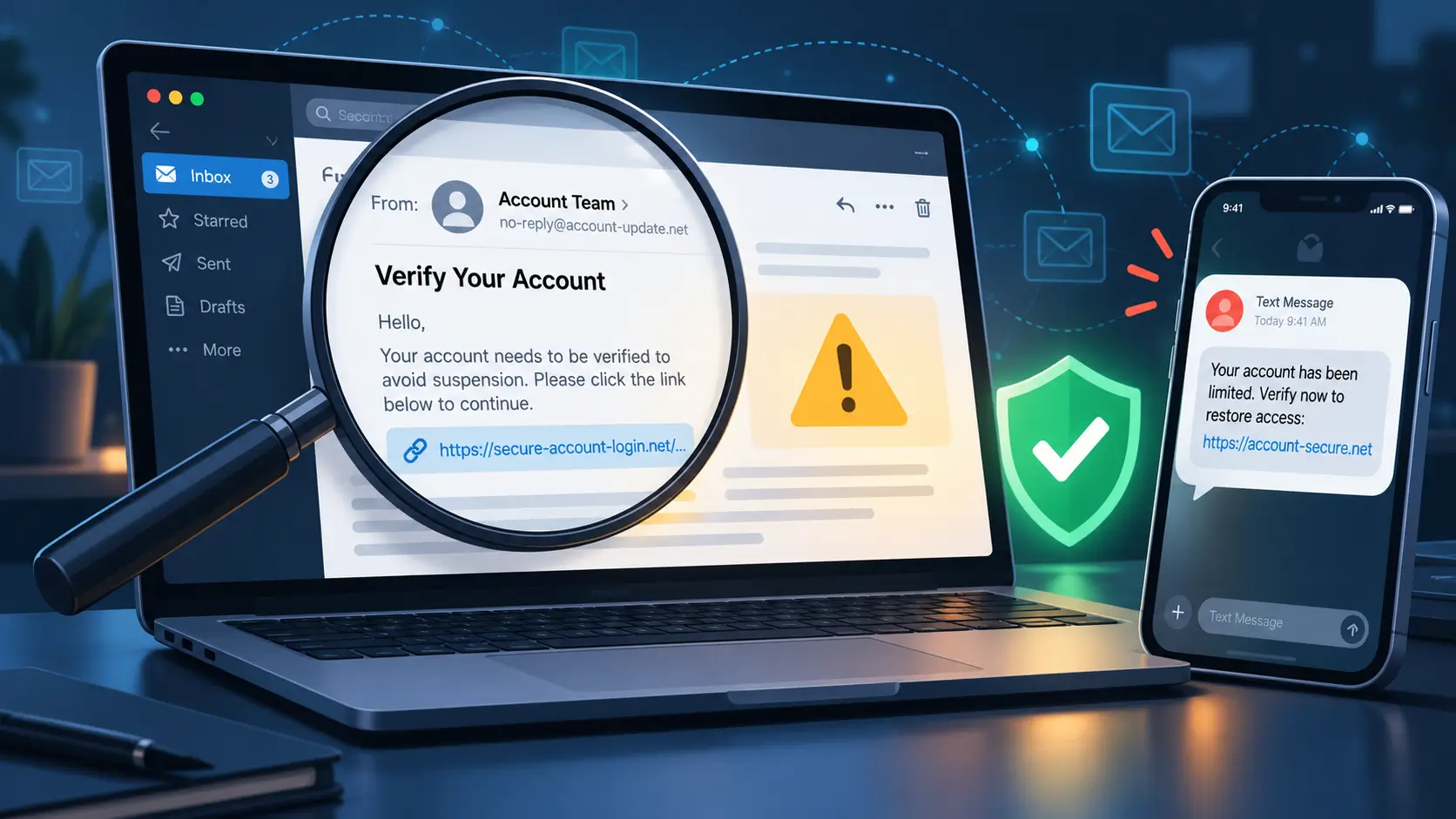
Phishing relies on fake messages sent by email, SMS, or chat. The sender pretends to be a bank, a delivery service, a teacher, an internship coordinator, or even a close friend. The goal is simple: get you to click a link, open a file, or share a code or password.
Common signs include spelling errors, slightly altered email addresses, unexpected attachments, and links that do not match the text. Many messages add time pressure, such as threats to close an account or cancel an application.
Job, scholarship, and investment scams
Students and young professionals often search for remote work, scholarships, freelance tasks, or skill courses. Scammers copy the language of genuine ads and then ask for “registration fees,” training payments, or access to bank cards. Some promote online trading or crypto schemes with screenshots of fake profits.
Once money leaves through these channels, recovery is difficult. In some cases personal documents, such as passports and academic certificates, are collected too. That raises the risk of identity theft later.
Account takeover and identity theft
When attackers manage to get login details, they test the same email and password on many sites. If one combination works for several platforms, they can lock a person out of mail, social media, or cloud storage in a short time.
Identity theft goes further. With enough details, such as date of birth, national ID number, and address, criminals may try to open online accounts in another person’s name or attempt loan applications.
Key Cybersecurity Concepts in Simple Terms
Cybersecurity basics for students and young professionals do not require advanced math or coding. A few clear ideas help guide daily decisions.
Digital identity and online footprint
Digital identity includes the data that links back to you: full name, photos, usernames, contact numbers, email addresses, courses, jobs, and more.
Your online footprint comes from activity across platforms:
-
Social posts, likes, and comments
-
Profiles on learning sites, gaming platforms, and forums
-
App sign-ups and newsletter registrations
-
Shared documents and group chats
Some parts are public, such as open social profiles. Others sit in private databases yet still exist and can leak in a breach. Employers and scammers both search this footprint, but with different goals.
Confidentiality, integrity, and availability
Security teams often talk about three goals for information:
-
Confidentiality: only the right people see the data
-
Integrity: the data stays correct and unaltered
-
Availability: systems and data work when needed
For a student, confidentiality covers assignment feedback or health details. Integrity means grades are recorded correctly. Availability matters when a portal or exam platform needs to work at a set time. For a young professional, the same three goals apply to client files, contract drafts, and internal chats.
Managing Your Digital Identity and Online Footprint

Managing online presence is one of the most practical cybersecurity tips for students and young professionals.
Social media habits that protect you
Start with the platforms you use most often:
-
Review privacy settings for posts, stories, and friend lists
-
Limit public visibility for contact details and location tags
-
Avoid sharing ID cards, tickets, bank cards, or screenshots with personal data
-
Think before posting content that might hurt future job or study applications
This approach does not mean hiding your personality. It means choosing what to share in public, what to keep inside smaller circles, and what to avoid posting at all.
Separating personal, academic, and work identities
One email address and one username for everything feels convenient at first. Over time, it mixes many roles.
A safer structure:
-
A personal email for family, shopping, and social sites
-
An academic email for university portals, learning platforms, and journal access
-
A work email for internships, part-time roles, or full-time jobs
On public profiles such as LinkedIn, use a photo, headline, and description that match your field of interest. Keep jokes, private opinions, and sensitive topics on channels meant for close contacts.
Clearing old accounts and data trails
Old blogs, closed forums, and unused apps still hold traces of your life. Take time once or twice a year to:
-
Search your name and common usernames
-
Close or clean up profiles that no longer matter
-
Remove links between old apps and central accounts like Google, Apple, or Microsoft
This reduces the number of weak entry points into your personal data.
Strong Passwords and Multi-Factor Authentication
Strong passwords and extra login checks sit at the centre of online safety for students and young professionals.
Why password reuse causes trouble
When a company suffers a breach, stolen login pairs often appear for sale in hidden markets. Criminals then try those pairs on popular sites such as email services, social networks, and major shops. If one password repeats across many services, one breach can turn into many.
Passphrases that you can remember
Short, simple passwords are easy to guess. Long passphrases work better. For example, pick four or five unrelated words, then add numbers or symbols that mean something only to you. Avoid birthdays, pet names, school names, or common phrases.
Each key account needs its own passphrase. That set includes:
-
Main email accounts
-
Banking and payment apps
-
Social networks you care about
-
Cloud storage for documents and photos
Password managers
A password manager is a secure digital notebook that stores login details and fills them in for you. Many security experts recommend managers for people who handle many accounts, including students and employees.
To use one safely:
-
Protect the master password as carefully as you would protect a physical safe key
-
Write recovery codes on paper and store them in a safe place at home
-
Turn on extra login checks for the password manager itself
Multi-factor authentication (MFA)
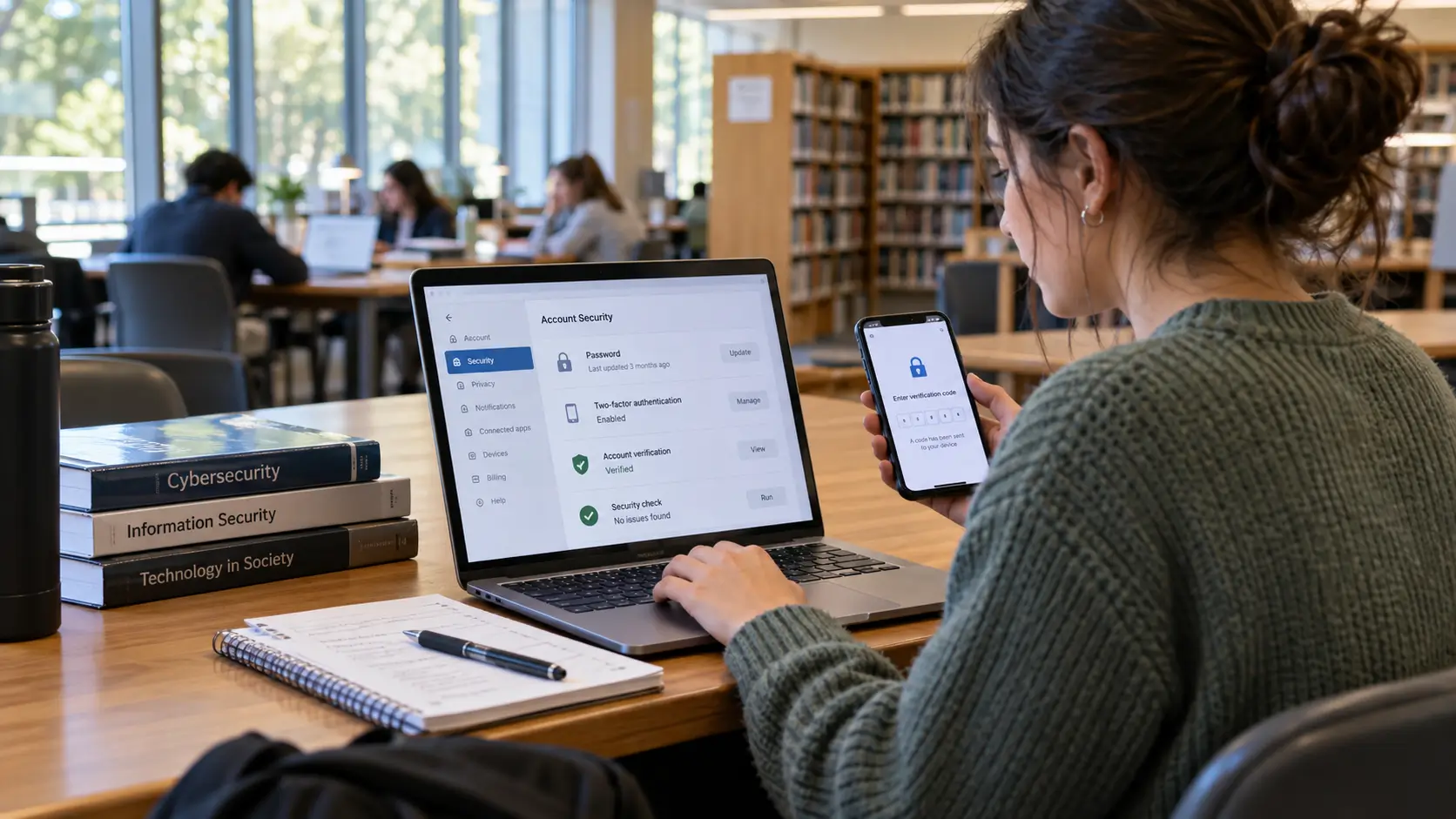
MFA adds a second step during login, such as a code from an app, a hardware key, or a fingerprint. If someone learns your password, that extra step still blocks them.
Turn on MFA wherever possible, especially for email, banking, social platforms, cloud storage, and workplace tools. This single habit blocks a large share of account takeover attempts.
Keeping Devices and Networks Safer
Cybersecurity for young professionals and students depends on device care as much as on account care.
Basic care for phones, tablets, and laptops
Simple actions help:
-
Keep operating systems and applications updated
-
Install security software from sources you trust
-
Use screen locks on all devices, even at home or on campus
-
Turn on full device encryption if available, especially for laptops that leave home regularly
-
Avoid installing random files or apps sent through chat groups
If a device is lost or stolen, remote lock or wipe features from providers such as Apple, Google, or Microsoft can protect data, as long as they are activated beforehand.
Backups as safety nets
Backups protect study notes, code, photos, and work documents from loss through theft, malware, or disk failure. Two simple options:
-
External drives kept in a safe spot
-
Encrypted cloud storage from a provider with a strong track record
Pick a weekly time to copy the latest versions of important files. For large projects, such as research papers or portfolios, consider an extra backup on a separate drive.
Public Wi-Fi and shared computers
Cafés, hostels, and libraries often offer free Wi-Fi. These networks may not encrypt traffic or may route it through equipment you do not control.
Safer habits include:
-
Avoid banking or handling card details on open Wi-Fi
-
Use a virtual private network (VPN) from a trusted provider for sensitive tasks when away from home
-
Log out of webmail, portals, and cloud services on public or shared computers
-
Clear browser data after sessions in a lab or cybercafé
These steps lower the chance that someone on the same network sees your traffic or reuses your active session.
Safer Online Communication and Collaboration
Study and work now rely on shared documents, chat channels, and video calls. These tools allow productive teamwork yet they carry risk.
Spotting risky messages in mail and chat
Before clicking any link or file attachment, ask a few quick questions:
-
Do I know the sender, and does this match earlier conversations?
-
Does the sender’s address exactly match past messages, or has one letter changed?
-
Does the message push me to act fast or break normal rules?
-
Is the file type safe for my device, or does it look unfamiliar?
Sharing documents safely
For group projects or remote work:
-
Use official platforms from your school or employer whenever possible
-
Set editing rights only for those who truly need them
-
Remove access for outsiders when a project ends
-
Avoid sending sensitive files through personal social media inboxes
Cybersecurity in Study and Workplace Settings
Cybersecurity basics for students and young professionals connect closely with study rules and company policies.
University portals, exam platforms, and learning apps
Follow guidance from your institution:
-
Reach official sites through bookmarks or direct address entry
-
Do not share portal passwords with friends, even for urgent favour requests
-
Use institution-approved apps instead of unverified copies from third-party sites
If you notice strange behaviour on a portal, such as logins from unknown locations or courses you do not recognise, report it to the IT or exam office.
Internships, part-time roles, and first jobs
During early work experience, you may handle:
-
Customer contact details
-
Internal reports and planning documents
-
Code repositories or design files
Treat this data as you would want others to treat your own private records. Ask supervisors when you feel unsure about sharing or storing a particular document. Avoid copying work files to personal email or unapproved storage.
Good habits here help protect real people and build a trustworthy professional image.
A Simple Cyber Hygiene Routine You Can Keep
Long lists of rules often fail during exam periods or busy work weeks. A small routine has a better chance of lasting.
Daily
-
Check mail and messages for suspicious content and remove it
-
Lock screens when leaving devices on a desk, in class, or in a café
-
Glance at notifications from security apps or operating systems
Weekly
-
Back up key study and work documents
-
Remove unused apps or browser extensions
-
Glance at login history for major accounts if that feature exists
Monthly
-
Review privacy settings on main social profiles
-
Change passwords that feel weak or that you shared in the past
-
Read one short advisory from a national cyber centre, university IT office, or respected security site
What To Do After a Cyber Incident
Incidents still happen, even with good habits. Quick, calm steps reduce harm.
If an account is taken over
-
Use a clean device to change the password
-
Log out active sessions from the account settings
-
Turn on MFA if it was not active
-
Let contacts know that strange messages may have gone out under your name
If money or sensitive data is lost
Contact your bank or payment service as soon as possible. Explain what happened and follow their process for blocking cards or freezing accounts. File a report with your local cybercrime or consumer protection unit so that investigators can track patterns and warn others.
If the incident involves study or work accounts, inform your institution or employer. Hiding such events tends to worsen the impact later.
Caring for your mental health
Fraud or harassment often brings fear or embarrassment. Support from friends, mentors, counsellors, or peer groups can help. Many universities and workplaces now offer free counselling services that cover online harms along with other pressures.
Cyber Awareness as a Career Advantage
Cybersecurity basics for students and young professionals link directly to career growth. Employers in every sector need staff who handle data responsibly.
Basic expectations include:
-
Using strong, unique passwords and MFA
-
Following policies on device use, remote access, and storage
-
Reporting suspicious messages or system behaviour without delay
-
Respecting legal and ethical duties around personal data
Key Points You Can Apply Today
Cybersecurity tips for students and young professionals do not need to feel complicated or distant from daily life. A few steps already move you forward:
-
Treat accounts and devices as valuable assets, not casual toys
-
Use long, unique passphrases and add MFA wherever possible
-
Tidy online profiles and cut down old, unused accounts
-
Care for devices with updates, security tools, and backups
-
Pause before clicking links or sharing data under time pressure
-
Ask for help early when something feels wrong, rather than waiting in silence
These habits protect your money, your learning, your work, and your relationships.
FAQs
1. Why do scammers focus on students and young professionals?
Scammers know that young people often manage money, study, and social life through the same set of devices and accounts. This group spends many hours online, reacts fast to messages, and frequently explores new apps and platforms. Those traits create more chances for fraudsters to send fake offers, links, and requests that blend into normal digital activity.
2. What are the most important accounts to protect first?
Start with accounts that control other accounts or money. That list includes main email addresses, banking and payment apps, cloud storage for key documents, and major social profiles. Apply unique passphrases and MFA to each of these before moving on to smaller accounts.
3. Do I need a password manager as a student?
You can manage a small number of logins with handwritten records kept in a safe place. Once you handle dozens of accounts for study, social life, and work, a password manager becomes more practical. It reduces the urge to reuse passwords and speeds up login on trusted devices.
4. How can I spot fake job or scholarship offers?
Warning signs include requests for advance fees, pressure to act fast, vague job descriptions, and communication that does not move to official domains or verified contacts. Genuine employers and scholarship providers use clear processes, explain payment terms, and rarely ask for bank details through informal chat apps.
5. Where can I learn more about personal cybersecurity?
Many national cyber security centres, consumer protection bodies, and universities publish free guides and short videos. Look for content from government sites, recognised higher education institutions, or long-established security organisations. Short courses on basic cyber hygiene, phishing awareness, and account security provide helpful next steps.




Comments 0
No comments yet. Be the first to start the conversation.