



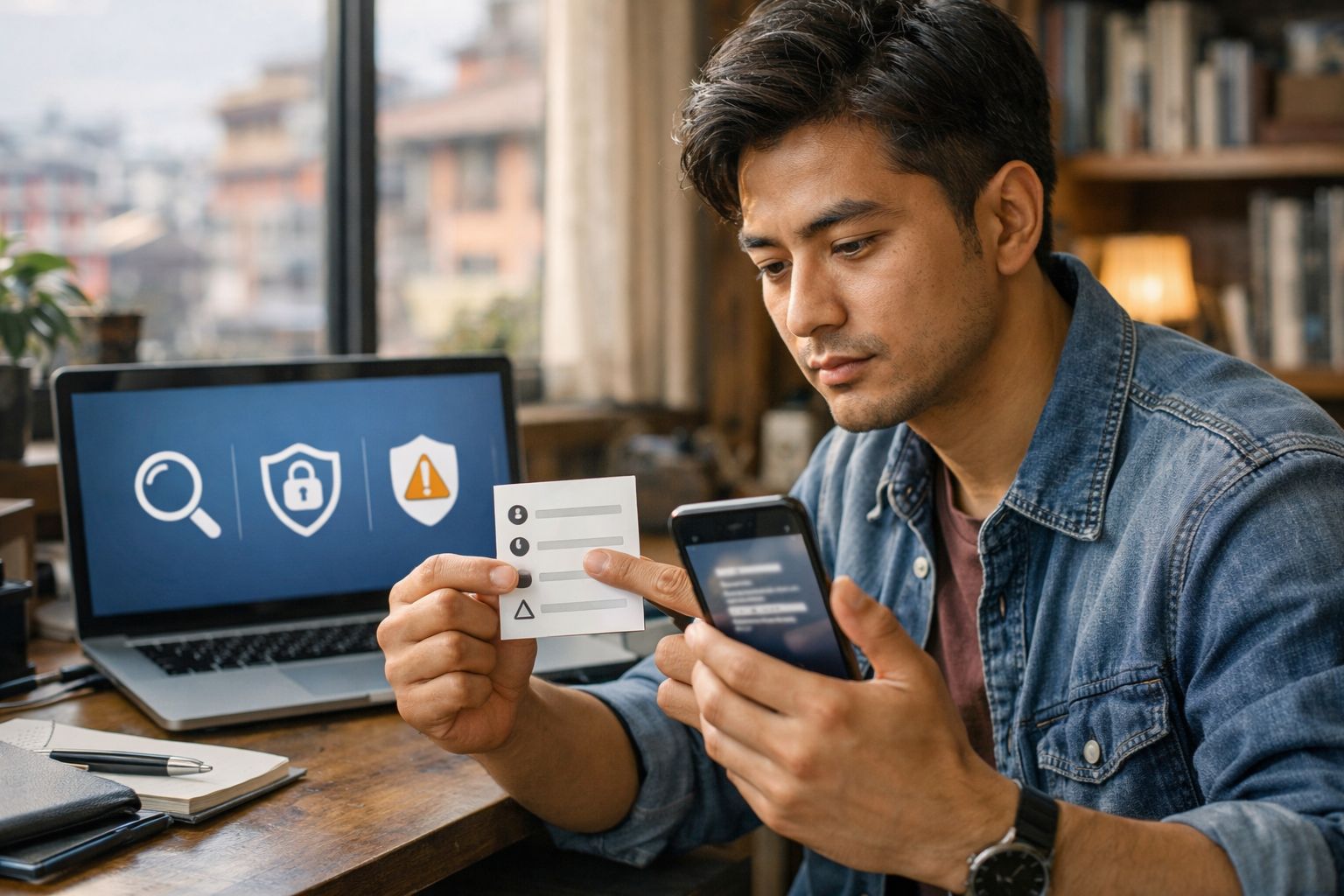
Digital Literacy: How to Evaluate Tech Claims, Scams, and AI Tools
Digital literacy is no longer only about using apps or finding information online. It also includes a safety skill: deciding what to trust, what to ignore, and what to treat as a risk.
That matters because many tech claims now spread fast through short videos, screenshots, forwarded messages, and “tool” demos that look convincing. Scams also copy real brands, real interfaces, and real writing styles. Public reporting shows phishing and spoofing remain among the most reported cybercrime categories, which matches what many people see in daily inbox and messaging apps.
This guide gives you a practical way to evaluate:
-
Tech claims (“This app can boost your exam score,” “This tool detects plagiarism,” “This site pays you to watch videos”)
-
Suspicious messages (email, texts, DMs, QR codes, calls)
-
“AI tools” (especially those that ask for your files, voice, photos, or schoolwork)
It is informational only, not legal, financial, or medical advice.
Table of Content
- Digital Literacy: How to Evaluate Tech Claims, Scams, and AI Tools
- What Digital Literacy Covers in 2026
- The CLAIM Method for Evaluating Tech Claims
- Fast Credibility Checks for Websites and Posts
- Common Scam Patterns and Safer Responses
- Evaluating AI Tools Without Oversharing
- Checking Images, Videos, and Synthetic Content
- Building Digital Literacy as a Repeatable Skill
- Outcomes and Limits
- Conclusion
- FAQs
- Reference for Further Reading
What Digital Literacy Covers in 2026
A useful definition of digital literacy is “being able to access information and use digital tools safely and critically.” UNESCO frames media and information literacy around engaging critically with information and staying safe online.
Many education and workforce frameworks also treat safety and critical evaluation as core. For example, the EU’s DigComp updates include examples tied to critical, safe use of digital technologies, including emerging systems.
For everyday life, you can think of digital literacy as three connected habits:
-
Verify before sharing, paying, downloading, or logging in.
-
Protect data and accounts as a routine, not a reaction.
-
Treat tool claims as testable statements, not promises.
The CLAIM Method for Evaluating Tech Claims
When you see a claim about a tool, app, course, or “AI feature,” pause and run CLAIM. It works for ads, influencer posts, forwarded screenshots, and official-looking announcements.
C — Context: Who is behind it?
Ask:
-
Who published it?
-
What do they gain if you believe it?
-
Do they provide real contact details and a track record?
If it is a website, open a new tab and search the organization name plus words like “review,” “complaint,” “about,” “policy,” or “scam.” This approach is close to “lateral reading,” where you leave the page and check what other sources say about it. Stanford-linked research and teaching materials describe how fact checkers use this habit to assess credibility.
L — Logic: Does the claim make sense?
Red flags for logic:
-
“One click” or “instant” results for complex tasks (security, grades, money, admissions)
-
Claims that ignore trade-offs (accuracy vs speed, privacy vs convenience)
-
Vague language: “advanced,” “proprietary,” “secret method,” without specifics you can verify
A — Attribution: Are there real sources?
Good claims link to:
-
A policy, standard, or research report you can locate independently
-
A clear methodology (how results were measured, what counts as success)
-
Limitations (when it performs poorly, what it cannot do)
If a claim cites a study, search the study title separately. If the claim cites a government or standards body, find the same content from the official site.
I — Inputs: What does the tool need from you?
Before using a tool or app, list what you would have to provide:
-
Files (assignments, ID photos, transcripts)
-
Logins (email, bank, school portal credentials)
-
Permissions (contacts, microphone, camera, storage)
-
Payment details
If the tool requests data that is not needed for the stated purpose, treat it as a risk.
M — Method: How would you test it?
You can test many claims without sharing sensitive data:
-
Try a “dummy” version of the task (non-personal text, a sample file you created)
-
Check if it gives consistent output across repeats
-
Compare with a known reference (official guidance, a trusted site, a textbook definition)
A strong tool can still be the wrong choice if it needs too much access.
Fast Credibility Checks for Websites and Posts
These checks are quick and reduce mistakes.
Check the source’s identity, not the design
Scams can copy logos and layouts. Look at:
-
The domain name: spelling, extra words, unusual endings
-
The “About,” “Contact,” and “Privacy” pages: real names and clear policies matter
-
Whether the site pushes urgent actions (download now, pay now, verify now)
Treat screenshots as “leads,” not proof
Screenshots are easy to reuse out of context. Ask:
-
Can you find the same statement on an official website?
-
Can you locate the original post, document, or announcement?
Use “click restraint”
If a message gives you a link, resist using it. Open your browser and go to the official site by typing it, using a saved bookmark, or a trusted search result.
This aligns with public consumer safety guidance: contact organizations using information you know is real, not details provided in a suspicious message.
Common Scam Patterns and Safer Responses
Scam methods change, but many patterns repeat. National cyber and consumer agencies publish consistent warning signs and safer steps.
Phishing and spoofing
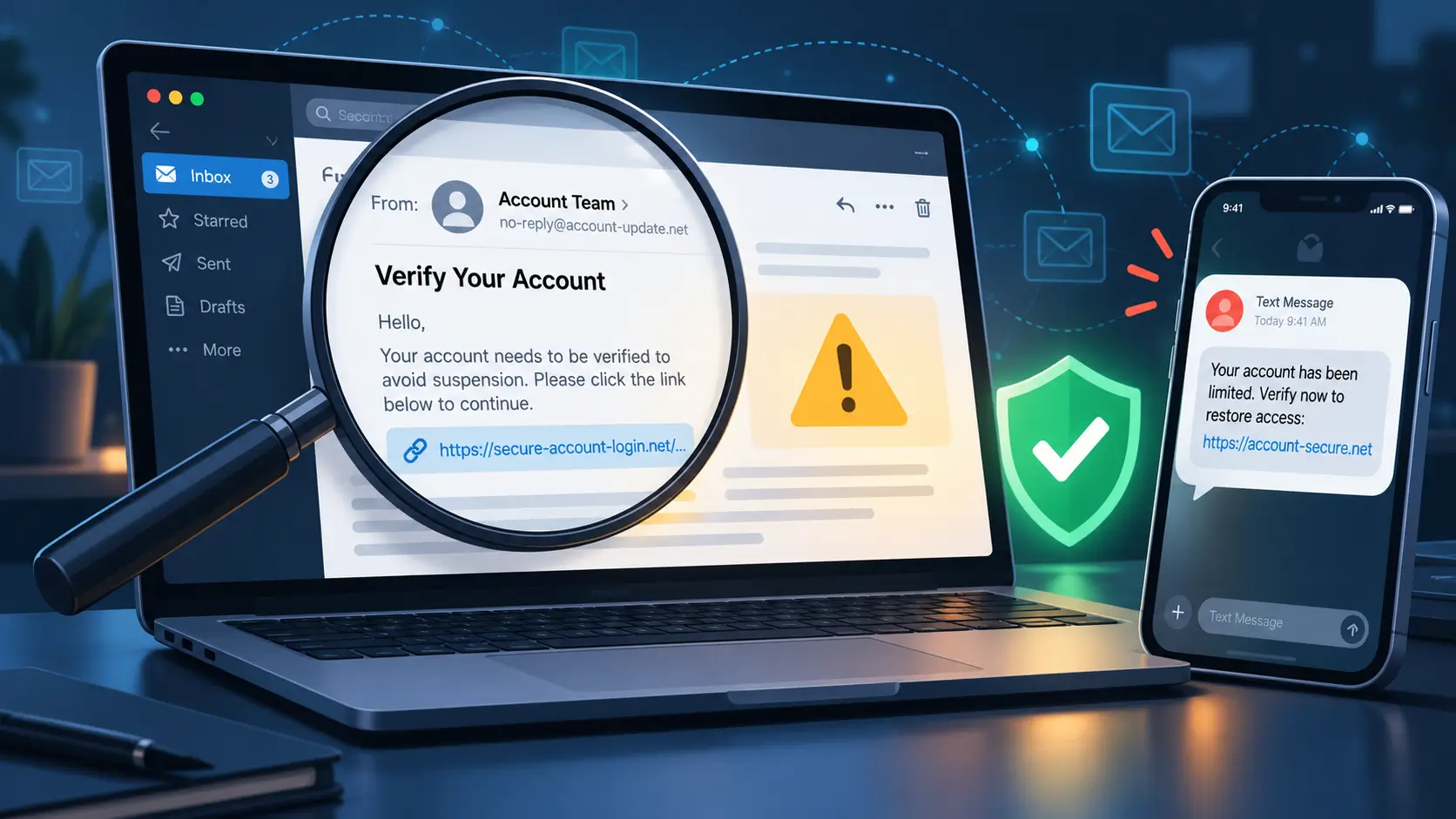
Phishing tries to trick you into clicking, downloading, or sharing information while pretending to be a trusted sender.
Common lines:
-
“Suspicious login detected”
-
“Your parcel is waiting”
-
“Invoice attached”
-
“Your account will be closed”
Safer response:
-
Do not use the link in the message
-
Go to the service directly, sign in from the official site/app, and check alerts there
-
If it involves money, verify with your bank using a known number
Impersonation pressure
Scammers often pose as:
-
Banks, delivery services, mobile carriers
-
Government offices or exam bodies
-
Your school, hostel, workplace, or a senior staff member
They may add urgency (“final warning,” “today only,” “within 30 minutes”). Scamwatch summarizes this as “Stop. Check. Protect.”: pause, verify, then take protective steps.
QR-code scams (“quishing”)
QR codes can hide a link you do not see until after scanning. Government and consumer advisories warn about QR codes used for phishing, including codes placed in unexpected places or sent in messages.
Safer response:
-
Treat unexpected QR codes like unexpected links
-
Preview the URL before opening when your phone shows it
-
Use official apps or typed URLs for payments and logins when possible
“Help desk” and remote access scams
A common pattern: “Your device has a virus” or “Your account is compromised,” followed by instructions to install remote tools or share one-time codes.
Safer response:
-
End the contact
-
Use your device’s official support page from the vendor site
-
Ask a trusted person to review the situation before you install anything
What to do if you clicked or shared information
Actions depend on what happened, but common steps include:
-
Change the password on the affected account (from the official site/app)
-
Turn on multi-factor or two-factor authentication where available
-
Check account activity and recovery settings (email, phone number)
-
If payment details were involved, contact your bank using official contact channels
-
Report scams to local reporting channels when relevant (country-specific guidance varies)
Evaluating AI Tools Without Oversharing
Many “AI tools” are useful for brainstorming, summarizing, or drafting. Some are also risky because they can collect sensitive data, store content, or produce confident output that is wrong.
NIST’s AI Risk Management Framework describes AI risks as socio-technical: outcomes depend on the system and how it is used. It is a voluntary framework focused on managing risk and trustworthiness considerations.
Use these checks before you upload anything.
Check 1: Task fit
Ask:
-
What job do I want done (outline, grammar check, idea generation, code explanation)?
-
Do I need AI for this, or a simpler tool (spellcheck, official form, teacher feedback)?
If the task includes personal data, consider whether you can remove identifying details first.
Check 2: Data and privacy
Look for answers to questions such as:
-
What data is collected?
-
How long is it stored?
-
Is content used to improve the system?
-
Can you delete your data?
If the tool does not explain its data handling clearly, avoid sharing sensitive information.
Check 3: Reliability and transparency
Useful signals:
-
The tool explains limitations and uncertainty
-
It shows sources or references when giving factual claims
-
It supports corrections and updates when you point out errors
Be cautious with tools that make big claims without evidence.
Check 4: Marketing claims and enforcement actions
Consumer protection agencies have taken action against deceptive AI-related claims. The U.S. FTC announced “Operation AI Comply,” describing enforcement actions against companies using AI hype or selling AI-related schemes.
You do not need to know every case. The practical lesson is simple: treat bold AI marketing like any other claim—test it and verify.
Check 5: Schoolwork and integrity
If you are a student, follow your institution’s rules on tool use. Even when allowed, keep a record of:
-
What you asked the tool to do
-
What you changed afterward
-
What sources you used for facts
That protects you from accidental plagiarism and helps you learn rather than outsource thinking.
Checking Images, Videos, and Synthetic Content
Synthetic media can be created for harmless reasons (art, education) and for harmful ones (fraud, manipulation). NIST has reviewed approaches for reducing risks from synthetic content, including provenance tracking, labeling (watermarking), and detection methods.
Start with source tracing
Before you analyze details in the image/video, trace where it came from:
-
Who posted it first?
-
When was it posted?
-
What claim is it tied to?
Use reverse image search
Reverse image search can help you find other places an image appears online and track earlier versions or context. Google News Initiative training materials describe using reverse image search for verification work.
You can use it for:
-
Viral images attached to breaking news
-
“Before/after” health or product photos
-
Screenshots of “official notices”
Look for provenance signals and Content Credentials
Some publishers and tools add provenance metadata to content. The C2PA standard centers on Content Credentials—signed information intended to help verify origin and editing history.
Limits still apply:
-
Platforms may strip metadata during re-uploads
-
Screenshots can remove provenance data
Treat provenance signals as helpful evidence, not a final decision.
Use a “two-source rule” for serious claims
If the claim could cause harm (money loss, panic, reputational damage), look for confirmation from at least two independent, reputable sources—such as official agencies, established newsrooms, or recognized organizations.
Building Digital Literacy as a Repeatable Skill
Digital literacy improves with repetition, not memorization. A practical routine:
-
Once a week, pick one viral claim and run CLAIM
-
Save a short note: what the claim said, what you checked, and what you found
-
Practice lateral reading: open new tabs, verify the source’s reputation, and compare coverage
Learning paths that fit students and early-career readers
-
Short modules: phishing awareness and privacy basics from public agencies (often free)
-
Digital competence frameworks: use DigComp-style competencies as a checklist for skills to build over time
-
Media and information literacy: use UNESCO MIL concepts to focus on critical evaluation and safe participation
If you take a certificate course, evaluate it like any other tech claim: provider credibility, assessment rigor, clear learning outcomes, and transparent policies.
Outcomes and Limits
What these habits can improve:
-
Fewer risky clicks and fewer impulsive payments
-
Better judgment about tool claims and influencer recommendations
-
Stronger privacy decisions around apps and AI tools
Limits to remember:
-
No checklist catches every scam
-
Some content is designed to look legitimate
-
High-risk situations benefit from a second opinion (a trusted adult, teacher, IT staff, or your bank’s official support channel)
Conclusion
Digital literacy is practical: verify sources, slow down urgent prompts, and protect your accounts and data. The same habits help with viral tech claims, everyday scams, and shiny new AI tools. Use CLAIM to evaluate what you see, rely on lateral reading to check credibility, and treat sensitive data as something you share only when a tool clearly needs it.
FAQs
1) What is the simplest way to check if a message is a scam?
Pause, avoid the link in the message, and contact the organization using a website or number you already trust. Public guidance for phishing focuses on using known-real contact channels rather than details provided in the message.
2) Are QR codes safer than links in messages?
QR codes can hide a destination link and are used in phishing (“quishing”). Treat unexpected QR codes like unexpected links and preview URLs before opening.
3) How can I check if a photo is recycled from an older event?
Use reverse image search to find earlier appearances and context, and compare multiple reputable sources discussing the same image.
4) How do I evaluate an AI tool that claims it is “accurate”?
Check what it uses as evidence, how it handles uncertainty, and whether it explains limitations. Risk frameworks treat AI outcomes as dependent on context and use, not only model output.
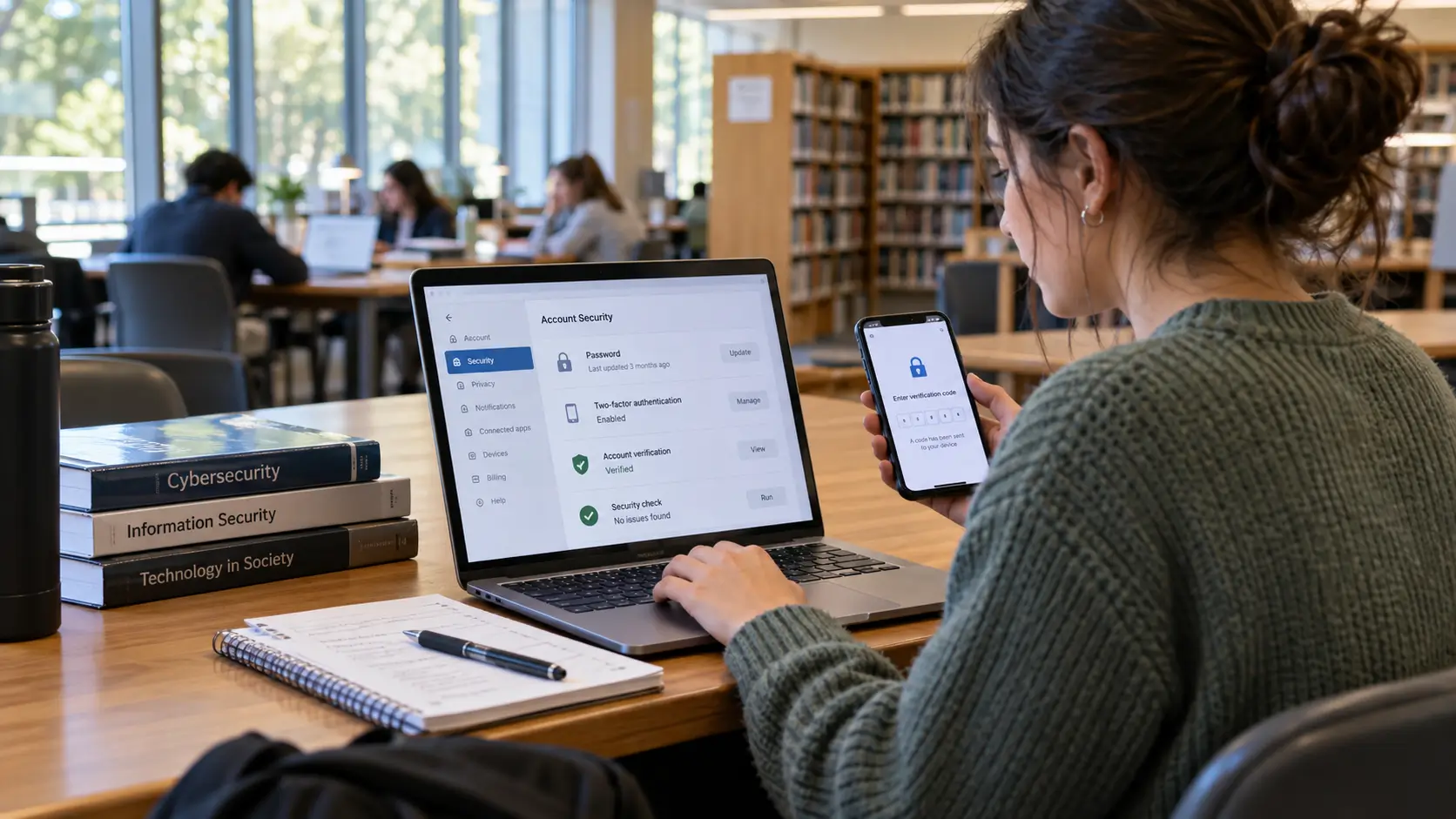
5) What is one security setting that helps reduce account takeovers?
Multi-factor or two-factor authentication adds a second check beyond passwords and is recommended in consumer phishing guidance.
Reference for Further Reading
-
Federal Bureau of Investigation (FBI), “FBI Releases Annual Internet Crime Report” (press release), 2025.
-
FBI Internet Crime Complaint Center (IC3), “2024 IC3 Annual Report” (PDF), 2024.
-
U.S. Federal Trade Commission (FTC) Consumer Advice, “How To Recognize and Avoid Phishing Scams,” 2022 (page updated/maintained).
-
FTC Consumer Alert, “Protect yourself from phishing scams,” 2025.
-
FTC Consumer Alert, “Scammers hide harmful links in QR codes to steal your information,” 2023.
-
UK National Cyber Security Centre (NCSC), “How to spot a scam email, text message or call,” collection page.
-
NIST, “The NIST Cybersecurity Framework (CSF) 2.0” (NIST CSWP 29), 2024.
-
NIST, “Artificial Intelligence Risk Management Framework (AI RMF 1.0)” (NIST.AI.100-1 PDF and overview page), 2023–present.
-
NIST, “Reducing Risks Posed by Synthetic Content” (NIST.AI.100-4 PDF), 2024.
-
European Commission Joint Research Centre (JRC), DigComp framework overview and DigComp 2.2 update notice, 2022.
-
UNESCO, “Media and Information Literacy” overview, ongoing.
-
Stanford Graduate School of Education / Stanford History Education Group reporting on online source evaluation and lateral reading (related teaching materials via COR/Digital Inquiry Group), 2017–2022.
-
Coalition for Content Provenance and Authenticity (C2PA), “C2PA and Content Credentials Explainer / Specifications,” ongoing.
-
Google News Initiative, verification training on reverse image search and Google image search, ongoing.
-
Scamwatch (Australian Competition and Consumer Commission context), “Stop. Check. Protect.” guidance, ongoing.
-
Government of Canada, Canadian Centre for Cyber Security, “Security considerations for QR codes,” 2024.
-
FTC Press Release, “FTC Announces Crackdown on Deceptive AI Claims and Schemes” (Operation AI Comply), 2024.




Comments 0
No comments yet. Be the first to start the conversation.