




This is where the lecture ends up. Nobody is there to ask whether it made sense.
To convert lecture slides to video, you export the deck with narration, which takes a few minutes. What decides whether anyone watches to the end is a choice you make before that: how many videos one lecture becomes, and how long each of them runs.
This is for lecturers, teaching assistants and course creators who already have slide decks that work in a room and now need them to work for students studying alone. It covers turning an existing deck into self-paced video. Running live online sessions, and comparing screen recording software, are different topics.
Key takeaways
• A fifty-slide lecture is not one video. Split it by learning objective before you record anything.
• The largest study of its kind found shorter videos are much more engaging, and that recorded classroom lectures are among the weakest formats online.
• Each segment needs a question at the front and a check at the back, because nobody is there to ask if it landed.
How do you convert lecture slides to video?
Four steps. The first one decides how the rest go, and it is the one people skip.
1. Split the deck by objective. Go through the slides and mark where one idea ends and the next begins. Those marks are your video boundaries, not the section headings you use in class.
2. Write the narration per segment. Each segment gets its own opening question and its own closing summary, because students will arrive at segment four without having watched segments one to three.
3. Record or generate. PowerPoint records narration slide by slide. AI PowerPoint to video tools take the deck and produce a narrated video with a synthetic presenter, which is what most people use when they have twelve lectures and one week.
If a segment needs an original illustrative clip rather than slides, such as a short animated scene for a hard concept, tools like Higgsfield AI, a creative suite with an AI video generator, can produce one to drop into the segment.
4. Export and check the format. Platforms are specific about this. Udemy, for example, requires that presentation-based lectures include audio narration and be converted to .MP4, .WMV or .MOV.
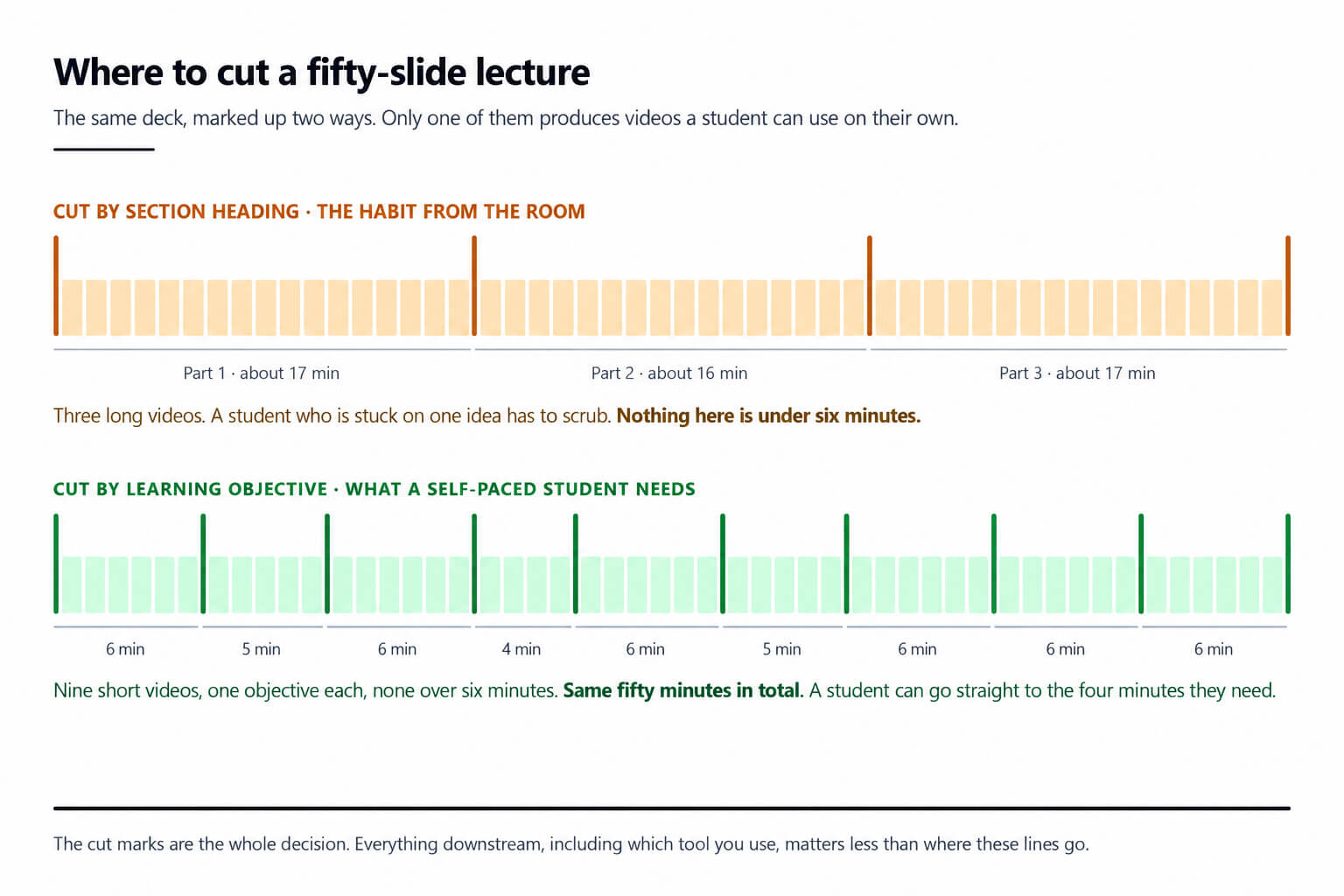
Same fifty minutes either way. Only the lower version lets a student find the four minutes they need.
One lecture is not one video
This is the part almost everyone gets wrong, and there is large-scale evidence about it. Guo, Kim and Rubin studied how video production affects student engagement using, in their words, "data from 6.9 million video watching sessions across four courses on the edX MOOC platform." Published at the first ACM Conference on Learning at Scale in 2014, it remains the largest study of its kind.
Their headline finding is short: "shorter videos are much more engaging." They also found that informal talking-head video and Khan-style tablet drawings outperformed more polished formats.
How short is short? The paper itself reports the relationship rather than a single number. The clearest threshold in circulation comes from SUNY's course quality team, whose summary of this data states that "an MIT analysis of more than 6.9 million video sessions in MOOCs found that engagement sharply declines when videos exceed six minutes." Their practical advice matches: "plan your lectures in short, self-contained segments during pre-production. Each video should align with a specific module or learning objective."
|
Part |
What it does |
Typical length |
|
The question |
States what this segment answers, so a student can tell in five seconds whether they need it |
10 to 20 seconds |
|
The explanation |
One idea, developed once, with the conclusion said out loud rather than implied |
3 to 5 minutes |
|
The worked case |
The example you always use in class, including the part where it goes wrong |
1 to 2 minutes |
|
The check |
One question the student should now be able to answer, stated but not answered |
10 to 20 seconds |
For a fifty-minute lecture that means somewhere between six and ten videos, not one. The total running time barely changes. What changes is that a student can find the four minutes on the thing they did not understand, instead of scrubbing through fifty.
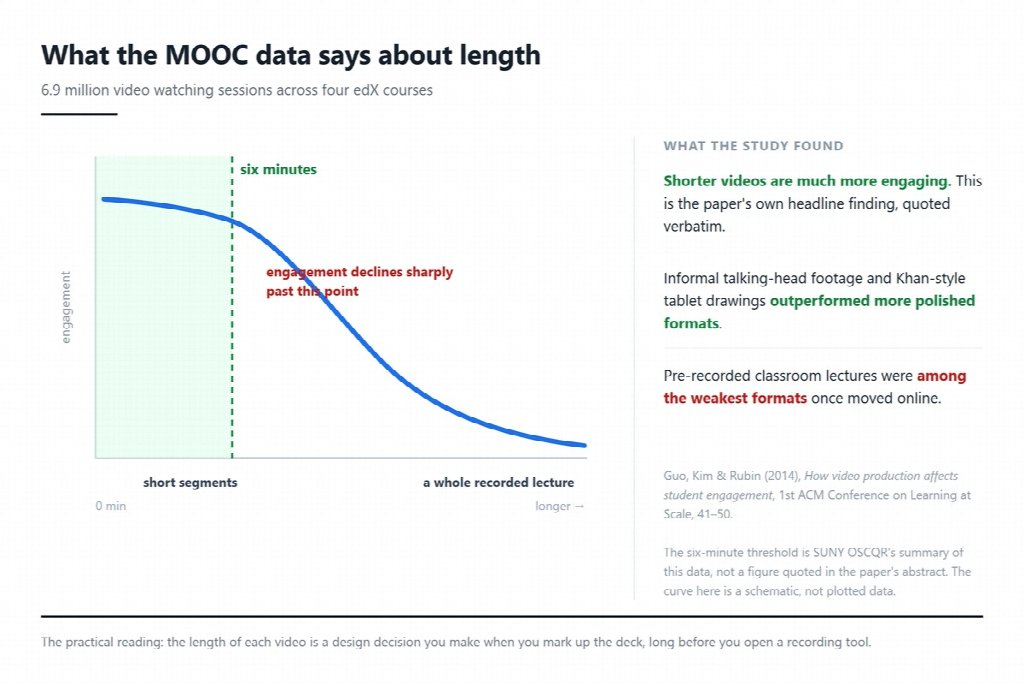
The curve is a schematic. The three findings beside it are quoted from the paper.
A recorded classroom lecture is the weakest format online
The same study found that pre-recorded classroom lectures performed comparatively poorly when moved online, which is worth sitting with, because recording the lecture is the obvious thing to do and the cheapest.
The reason is not production value. A classroom lecture is paced for a room: you slow down when faces look blank, you take the question that was going to come anyway, you repeat the thing three people missed. None of that survives the recording, and what is left is a monologue timed for an audience that could interrupt, delivered to one that cannot.
This is also why the highest-production version is not the answer. The study found informal talking-head footage outperformed polished formats. Students are not grading your camera work. They are trying to get through the material.
What every segment needs
Once the deck is split, each segment carries a small fixed structure. It takes about ten minutes per segment to add and it is the difference between a video library and a pile of exports.
Two habits that carry over badly from the room. A chart that worked because you pointed at it now needs its finding written next to the data, since nobody is at the front of the room to do the pointing. And "as we saw last week" has to become a sentence that stands alone, since a self-paced student may not have seen last week at all.
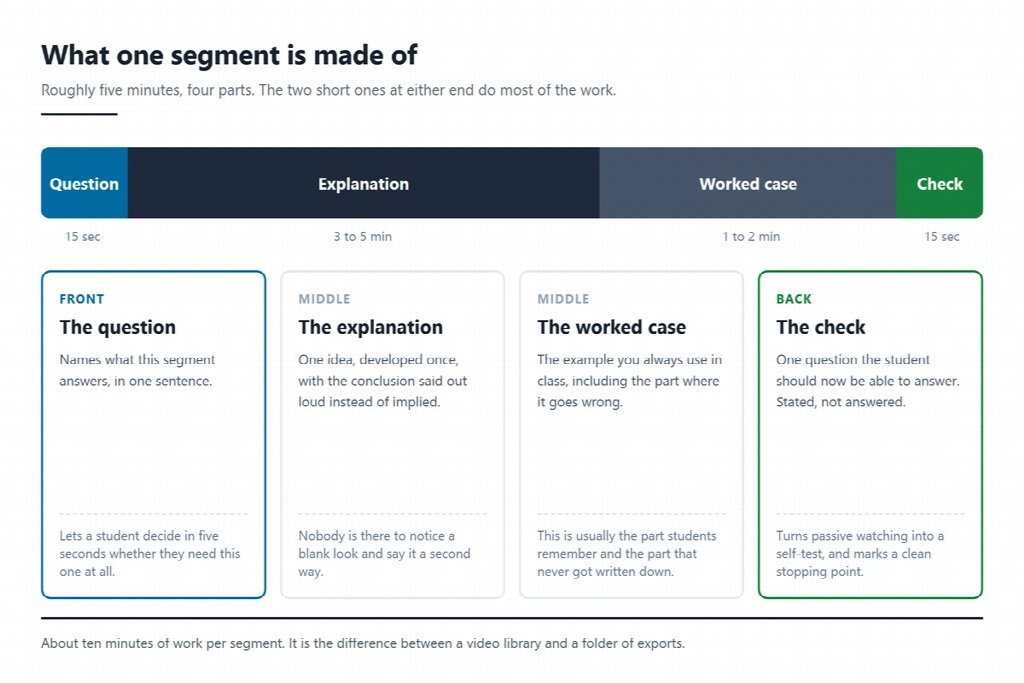
The two short parts at either end are what turn a recording into something a student can study with.
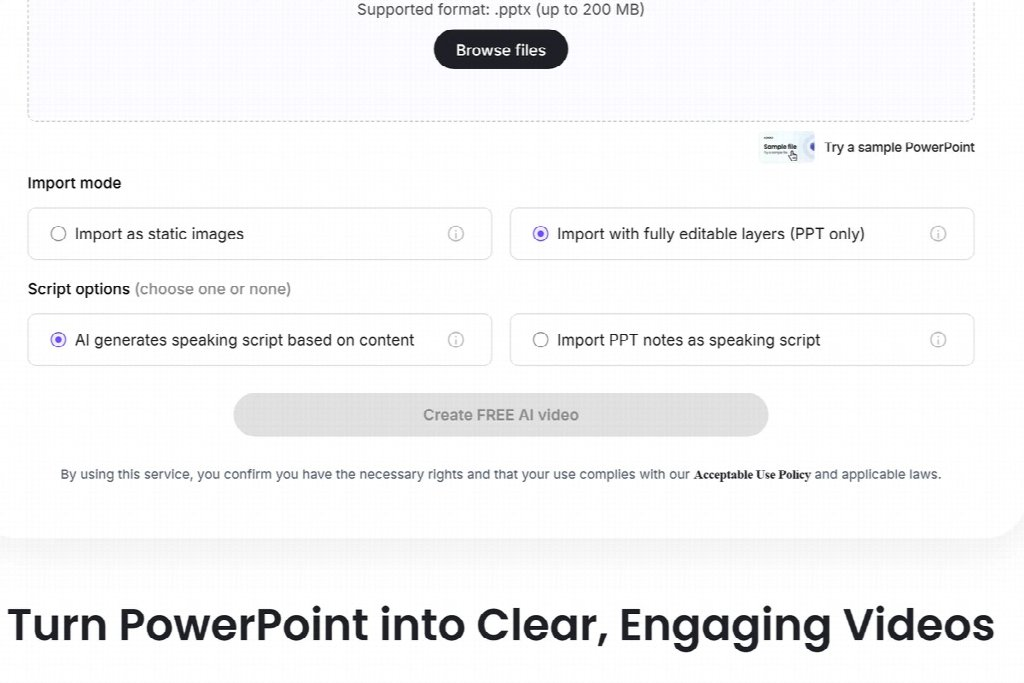
If your speaker notes hold what you actually say, the second script option beats a generated one.





Comments 0
No comments yet. Be the first to start the conversation.