



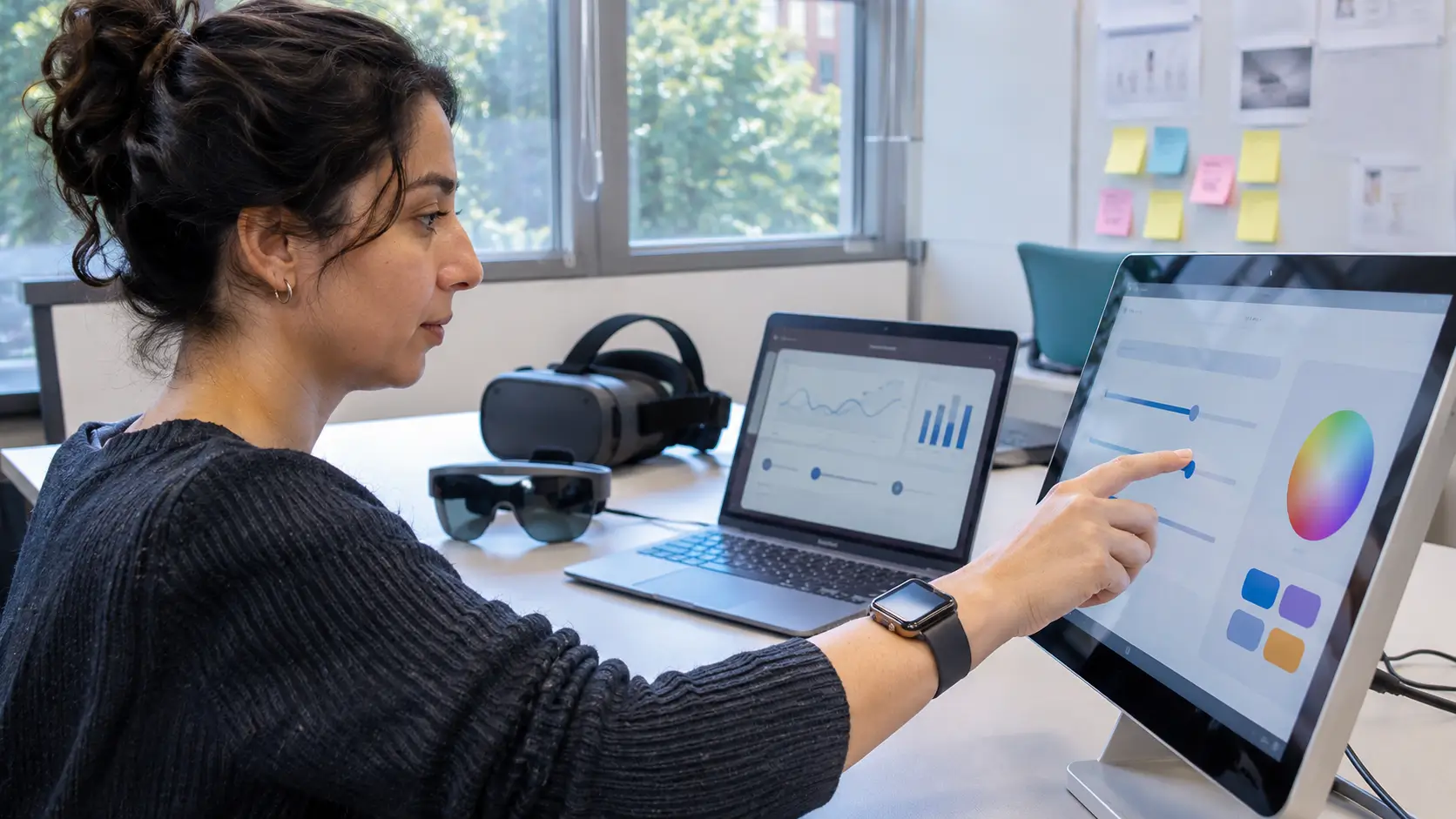
Human-computer interaction (HCI) has changed significantly as technology has developed. From early punch-card systems and command-line interfaces to touchscreens, voice assistants, and artificial intelligence, the ways people interact with computers have become more varied and accessible.
Today, developments in artificial intelligence (AI), voice recognition, virtual reality (VR), augmented reality (AR), wearable devices, and gesture-based controls are creating new possibilities for human-computer interaction.
These technologies are changing how people work, communicate, learn, and access digital services. However, improvements in convenience and functionality also introduce challenges involving privacy, accessibility, security, and reliability.
Understanding these developments can help individuals and organizations make informed decisions about adopting new technologies.
What Is Human-Computer Interaction?
Human-computer interaction is the study and development of how people interact with computers and digital systems. It combines computer science, psychology, human factors, and interface design to make technology easier, safer, and more effective to use.
HCI focuses on more than the appearance of a digital interface. It also considers how people understand information, complete tasks, respond to feedback, and experience technology in different environments.
Common examples of human-computer interaction include touchscreen navigation, keyboard and mouse controls, voice commands, facial recognition, and gesture-based input.
The central goal is to develop systems that accommodate human needs and abilities rather than requiring users to adapt unnecessarily to complicated technology.
Current State of Human-Computer Interaction and Its Limitations
Modern computer interfaces support several methods of interaction. Smartphones rely heavily on touchscreens, computers commonly use keyboards and pointing devices, and many digital services include voice or conversational interfaces.
Despite these improvements, existing technologies still have limitations.
Voice recognition systems can misunderstand speech because of background noise, pronunciation differences, overlapping conversations, or limited support for certain languages.
Gesture-based interfaces may struggle to recognize movements accurately under poor lighting conditions or when sensors cannot clearly detect a user's hands.
Virtual and augmented reality systems also face practical challenges, including hardware costs, physical comfort, battery limitations, and compatibility with existing applications.
Accessibility remains another important concern. An interface that works well for one person may be difficult for someone with a visual, hearing, motor, or cognitive disability.
These limitations show why human-computer interaction must continue to prioritize usability, accessibility, and reliability alongside technological advancement.
Major Advancements in Human-Computer Interaction
1. Voice Recognition and Conversational Interfaces
Voice recognition technology allows people to interact with digital systems through spoken commands. It is used in smartphones, smart speakers, navigation systems, accessibility tools, and customer support applications.
Advances in machine learning and speech processing have improved the ability of these systems to recognize natural language and respond to different requests.
Modern conversational interfaces can also support more complex interactions than traditional systems based on fixed commands.
However, speech recognition accuracy still varies depending on language, environmental conditions, and the quality of the underlying system.
Voice interfaces are especially useful when hands-free interaction is necessary or when conventional input methods are difficult to use.
2. Artificial Intelligence and Adaptive Interfaces
Artificial intelligence is influencing how digital systems interpret user requests and present information.
AI-supported interfaces can analyze inputs, identify patterns, generate responses, and assist users with tasks such as searching, writing, scheduling, and navigating digital services.
Some systems can adapt their responses based on the immediate context of an interaction, potentially reducing the number of steps required to complete a task.
Generative AI has also expanded conversational interaction by allowing users to communicate with software using everyday language instead of specific commands.
However, AI-generated responses can be inaccurate or misleading. Systems used for important decisions require appropriate safeguards, verification, and human oversight.
The National Institute of Standards and Technology (NIST) provides an AI Risk Management Framework that addresses reliability, transparency, privacy, fairness, and other considerations related to trustworthy AI.
3. Virtual Reality and Augmented Reality
Virtual reality and augmented reality offer different ways of interacting with digital information.
Virtual reality creates a computer-generated environment that users can explore through compatible devices, typically including a headset.
Augmented reality places digital information or objects within a view of the physical environment.
Both technologies fall within the broader field of extended reality (XR).
These systems support applications such as simulated training, interactive learning, architecture visualization, entertainment, and product demonstrations.
Recent research has explored the integration of hand tracking, eye tracking, and voice commands to support more natural interactions in XR environments.
Although these methods can improve certain experiences, their effectiveness depends on the application, hardware, and individual user.
4. Wearable Technology and Gesture Control
Wearable technology has expanded human-computer interaction beyond traditional screens and keyboards.
Smartwatches, fitness trackers, and other wearable devices allow users to access information and control certain functions through touch, movement, and voice.
Gesture recognition systems use sensors, cameras, or motion data to interpret physical movements as commands.
For example, some devices allow users to answer calls, navigate menus, or perform supported actions through hand or wrist movements.
These interaction methods can be helpful when touching a screen is inconvenient.
However, gesture controls must be sufficiently accurate and should not create unnecessary physical demands or accessibility barriers.
5. Eye Tracking and Multimodal Interaction
Eye tracking is another developing area of human-computer interaction.
It uses specialized cameras or sensors to estimate where a person is looking. This information can support accessibility tools, interface research, and certain extended-reality applications.
Multimodal interaction combines different input methods, such as speech, touch, gestures, and eye movements, within a single system.
For example, a user might select an object using eye tracking and confirm an action through a hand gesture or voice command.
Combining interaction methods can offer greater flexibility, particularly when one input method is unsuitable for a specific task.
Research into multimodal interaction continues to examine how these technologies can work together reliably and accommodate different user needs.
How Human-Computer Interaction Is Affecting Different Industries
Advances in human-computer interaction are influencing several industries, although adoption and effectiveness vary.
Healthcare
Healthcare organizations use digital interfaces for patient records, remote consultations, medical equipment, and clinical information systems.
Voice-assisted documentation and other AI-supported tools may reduce certain administrative tasks, while simulation technologies can support professional training.
However, healthcare applications require careful evaluation because inaccurate information, privacy failures, or poor interface design can affect patient safety.
Education
Digital learning platforms increasingly incorporate interactive interfaces, accessibility features, and personalized learning tools.
Virtual environments can support simulations, while augmented reality may help students visualize objects and processes that are difficult to demonstrate through conventional teaching materials.
These tools can supplement instruction, but their educational value depends on learning objectives, accessibility, implementation, and evidence of effectiveness.
Business and Customer Service
Organizations use conversational interfaces and automated support systems to answer routine questions, assist with navigation, and provide information.
AI-supported systems can help handle repetitive requests, allowing employees to concentrate on tasks requiring more complex judgment.
However, automated services should provide clear ways for users to reach human assistance when necessary.
Engineering and Manufacturing
Engineers use interactive visualization systems to examine designs, review spatial information, and explore simulated environments.
Gesture controls and wearable devices may also support certain equipment interfaces, training activities, and hands-free workflows.
Such applications must be evaluated for accuracy, workplace safety, and suitability for the intended operating environment.
Entertainment and Gaming
Gaming is one of the most visible applications of immersive interaction technologies.
Virtual reality, motion tracking, and haptic feedback allow developers to create experiences involving physical movement and interactive digital environments.
These technologies can improve immersion, although users may experience discomfort, fatigue, or motion sickness depending on the system and application.
Challenges and Ethical Considerations
As human-computer interfaces become more advanced, responsible development becomes increasingly important.
Privacy and Data Protection
Voice assistants, wearable devices, eye-tracking systems, and AI applications may process personal information, including sensitive behavioral or biometric data.
Developers and service providers should clearly explain data collection practices, limit unnecessary information gathering, and implement appropriate security protections.
Users should also have meaningful control over permissions and available privacy settings.
Accessibility and Digital Inclusion
Not every user can interact comfortably with voice commands, hand gestures, or immersive environments.
Technology developers should provide alternative input methods wherever practical.
The World Wide Web Consortium's Web Content Accessibility Guidelines (WCAG) 2.2 provide established guidance for improving digital accessibility.
Accessible interfaces benefit people with disabilities and can improve usability for a wider range of users.
Accuracy and Reliability
AI-supported systems may misunderstand instructions, produce incorrect information, or behave inconsistently.
Similarly, gesture recognition and eye-tracking systems may be affected by environmental conditions and technical limitations.
Interfaces should communicate uncertainty where relevant and allow users to correct mistakes or reverse unintended actions.
Human Oversight and Automation
Automation can improve efficiency, but excessive dependence on automated systems introduces risks.
Users may accept machine-generated information without adequate verification, particularly when responses appear confident or authoritative.
For high-impact applications, such as healthcare and employment decisions, appropriate human review and accountability remain essential.
Physical Comfort and User Well-Being
Extended use of some immersive technologies can cause discomfort, visual fatigue, or motion-related symptoms.
Interface developers should consider session duration, ergonomic requirements, and individual differences when evaluating user experiences.
Future Trends in Human-Computer Interaction
The future of human-computer interaction is likely to involve greater flexibility in how people communicate with digital systems.
Several developments are particularly relevant.
More Natural Multimodal Interfaces
Future systems may increasingly combine speech, movement, visual information, and touch to interpret user requests.
Rather than relying on a single input method, users may be able to choose different ways to complete the same task.
Context-Aware Digital Assistance
AI-supported interfaces may become better at interpreting the context of user requests and identifying relevant information.
However, these systems will need clear boundaries, appropriate consent, and safeguards against incorrect assumptions.
Continued Development of Spatial Computing
Spatial computing may allow users to interact with digital objects and information within three-dimensional environments.
Potential applications include technical training, collaborative design, and interactive visualization.
Wider adoption will depend on practical improvements in affordability, comfort, performance, and accessibility.
Greater Emphasis on Accessible Technology
Future interfaces may provide more adaptable settings for different physical abilities, languages, and user preferences.
Accessibility should remain a fundamental part of development rather than an optional feature introduced after a product is completed.
More Attention to Trust and User Control
As interfaces become more automated, users will need clear information about what a system can do, how it processes information, and when human intervention is available.
Trustworthy human-computer interaction will depend on transparency, reliability, understandable controls, and appropriate accountability.
Conclusion
Human-computer interaction continues to evolve through advances in artificial intelligence, voice recognition, immersive technologies, wearable devices, and multimodal interfaces.
These developments are creating new ways to access information, communicate with digital systems, and complete everyday tasks.
However, technological capability alone does not determine whether an interface is effective. Accessibility, privacy, security, accuracy, and user control are equally important.
The future of human-computer interaction will depend on developing technologies that respond to people's needs while remaining practical, reliable, and inclusive.





Comments 0
No comments yet. Be the first to start the conversation.