



Scoring on a Budget Without Settling for Generic: An Indie Creator’s Guide to an AI Music Generator
When music is the difference between “nice” and “finished”
Indie projects often die in the gap between “almost done” and “emotionally complete.” You can have great visuals, strong pacing, and a clean cut—and still feel like something is missing. Usually it’s the score.
The challenge isn’t just cost. It’s timing. A traditional score takes coordination, revisions, and weeks of back-and-forth. Stock libraries are faster, but they can make your film or game feel like everyone else’s.
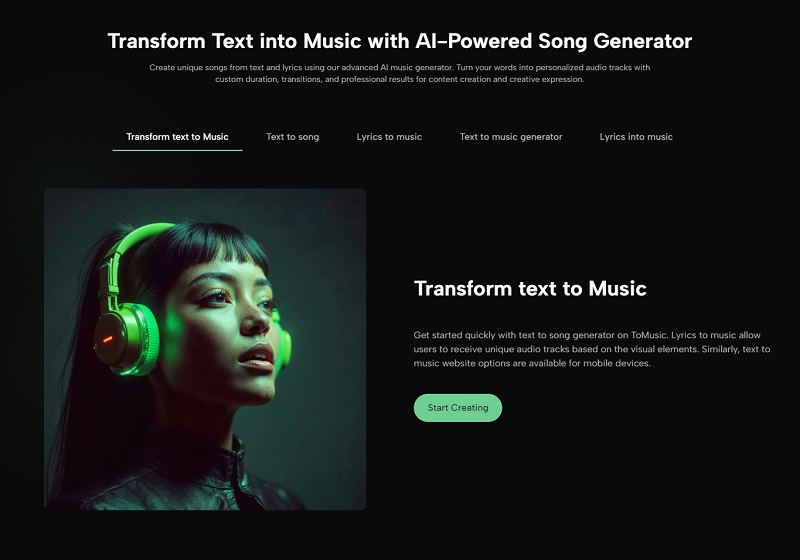
That’s why I tested an AI Music Generator as a scoring companion. I wanted to see if it could produce cues that feel like they belong to the scene—without turning audio into a separate full-time job.

What “AI scoring” looks like in practice
Forget the hype. In reality, it’s a loop:
-
You describe a scene’s emotional job.
-
The tool generates a cue.
-
You keep what works and iterate what doesn’t.
The value is the loop speed. When you can audition multiple directions in minutes, you can explore ideas you would normally skip because you don’t have time.
A useful analogy: it’s like casting, not manufacturing
When I work with an AI Music Generator, I’m not “building” the track from components. I’m casting a performance:
Take 1 has the right energy but too much melody.
Take 2 has perfect texture but lacks a lift.
Take 3 finally matches the edit.
That mindset helps. You stop expecting a perfect first output and start expecting an efficient path to a great take.
Scene-first prompting: the method that gave me the best cues
Step 1: Describe the scene’s function
Not “sad music,” but:
“The character chooses to leave, and the audience should feel relief mixed with uncertainty.”
Step 2: Add three constraints
Tempo range: “slow 70–85 bpm” or “steady 110 bpm”
Palette: “piano + soft pads” or “analog synth + minimal drums”
Avoid list: “no big cinematic hits, no heavy choir, no dramatic trailer rise”
Step 3: Give structure cues
“intro 6–8 bars, gentle build, resolve softly”
Or if lyrics exist:
clear verse/chorus sections
In my testing, the more I treated the prompt like a director’s note, the more the output felt “scored” rather than “background music.”
The “before/after bridge” that convinced me
Before: I used stock tracks for a short film scene with a slow reveal. The track was fine, but it pushed emotion too hard, and the scene felt manipulated.
After: With an Text to Song AI I asked for “restrained tension, minimal harmonic movement, subtle pulse, no climax.” The cue supported the scene without telling the viewer what to feel. That subtlety made the cut feel more mature.
That was the moment I stopped thinking of it as a novelty and started using it as a tool.
Comparison table: indie scoring realities
| Comparison Item | AI Music Generator | Stock Music | Custom Composer |
|---|---|---|---|
| Speed to audition options | High | Medium | Low |
| Scene-specific fit | Medium–High (iteration) | Low–Medium | High |
| Budget requirements | Low–Medium | Low–Medium | Medium–High |
| Revisions | Fast (regenerate) | Slow (re-search) | Slow–Medium (feedback cycles) |
| Cohesion across multiple cues | Medium–High (shared prompt palette) | Medium | High |
| Risk of “sounds like everything” | Medium | High | Low |
| Best use case | Prototyping + final cues for many scenes | Fillers + quick background | Hero themes + signature moments |
The pattern that emerged for me: AI generation is strongest for building a consistent cue set quickly, while custom composition remains unmatched for signature themes.
How to build a cohesive score using prompts
Cohesion is the indie superpower. Here’s how I approached it:
1. Choose a palette
Pick 2–3 “core instruments” for the project:
“piano + soft strings pad + light percussion”
or
“analog synth bass + airy pad + minimal drums”
2. Create a cue taxonomy
- exploration cue (gentle curiosity)
- tension cue (restrained unease)
- action cue (driving rhythm)
- resolution cue (warm release)
3. Reuse phrasing across prompts
I noticed that repeating key descriptors produces more cohesive outputs:
- “restrained,” “minimal,” “warm,” “subtle pulse,” “no big rises”
This is how you “art-direct” the system.
Personal observation: better results came from “anti-prompts”
One of the most effective techniques I used was telling the tool what not to do. Indie scoring often needs restraint, so I’d add:
- “avoid dramatic trailer build”
- “avoid loud percussion fills”
- “avoid complex solo melody”
- “no sudden key changes”
Those constraints kept cues from overperforming.
Limitations and honest expectations
1. You will likely generate multiple takes
Sometimes the first version nails the texture but not the arc. I usually expect 3–6 tries for a cue I’m happy to keep.
2. Transitions can be inconsistent
Endings and midpoints can occasionally feel abrupt. Plan to fade, trim, or stitch sections if needed.
3. Niche styles may require more steering
If your project depends on a very specific subgenre, you’ll need tighter prompts and more iterations.
4. Vocal cues are harder to control
If you generate vocals, results can vary. For indie films and games, instrumental cues tend to be the safer and more controllable option.
A grounded note on the wider field
In broader discussions of AI music generation, a common neutral framing is that these systems excel at generating stylistically coherent material but still require human direction for narrative alignment. That aligns with my experience: when I provide clear constraints and iterate, the results feel purposeful. When I’m vague, the tool behaves like a random idea machine.
A practical scoring workflow you can use tomorrow
-
Write a one-page “sound bible”: palette, tempo range, emotional keywords, don’ts.
-
Generate 3–5 cues using the same palette language.
-
Pick the best two as your “reference cues.”
-
For new scenes, prompt using those cues’ language.
-
Expect to audition multiple takes and keep the strongest.
If you’ve ever felt your project deserved better music than your budget or timeline allowed, an AI Music Generator can be a realistic bridge. Not effortless magic—more like a fast rehearsal space where you can discover the cue that finally makes your story feel finished.
Disclaimer
Informational only. Results vary by tool and prompts. Always verify licensing/usage rights before publishing any generated or third-party music.






Comments 0
No comments yet. Be the first to start the conversation.