




Remote Work Technology: What It Enables and What It Strains
Remote work is not only “work from a different place.” When teams are distributed, coordination shifts into digital systems: messaging replaces quick desk-side questions, shared docs replace paper handoffs, and secure remote access replaces office networks.
This article explains what remote work technology includes, what it tends to improve, and where it introduces friction. It also offers a practical way to choose tools and run them with clear norms, including options that still work when bandwidth, devices, or support are limited.
Remote work patterns also vary by job type and intensity. OECD survey-based work highlights a common preference for a balanced setup (often around 2–3 days of telework per week), reflecting both gains (less commuting, fewer distractions for some roles) and costs (weaker knowledge flow and coordination).
Table of Content
- Remote Work Technology: What It Enables and What It Strains
- What counts as remote work technology
- Benefits: what these tools tend to improve
- Challenges: where problems appear
- Choosing a setup: decision checklist and tool criteria
- Running the system: norms, governance, and support
- Outcomes and limits: how to judge “working” without false certainty
- Conclusion
- FAQs
- Reference
What counts as remote work technology
Remote work technology is the set of digital tools and controls that help people communicate, collaborate on shared outputs, and access work resources outside a central office. It usually falls into four layers:
Communication and meetings
Email, chat, voice, and video meetings. This layer shapes speed, clarity, and how much attention is fragmented.
Shared work and knowledge
Documents, file storage, wikis/knowledge bases, and version history. This layer determines whether a team can find “the current answer” without asking five people.
Workflow coordination
Task trackers, project boards, ticketing systems, calendars, and approval flows. This layer makes ownership and handoffs visible.
Secure access and device controls
Identity sign-in, remote access methods, device management, and permissions. NIST frames telework security as covering devices, remote access services, and internal systems, supported by policy choices—not tools alone.
A useful reminder: tools can support work design, but they do not create it. If a team has unclear ownership, vague decision-making, or inconsistent documentation habits, adding more apps usually adds more noise.
The term “working from home” can also cover many job types beyond office roles, including platform-based work and other arrangements. The ILO notes that working from home spans both lower- and higher-skilled work and includes “teleworkers” in service industries.
Benefits: what these tools tend to improve
Continuity when location changes
Remote work tools help teams keep operating during travel constraints, local disruptions, caregiving needs, or campus schedules. For students and early-career workers, this can widen access to internships, mentoring, and part-time work that does not require relocation.
Clearer written records when teams use them well
Remote-friendly teams often leave more traceable “decision trails”:
-
a doc that records what was decided and why
-
a task ticket that shows ownership and status changes
-
a shared folder structure that reduces “which file is final?” confusion
These habits can shorten onboarding time because new contributors can read context instead of relying on informal memory.
Broader collaboration reach, with conditions
Remote work tech can connect people across campuses, cities, and time zones, supporting distributed study groups, open-source work, and international projects. The condition is practical access: stable connectivity, workable devices, and a space where focused work is possible.
Less commuting time for some workers
OECD summaries of telework research highlight that reduced commuting is a common reported benefit, while also noting that communication and knowledge flow can weaken as telework intensity rises.
Challenges: where problems appear
Connectivity constraints and unequal access
Many remote work stacks assume stable broadband. That assumption often fails. The World Bank notes that the digital divide remains large, with nearly 3 billion people unconnected globally in 2023.
Common consequences:
-
video meetings fail on low bandwidth
-
large file syncing blocks progress
-
mobile-only work creates formatting and access limits
-
power cuts and shared connections disrupt schedules
If a team includes people working on constrained connections, “low-bandwidth modes” are not optional. They are part of basic reliability.
Security and privacy risks expand with remote access
Remote work increases the number of devices, networks, and locations that touch work data. NIST’s telework guidance focuses on remote access risk across devices, remote access solutions, and internal systems.
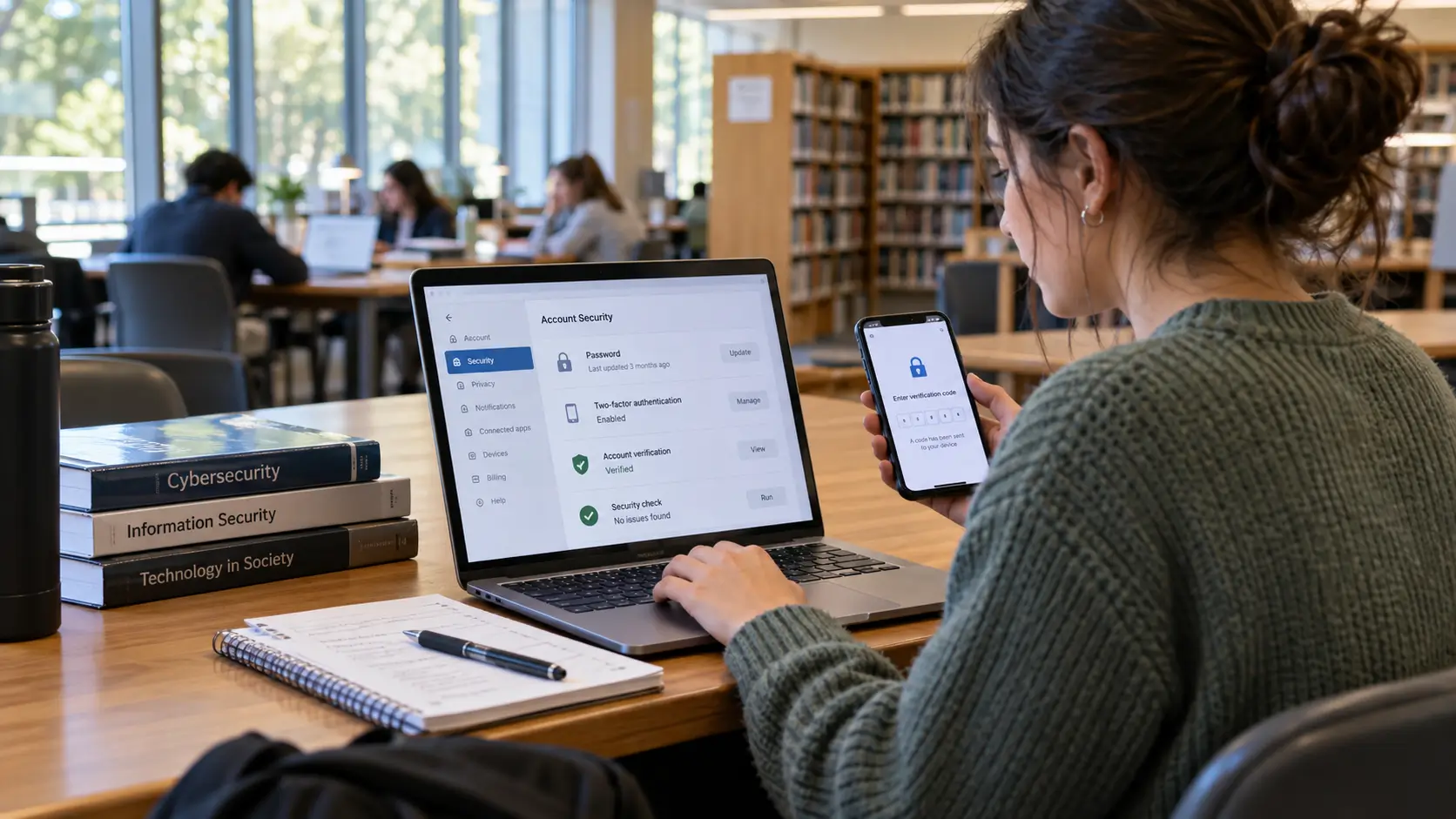
Government guidance commonly emphasizes measures such as multi-factor authentication for remote access and planning for outages. For example, CISA’s Telework Essentials guidance calls out MFA and contingency planning as part of telework security basics.
Privacy and data protection add another layer: handling personal or sensitive data at home can create new exposure paths (shared devices, family visibility, printing, unsecured storage). The UK ICO’s work-from-home security guidance highlights using approved technology and following organizational policies; it also notes the guidance has been under review due to legal changes.
Informational-only note: Security and privacy obligations vary by country, sector, and organization. Treat this section as general education, not legal advice.
Coordination debt and communication friction
In offices, small misunderstandings are often resolved quickly. In distributed teams, the same misunderstanding can become a long thread, a meeting, and a second meeting to correct the first.
OECD summaries describe impaired communication and weaker knowledge flow as common telework costs, which is one reason many workers report preferring a balanced schedule rather than fully remote or fully on-site setups.
Friction often shows up as:
-
too many channels without clear rules (email + chat + group chats + multiple docs)
-
decisions made in private messages without shared records
-
unclear response expectations that create anxiety and after-hours pressure
-
repeated “status meetings” that replace visible task tracking
Meeting load and video fatigue
Video meetings reduce distance but can increase cognitive strain when they dominate the day. Stanford’s coverage of “Zoom fatigue” describes mechanisms such as intense close-up eye contact and the effort of interpreting nonverbal cues through a screen.
Meeting load also affects boundaries. Microsoft’s WorkLab analysis of the “infinite workday” describes how digital communication can stretch work across early mornings and late evenings when norms are unclear and interruptions are constant.
Home ergonomics and basic safety
Remote work shifts workstation responsibility toward individuals. OSHA’s computer workstation guidance notes there is no single “correct” posture for everyone, but it outlines basic setup goals for safer, more comfortable computer work.
EU-OSHA practical telework guidance also focuses on health and wellbeing considerations for home-based telework.
Time zones and uneven burden
When teams span time zones, someone often pays the cost in late meetings or early calls. Harvard Business School Working Knowledge describes how remote workers across time zones can stretch beyond typical schedules to connect in real time, and it highlights uneven burden patterns.
Choosing a setup: decision checklist and tool criteria
A strong remote setup starts with constraints, not apps. Use this checklist before selecting tools.
Decision checklist
-
Outputs and workflow
-
Are outputs mainly documents, code, designs, tickets, or client calls?
-
Is the work mostly project-based or service-based (fast response required)?
-
Sync vs async needs
-
What requires real-time discussion?
-
What can be handled through written updates and shared documents?
-
Connectivity reality
-
What is the weakest connection that must still work?
-
Do key contributors rely on mobile data or shared connections?
-
Data sensitivity
-
What data is sensitive or regulated?
-
Who needs access, and what access is not needed?
-
Identity and access
-
Is MFA required for remote access?
-
Are permissions role-based, and are accounts individual (not shared)?
-
Support and training
-
Who helps when access fails?
-
Are there short “how to” guides for common tasks?
Tool category criteria
Video meetings
Look for:
-
stable audio quality and dial-in options
-
host controls and predictable joining steps
-
recording controls and clear storage rules
Norms that reduce overload:
-
agendas for decision meetings
-
written updates for status where possible
-
meeting notes stored in a shared place
Chat and messaging
Look for:
-
channel structure that matches teams and projects
-
message search and retention settings that match policy needs
-
thread support to keep context together
Norms that reduce confusion:
-
define response expectations by channel (urgent vs non-urgent)
-
record decisions outside chat (doc or ticket), then link back
Shared docs and file storage
Look for:
-
version history and permission controls
-
reliable offline editing or low-bandwidth behavior
-
simple sharing rules that reduce link sprawl
Team habits that matter:
-
consistent naming and folder patterns
-
one “source of truth” for final decisions or policies
Task and project tracking
Look for:
-
clear ownership fields and status definitions
-
easy views for small teams and deeper reporting for complex work
-
integrations that reduce duplicate updates
A useful boundary: tracking should improve clarity and handoffs; it should not become a proxy for trust.
Remote access and security controls
NIST’s telework guidance covers security considerations across remote access solutions and policies.
CISA’s telework resources highlight measures such as MFA for remote access and contingency planning.
Practical criteria:
-
MFA support and enforcement
-
role-based access controls
-
device update expectations for work devices
-
clear offboarding steps (account and access removal)
Running the system: norms, governance, and support
Remote work technology works best as a small, consistent system. A practical “minimum governance” package often includes:
Channel rules (simple and written)
Examples:
-
where decisions are recorded
-
where project status lives (board, ticketing system)
-
what requires a meeting vs a written update
-
response expectations by channel
Data handling and privacy basics
Align with organizational rules and legal requirements. The ICO’s guidance for working from home emphasizes following policies and using approved tech for handling personal data, with a note that guidance may change due to legal updates.
Low-bandwidth operating mode
If bandwidth is uneven:
-
default to audio-first for large calls
-
use recorded updates or written briefs
-
keep files small and structured
-
plan for “offline-first” work where possible
Basic ergonomics support
Provide a short checklist for screen height, keyboard and mouse placement, and breaks. OSHA’s workstation guidance provides core principles and notes posture needs vary by person.
Skill building: certificates vs degrees
Remote work competence is a mix of technical comfort and communication habits. Many people learn tool skills through short certificates, while degrees often build broader foundations (systems thinking, information systems, security concepts, organizational behavior).
A practical way to judge learning options:
-
curriculum depth beyond button-click training
-
assessed work (projects, written decision records, collaboration examples)
-
provider credibility and clear learning outcomes
-
evidence of good security hygiene habits (account protection, device updates, careful data handling)
For students, a portfolio often signals readiness better than tool lists: short write-ups of a project, decision logs, clean documentation, and clear handoffs.
Outcomes and limits: how to judge “working” without false certainty
Remote work success is easier to see through outcomes than activity counts.
Outcome indicators (lightweight and practical)
Delivery and clarity
-
cycle time for common work items
-
rework linked to unclear requirements
-
onboarding time for new contributors
Coordination health
-
meeting hours per person per week
-
share of meetings that produce written decisions or action items
-
fewer repeated questions about the same process
Risk posture (general indicators)
-
MFA adoption rates for remote access
-
device update compliance on managed devices
-
time to remove access for departing users
Wellbeing and boundaries
-
after-hours message volume trends
-
late meeting frequency trends
-
short pulse surveys on focus time and meeting load
Microsoft’s WorkLab “infinite workday” analysis is one reference point for boundary strain signals in digital work patterns.
Limits: what technology does not fix
Technology does not resolve:
-
unclear priorities and conflicting goals
-
weak ownership and decision authority
-
cultures that reward constant availability
-
inequities in who gets heard or promoted
If these conditions stay in place, tool sprawl often follows.
Hybrid adds new failure modes
Hybrid work can create “two rooms”: people in the office and people on a screen. Common risks:
-
decisions made in-room without shared notes
-
remote attendees treated as observers
-
side conversations that control outcomes
Hybrid-friendly habits:
-
shared docs for decisions
-
explicit turn-taking
-
a designated person to watch chat questions
Conclusion
Remote work technology can improve continuity, expand collaboration reach, and strengthen written records when teams use shared sources of truth. It also introduces predictable pressure points: uneven connectivity, larger security exposure, coordination friction, meeting overload, workstation issues, and time zone strain.
A practical path is to treat remote work as a system: choose a small set of tools that fit your workflow and connectivity constraints, then set clear norms for where decisions, tasks, and knowledge live. Use outcome indicators—delivery clarity, coordination health, risk posture, and boundaries—to judge whether the setup supports the work.
FAQs
What is remote work technology?
Remote work technology is the collection of tools and controls that support communication, shared work, workflow coordination, and secure access when people work outside a central office.
What is the main risk of remote work technology?
Remote access expands the number of devices and networks handling work data. Guidance from NIST and CISA highlights the importance of securing remote access methods, devices, and policies, including steps such as MFA for remote access.
How can teams work effectively with low bandwidth?
Use audio-first meetings, rely on written or recorded async updates, keep file sizes manageable, and design workflows that do not depend on constant video calls. Digital access gaps remain a constraint in many regions.
Why do video meetings feel exhausting?
Stanford’s reporting on “Zoom fatigue” describes factors such as intense close-up eye contact and higher cognitive effort to interpret cues through screens.
How can hybrid meetings avoid leaving remote people out?
Use shared docs for decisions, assign clear roles (facilitator and chat monitor), and ensure action items and decisions are recorded in a shared place, not only in-room conversation.
Reference
-
Organisation for Economic Co-operation and Development (OECD), “Telework and Productivity,” OECD.
-
Criscuolo, C. et al., “The role of telework for productivity during and post-COVID-19,” OECD Productivity Working Papers (2021), OECD Publishing.
-
National Institute of Standards and Technology (NIST), “SP 800-46 Rev. 2: Guide to Enterprise Telework, Remote Access, and BYOD Security” (2016), NIST CSRC.
-
Cybersecurity and Infrastructure Security Agency (CISA), “Telework Essentials Toolkit” (PDF), U.S. Department of Homeland Security.
-
UK Information Commissioner’s Office (ICO), “How do I work from home securely?” ICO guidance page (noted as under review due to legal changes).
-
World Bank, “Broadband Infrastructure, Access and Use” (digital infrastructure brief).
-
Stanford News, “Four causes for ‘Zoom fatigue’ and their solutions” (Feb 23, 2021).
-
Microsoft WorkLab, “Breaking down the infinite workday” (Jun 17, 2025).
-
Occupational Safety and Health Administration (OSHA), “Computer Workstations eTool,” U.S. Department of Labor.
-
EU-OSHA OSHwiki, “Practical tips to make home-based telework as healthy, safe and effective as possible” (Apr 17, 2020).
-
International Labour Organization (ILO), “Working from home” (May 6, 2020), ILO.
-
Harvard Business School Working Knowledge, “Global Talent, Local Obstacles: Why Time Zones Matter in Remote Work” (Sep 19, 2024).





Comments 0
No comments yet. Be the first to start the conversation.