



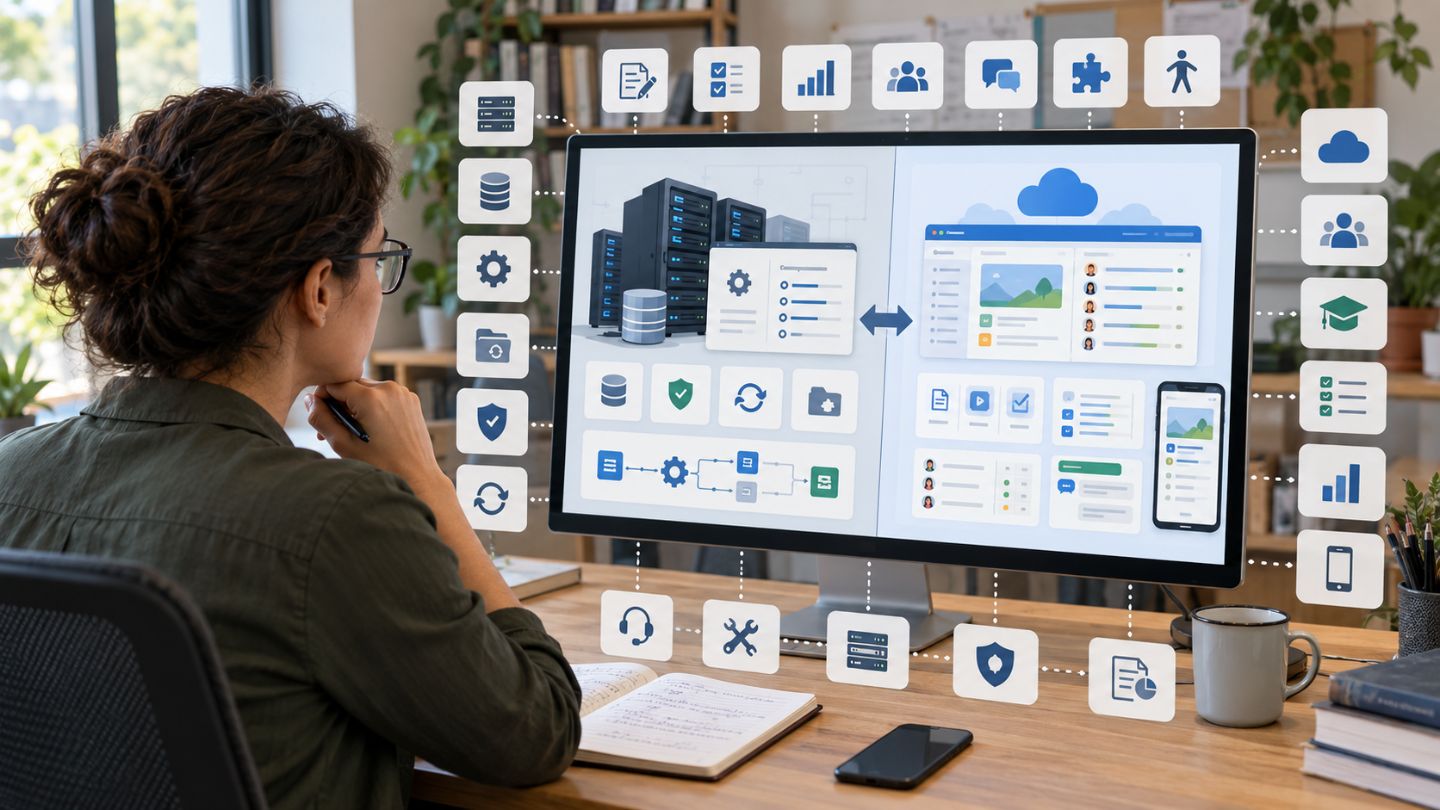
A free learning management system can help a teacher organize a class, an institution run online courses, or a company manage internal training without paying a software licence fee at the start. The word "free," however, needs closer attention.
Some learning management systems (LMS) are open-source applications that can be downloaded without a licence fee but require a server, technical maintenance, backups, security updates, and administrator time. Others are hosted services available at no cost within certain limits. These are different models, and choosing between them matters as much as comparing course-building features.
Current options include Moodle, Canvas Lite, Google Classroom, Sakai, Open edX, Chamilo, ILIAS, and Forma LMS. They serve different users, from individual teachers to universities and workplace training teams.
Readers who want a broader explanation of LMS terminology can also read Collegenp's Overview of Learning Management Systems LMS.
Answer Summary: Free LMS options fall into two main groups: open-source systems that you host or arrange hosting for, and hosted services that provide a no-cost plan or education edition. Moodle, Sakai, Open edX, Chamilo, ILIAS, and Forma LMS provide open-source options. Canvas Lite is a no-cost course tool for individual educators, while Google Classroom is available through personal Google accounts and Google Workspace for Education. The right choice depends on technical resources, class size, assessments, reporting, integrations, and support needs.
Table of Content
- What Does a Free Learning Management System Mean?
- Free Learning Management Systems Compared
- 1. Moodle
- 2. Canvas Lite
- 3. Google Classroom
- 4. Sakai
- 5. Open edX
- 6. Chamilo
- 7. ILIAS
- 8. Forma LMS
- What Features Should You Compare Before Choosing an LMS?
- Are Free LMS Platforms Suitable for Corporate Training?
- What Costs Can Remain With a Free LMS?
- How Do You Choose the Right Free LMS?
- Which Free LMS Fits Different Situations?
- Final Considerations
Key Takeaways:
-
Free software does not necessarily mean zero operating cost.
-
Open-source LMS platforms usually require hosting and administration.
-
Canvas Lite replaced Canvas Free-for-Teacher (check on the official website).
-
Google Classroom is a hosted classroom tool rather than a self-hosted open-source LMS.
-
Moodle, Sakai, Chamilo, ILIAS, and Open edX offer greater control over deployment.
-
Forma LMS focuses specifically on workplace and organizational training.
-
The right platform depends on teaching needs, technical capacity, integrations, and long-term maintenance.
What Does a Free Learning Management System Mean?
A free LMS is a learning platform that can be used without paying a standard software licence fee under specified conditions. That does not mean every free LMS works in the same way.
Three models appear frequently.
Open-source LMS
Open-source LMS software makes its source code available under an open-source licence. Organizations can install the software on their own infrastructure or arrange hosting through a service provider.
Moodle, Sakai, Open edX, Chamilo, ILIAS, and Forma LMS belong to this broad category. Their software may be available without a licence fee, while hosting, technical support, development, maintenance, and administration can still create costs.
No-cost hosted LMS or course tool
A hosted service runs on the provider's infrastructure, so the teacher or organization does not manage the server.
Canvas Lite is one current example. Instructure launched it (You have to check it on the official website), as a no-cost course tool for individual educators.
Free education edition
Some providers make education tools available at no cost to eligible institutions.
Google Workspace for Education Fundamentals is available without charge to qualifying institutions and includes Google Classroom alongside tools such as Docs, Meet, Gmail, and Forms. Google Classroom can also be used with personal Google accounts outside a standard school-managed environment, although available features differ.
Understanding these distinctions prevents a common mistake: comparing a self-hosted open-source system directly with a ready-to-use hosted classroom service as though their operating requirements were identical.
Free Learning Management Systems Compared
Each platform below addresses a different type of learning environment. This comparison focuses on how the software is accessed and where it may fit.
| Platform | Free Model | May Suit |
|---|---|---|
| Moodle | Open-source, self-hosted software | Schools, universities, training organizations, and teams that want extensive configuration control |
| Canvas Lite | No-cost hosted course tool | Individual teachers, tutors, homeschool educators, and community instructors |
| Google Classroom | Hosted service; Education Fundamentals is no-cost for qualifying institutions | Schools and teachers already working with Google tools |
| Sakai | Open-source LMS | Colleges, universities, and organizations that want course and collaboration tools |
| Open edX | Open-source learning platform | Organizations running structured online courses or larger learning programs |
| Chamilo | Free open-source LMS | Organizations seeking a self-hosted LMS without a proprietary licence |
| ILIAS | Free open-source LMS under GPL | Universities, schools, businesses, and public-sector organizations |
| Forma LMS | Open-source LMS focused on corporate learning | Employee, partner, dealer, and organizational training |
The comparison should be treated as a starting point rather than a ranking. Deployment requirements and feature needs differ too much for one platform to fit every organization.
1. Moodle
Moodle is an open-source LMS designed for educators, administrators, and learners. Organizations can download the software and run it on their own server, while Moodle also offers hosted MoodleCloud plans separately.
A Moodle installation can support course materials, assignments, quizzes, forums, grading, learner communication, and plugins. Its open-source model gives institutions control over configuration and extensions.
That control comes with responsibility. The official Moodle download documentation states that self-hosting requires a web server, PHP, and a supported database. An institution choosing the self-hosted route therefore needs someone capable of installation, upgrades, backups, security management, and troubleshooting.
Moodle may fit:
-
schools and colleges that have technical support;
-
training providers managing several courses;
-
organizations that require plugins or customized workflows;
-
institutions that prefer control over their LMS deployment.
For a small class without technical support, a hosted option may involve less administration.
2. Canvas Lite
Canvas Lite is Instructure's current no-cost option for individual educators. It launched (verify from the official website), after the permanent discontinuation of Canvas Free-for-Teacher earlier in the year.
Instructure states that Canvas Lite allows educators to create courses, invite learners, organize modules and pages, collect assignments, create quizzes and rubrics, and grade work using SpeedGrader.
Canvas Lite may fit:
-
individual teachers;
-
tutors;
-
homeschool educators;
-
community instructors;
-
educators testing a course outside an institutional Canvas licence.
It should not be confused with the full institutional editions of Canvas. Organizations requiring advanced administration, institution-wide configuration, or broader enterprise functions should compare the current Canvas editions separately.
Older articles referring readers to Canvas Free-for-Teacher are now outdated.
3. Google Classroom
Google Classroom provides a simple way to distribute learning materials, manage assignments, communicate with learners, and work with other Google services.
Google Workspace for Education Fundamentals is provided at no cost to qualifying educational institutions and includes Classroom, Docs, Meet, Gmail, Forms, and related tools.
Classroom can also be used with a personal Google account in settings such as tutoring or homeschooling. Google notes that personal accounts do not receive all the features available through school-managed Workspace for Education accounts.
Google Classroom may fit:
-
teachers who already work with Google Drive and Docs;
-
schools using Google Workspace for Education;
-
classes that need assignment distribution and straightforward communication;
-
tutors and homeschool settings using personal Google accounts.
Organizations that need deep LMS administration, extensive reporting, complex learning pathways, or extensive system configuration may need a more specialized LMS.
For more background on why institutions use web-based teaching systems, see Collegenp's article on the importance of online learning.
4. Sakai
Sakai is a fully open-source LMS developed and maintained through an education-focused community.
Its current feature set includes course content, assignments, quizzes and tests, gradebook functions, discussions, collaboration tools, role and permission management, and integrations with external applications. Sakai also supports Learning Tools Interoperability (LTI), which allows compatible learning applications to connect with the LMS.
Sakai may fit:
-
universities and colleges;
-
institutions that want control over their LMS installation;
-
academic environments requiring course and project collaboration spaces;
-
organizations with technical staff or a hosting partner.
Because Sakai is self-managed in many deployments, institutions should assess installation, maintenance, upgrades, integrations, and support before adopting it.
5. Open edX
Open edX is a free, open-source platform for building and delivering online courses. It includes a course-authoring environment called Open edX Studio and a learner-facing LMS.
Organizations can use it for self-paced learning, instructor-led courses, online programs, and larger course catalogs.
The software itself is open source, but running an Open edX installation requires technical expertise. Open edX documentation states that operating a production instance is not simple and recommends using an experienced service provider for organizations that do not have the necessary skills internally. Tutor is the community-supported installation method recommended for production and development deployments.
Open edX may fit:
-
universities offering structured online programs;
-
training organizations publishing larger course catalogs;
-
institutions with development or infrastructure support;
-
organizations that need significant control over their learning platform.
It is less suited to someone who wants to create a small class and begin teaching immediately without dealing with hosting or system administration.
6. Chamilo
Chamilo is a free open-source e-learning platform. The project continues to be actively maintained, with project governance transferred to BeezNest Belgium from January 2026.
As a self-hosted LMS, Chamilo can be considered by schools, training organizations, and other groups that want control over their learning environment without paying a proprietary software licence.
Its open-source status does not remove the need to plan for:
-
hosting;
-
installation;
-
upgrades;
-
backups;
-
security;
-
administrator support;
-
possible professional services.
Before deployment, an organization should test the current release against its course, assessment, integration, and reporting requirements rather than choosing the platform only because the software is free.
7. ILIAS
ILIAS is a free open-source LMS released under the GNU General Public License. Its official project describes its users as including universities, businesses, schools, and public authorities.
Organizations can download ILIAS and run it on their own server. The project also has a network of service providers offering hosting, configuration, training, and other professional services.
ILIAS may fit organizations that want:
-
self-hosted learning infrastructure;
-
control over platform configuration;
-
course and training management;
-
an LMS that can serve academic or organizational settings.
As with other self-hosted systems, the software licence is only one part of total operating cost.
8. Forma LMS
Forma LMS is an open-source LMS developed specifically around corporate training needs. The official project highlights employee training, extended-enterprise learning, multi-client management, reporting, integrations, and support for training partners or dealer networks.
Forma may fit:
-
companies running employee training;
-
organizations training external partners;
-
businesses managing several training audiences;
-
teams that need separate organizational or client structures within one LMS.
There is an important distinction around downloads. Forma's documentation currently lists a public stable release available as a free download for registered users, while access to the newest stable release can differ for association members and contributors. Organizations should check the current download terms before deciding which version to deploy.
What Features Should You Compare Before Choosing an LMS?
An LMS should be evaluated against the learning process it needs to support. A long feature list is less useful than knowing whether the required functions work well for teachers, administrators, and learners.
Collegenp's guide to the Key Components of a Learning Management System LMS provides additional background on the main parts of an LMS.
Course creation and content management
Check whether instructors can organize lessons, upload resources, embed media, schedule content, reuse materials, and control when learners see particular activities.
Assignments and assessments
Determine whether the platform supports the forms of assessment you use, such as:
-
assignments;
-
quizzes;
-
question banks;
-
rubrics;
-
projects;
-
discussion activities;
-
automated grading where appropriate;
-
instructor feedback.
A platform with advanced testing tools may be unnecessary for a tutor who only distributes assignments, while it can matter significantly for a university or certification program.
Gradebook and learner progress
Check how instructors record grades and whether students can clearly see their results and feedback.
Organizations that need formal training records should also examine completion tracking, reports, exports, and administrator-level monitoring.
Communication
Useful LMS communication tools can include announcements, discussions, messages, notifications, and group spaces.
The required level depends on whether teaching happens entirely online or whether the LMS mainly supports classroom teaching.
Integrations
Institutions frequently need an LMS to connect with video meeting systems, student information systems, identity services, cloud storage, content libraries, or external learning applications.
Check which integrations are built in and which require plugins, technical work, or paid services.
Mobile and accessibility support
Students may access learning materials from phones, tablets, laptops, assistive technologies, or shared devices.
Test the actual learner experience instead of assuming that a mobile app or responsive interface makes every course accessible. Course content itself must also be prepared with accessibility in mind.
Data ownership and privacy
Schools and organizations should understand:
-
where learner data is stored;
-
who manages user accounts;
-
what administrators can access;
-
how data can be exported;
-
how accounts are removed;
-
which privacy terms apply;
-
which local regulations or institutional policies must be followed.
These questions are particularly important when a platform handles student records or employee training data.
Technical support
Open-source software often provides community documentation and forums, while paid service providers may offer hosting and technical assistance.
Before adopting a self-hosted LMS, determine who will respond when the system fails, an upgrade creates a problem, or a security issue needs attention.
Are Free LMS Platforms Suitable for Corporate Training?
Some free and open-source LMS platforms can support workplace training, but corporate requirements often differ from those of a classroom.
A business may need to track employees by department, assign mandatory courses, record completion, manage partners or customers, export reports, or connect training records with other systems.
Forma LMS is specifically positioned around corporate and extended-enterprise learning. Moodle and ILIAS can also be configured for organizational training, depending on the required setup and available technical support.
Before selecting a system for workplace use, assess:
-
employee and administrator roles;
-
enrollment rules;
-
course assignment;
-
completion records;
-
reporting;
-
compliance requirements;
-
integration needs;
-
data retention;
-
support arrangements;
-
expected number of users.
A company without internal LMS administration may find that free self-hosted software costs more to operate than expected once hosting, technical work, and support are included.
What Costs Can Remain With a Free LMS?
The absence of a software licence fee does not remove all LMS costs.
An organization may still pay for:
-
server or cloud hosting;
-
domain and infrastructure services;
-
installation and configuration;
-
system administration;
-
backups;
-
security monitoring;
-
upgrades;
-
custom development;
-
integrations;
-
technical support;
-
staff training;
-
content creation;
-
migration from another system.
These costs vary widely by platform and deployment, so a meaningful comparison should examine total operating requirements rather than software price alone.
A no-cost hosted service can reduce infrastructure work, but it may provide less control or fewer institutional features than a self-hosted platform.
How Do You Choose the Right Free LMS?
Start with the learning activity, not the platform name. The right LMS is the one that supports the required teaching process without creating unnecessary technical or administrative work.
Ask these questions before committing:
-
Who will use the LMS: one teacher, a school, a university, or a company?
-
How many courses and learners need to be managed?
-
Do we need a hosted service or can we maintain our own server?
-
Which assessment and grading functions are essential?
-
Do we need detailed completion reports?
-
Which external systems must connect to the LMS?
-
Is a mobile app required?
-
What accessibility requirements apply?
-
Who will maintain and update the system?
-
How will course and learner data be backed up or exported?
-
What happens if the organization later changes platforms?
-
What is the total cost after hosting, administration, and support?
A short pilot with instructors and learners can expose practical problems that are difficult to see from a feature page alone.
Which Free LMS Fits Different Situations?
There is no single choice for every user. Different platforms become more relevant under different operating conditions.
For an individual educator who wants a hosted course space without managing a server, Canvas Lite is designed for that use.
For a school already using Google Workspace for Education, Google Classroom may require fewer changes to existing workflows.
For an institution that wants an established open-source LMS with a large plugin ecosystem, Moodle is one option to evaluate.
For higher education environments seeking open-source course and collaboration tools, Sakai may warrant consideration.
For organizations planning larger online course programs and able to support a more technical deployment, Open edX provides an open-source course platform.
For self-hosted alternatives, Chamilo and ILIAS add further choices.
For workplace and extended-enterprise training, Forma LMS is designed around corporate learning requirements.
These are suitability conditions, not rankings. A pilot installation or test course is a safer basis for a final decision than platform reputation alone.
Final Considerations
A useful comparison of free learning management systems begins by separating software price from the cost of running the system.
Moodle, Sakai, Open edX, Chamilo, ILIAS, and Forma LMS provide open-source routes with varying technical demands. Canvas Lite provides a no-cost hosted course tool for individual educators. Google Classroom offers a simpler hosted model and is included with Google Workspace for Education Fundamentals for qualifying institutions.
Before adopting any platform, test the functions that affect daily teaching: course creation, assessment, grading, communication, learner access, reporting, integrations, and administration. Then account for the work required to host, secure, update, and support the system.
A platform that meets those requirements with manageable ongoing work is usually a stronger fit than one selected because it has the longest feature list or no licence fee.


Comments 0
No comments yet. Be the first to start the conversation.