



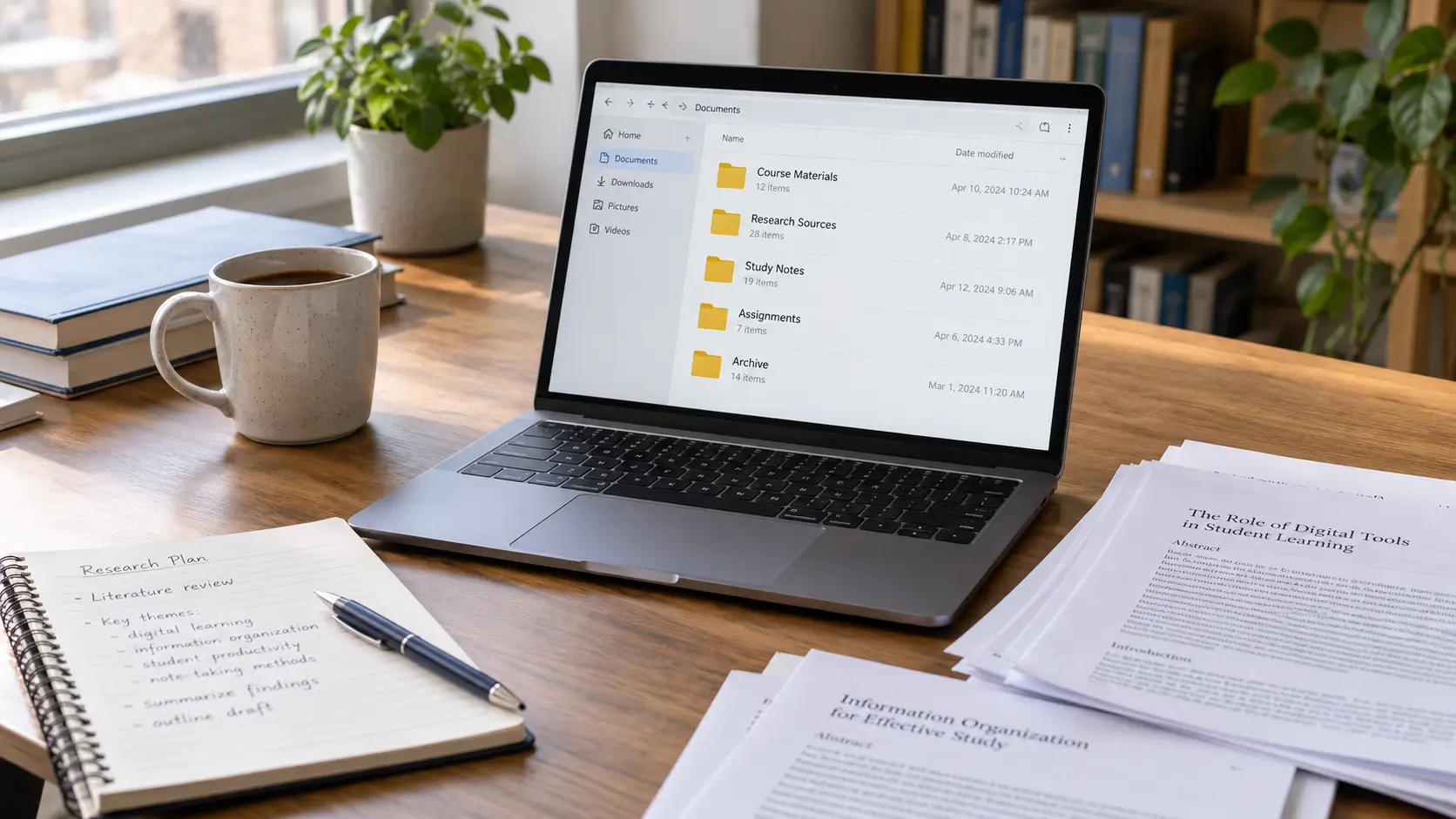
You remember saving an important research article, but cannot find it when you need to cite it. Your lecture notes are spread across several folders, some assignments have multiple versions, and useful links remain buried in browser bookmarks or messages.
The problem is not necessarily how much information you have collected. It is that the information has become separated from its purpose, source, or location.
Students and researchers face different versions of this difficulty. Someone preparing for an examination needs quick access to relevant notes and course materials. A university student writing an assignment must connect evidence to its original source. A researcher working across several projects also needs to preserve the relationships between documents, observations, and earlier decisions.
These needs cannot be solved entirely by creating more folders or installing another application.
A useful digital information system should help you identify what a file contains, find it without searching multiple locations, trace research information to its source, distinguish current work from earlier versions, and recover important material when necessary.
The arrangement can remain simple. What matters is that it supports how you study and use information.
Answer Summary: Organize digital information by giving each course or research project a clear storage location, using consistent filenames, and keeping source details attached to research notes. Separate active work from completed material, preserve meaningful document versions, and maintain recoverable backups. Use folders for location, tags for related topics, and reference managers when citation requirements become demanding. Choose a system you can maintain during ordinary study, not one that requires constant reorganization.
Key Takeaways:
-
Give each course or project a recognizable storage location.
-
Name files by content, purpose, and version when relevant.
-
Record citation details when collecting research sources.
-
Distinguish source quotations from your own explanations.
-
Add tags or specialized tools when your work requires them.
-
Keep independent backups of important study and research files.
Understand What You Need to Organize
Digital information becomes easier to manage when you distinguish the different purposes it serves.
A downloaded research paper, a lecture summary, an unfinished assignment, and a completed project may all be PDF or document files. Their formats tell you relatively little about how they should be organized.
Their roles are more useful.
Course materials, such as lecture slides, reading lists, and assignment instructions, need to be accessible when studying a particular subject.
Research sources require enough identifying information to support accurate referencing and later verification.
Personal notes need to preserve your understanding of the material, including questions and connections between ideas.
Working documents need clear version information so you know which file contains your current changes.
Completed work may need to be retained for future reference without remaining mixed with active assignments.
For example, imagine finding a journal article relevant to an assignment. The PDF is one part of the information. Its author, publication details, and original location are another. Your notes about its findings form a third.
If you retain the PDF but lose its source details, citation becomes more difficult. If you keep the citation but forget why the article mattered, you may need to read it again.
An effective arrangement keeps these relationships identifiable.
Create a Practical File and Folder Structure
A useful folder structure reflects the way you retrieve information. For coursework, this usually means organizing by academic period and subject. For independent research, organizing by project may be more appropriate.
Princeton Research Data Service recommends developing file structures around meaningful project characteristics, such as project, date, analysis, or location. Its guidance does not prescribe a universal arrangement. [1]
Organize Coursework by Subject and Purpose
For ordinary coursework, begin with one main study folder and separate folders for active subjects.
A possible arrangement is:
-
Study-
Current_Term-
Biology-
Lectures -
Notes -
Assignments -
Submitted
-
-
Mathematics-
Lectures -
Notes -
Assignments -
Submitted
-
-
-
Previous_Terms
-
This is an illustrative structure rather than a required format.
If you receive only a small number of documents, fewer folders may be easier to use. A subject containing many lecture recordings, readings, exercises, and assessment materials may require more separation.
Avoid creating categories that are unlikely to contain anything. Empty folders do not make information more accessible.
A practical question is whether you can predict where a document belongs before saving it.
If a lecturer sends a reading for Biology, its destination should be recognizable without reconsidering the entire folder structure.
Organize Research by Project and Work Stage
Longer research projects often involve information that does not fit neatly into a course folder.
A separate project structure can distinguish sources from analysis and writing:
-
Research_Project-
Sources -
Reading_Notes -
Research_Data -
Analysis -
Drafts -
Submitted_or_Published -
Archive
-
Include only the categories relevant to your work.
For a literature-based essay, Research_Data and Analysis may be unnecessary. For a project involving collected observations or datasets, separating original material from processed information becomes more important.
If research files contain data, an explanatory README document can help you identify how the files were produced and how they relate to one another.
Princeton's guidance describes a README as a document that explains the contents, context, methods, and relationships within a research collection. [2]
For an ordinary assignment, a short project note may be sufficient. It can record the purpose of the project, its main folders, and where the current working document is stored.
Give Incoming Information a Temporary Location
Not every file arrives when you have time to classify it.
You may download several readings during a lecture, receive an assignment through email, or save documents while researching.
A temporary folder such as To_File gives these materials a recognizable place until you can organize them.
Use it for unresolved items rather than as permanent storage.
When reviewing the folder, decide whether each item belongs to a course, project, reference collection, or archive.
A temporary holding area is useful because it allows information collection and detailed organization to happen at different times. However, it becomes another source of confusion if it is left unchecked.
Name Files So You Can Identify Them Later
File naming matters because even a well-organized folder can contain documents that are difficult to distinguish.
Names such as Document1.pdf, New_Notes.docx, and Final_Latest.docx provide limited information.
You may remember what they contain today. That becomes less certain after collecting more files or returning to the subject months later.
Use a Consistent Naming Pattern
Princeton recommends short, descriptive filenames, consistent naming conventions, date formats that support sorting, and version identifiers where appropriate. [1]
A useful pattern is:
Date_Topic_DocumentType_Version
For example:
20261015_Biology_CellDivision_Notes_v01.docx
This filename is illustrative.
It identifies when the file was created or classified, the subject, its purpose, and the version.
The date should have a clear meaning. For some materials, the lecture date is more useful than the date the file was downloaded. For others, the date can be omitted.
An assignment document might use:
Biology_Essay_Draft_v02.docx
A submitted copy might use:
Biology_Essay_Submitted.pdf
The names make the difference between ongoing work and a submission recognizable.
The same naming convention does not need to be applied to every file type. Research observations, photographs, datasets, and essay drafts may require different identifying details.
What matters is consistency within each collection.
Avoid Renaming Files Without Checking Their Relationships
Bulk renaming may seem efficient when a folder contains hundreds of documents, but filenames sometimes have a functional role.
Research scripts, spreadsheets, linked documents, and other project files may refer to specific filenames or locations. Changing those names can break the connections.
Before renaming related research materials, identify any references between files and preserve a recoverable copy.
For ordinary lecture PDFs and personal notes, renaming is generally less complicated, provided the documents are not being referenced automatically elsewhere.
The aim is better identification without disrupting the work the files support.
Keep Research Sources and Citations Connected
Research organization requires more than storing downloaded articles.
When preparing an academic assignment, you need to establish where information came from and whether the source supports the point you intend to make.
Harvard's Guide to Using Sources advises students to record electronic source details, preserve relevant materials where appropriate, and maintain a traceable connection between sources, research notes, and drafts. [3]
Record Source Information When You Collect It
When saving a potentially useful source, record enough information to identify it again.
Depending on the publication, this may include:
-
Author or responsible organization
-
Article, report, book, or webpage title
-
Publication date
-
Journal, publisher, or institution
-
Original webpage address or Digital Object Identifier (DOI)
-
Relevant page number, section, or figure
-
A short note explaining why the source matters
A DOI is a persistent identifier used for certain scholarly and digital publications.
For webpages, the access date may also be necessary under your required citation style.
These details are easier to preserve while the original source is available than after the information has been copied into several documents.
Suppose you find a report containing evidence relevant to your research question.
Saving its URL in a bookmark may help you return to it, but a bookmark does not independently preserve the content. Saving a PDF preserves a copy, but the file may still lack complete publication details.
For material central to an assignment, retain both an identifiable source record and an accessible copy when permitted.
Before relying on a source, assess whether it is suitable for the claim you want to support. Information management cannot replace source evaluation.
Students who need help with this judgment can read Research Skills for Finding Reliable Online Sources.
Use a Source Index for Smaller Research Projects
You do not need specialized software to manage a short reference list.
A document or spreadsheet can record each source, its publication details, relevant evidence, and reading status.
For example:
| Source | Relevant information | Research use |
|---|---|---|
| Article A | Relevant finding and page number | Supports a specific argument |
| Report B | Method or statistical definition | Provides background |
| Article C | Different interpretation | Requires comparison |
These entries are illustrative, not descriptions of published research.
A source index becomes useful when you remember the idea you found but cannot recall which publication contained it.
It can also reveal whether your assignment relies too heavily on one source or whether an important claim lacks supporting evidence.
Use a Reference Manager When Citation Work Becomes Demanding
A reference manager stores bibliographic records and helps organize sources used in academic writing.
Zotero is one example. Its documentation explains how users can import publication details, attach PDFs to source records, and organize references through collections and tags. [4, 5]
This becomes useful when a project involves many academic articles or when you need to reuse references across different documents.
However, imported citation information still requires checking.
Zotero notes that bibliographic metadata obtained from websites and databases can contain errors or missing fields. Authors, publication details, and identifiers should be verified against the original source. [4]
Citation software can format references using the information it holds. It cannot independently establish that an article supports your interpretation.
For further guidance on applying references within academic writing, see Mastering Citations and References.
Organize Notes for Understanding, Not Storage Alone
Notes become useful when they preserve what you understood, what remains uncertain, and where the information originated.
Saving large amounts of copied text without these distinctions can create problems when preparing an assignment or revising for an examination.
The University of Leeds Library describes note-making as a process involving the selection, review, and connection of ideas. Its guidance also recommends recording source details and distinguishing quotations, paraphrases, and summaries from personal thinking. [6]
Separate Source Material From Your Interpretation
A research note should make it clear whether its content is a direct quotation, a paraphrase, a summary, or your own observation.
Consider a note created while reading a journal article.
A practical structure is:
Source: Publication title and citation details
Relevant location: Page, section, or figure
Main point: What the author reports or argues
Supporting evidence: Relevant information from the publication
My interpretation: What this may mean for the research question
Questions: What remains unclear or needs checking
This structure helps prevent an important distinction from disappearing during later revisions.
For example, a researcher may describe a relationship between two variables. Your interpretation of why that relationship exists is not automatically a conclusion established by the source.
Keeping these statements separate makes it easier to assess the evidence when writing.
Direct quotations should remain clearly marked, with their original wording and citation details preserved. Paraphrased material also requires appropriate attribution.
Harvard's guidance emphasizes maintaining these boundaries throughout notes and successive drafts, rather than attempting to reconstruct them when the assignment is nearly complete. [3]
Connect Notes to Questions You Are Trying to Answer
A note that records information without explaining its relevance may be difficult to use later.
For lecture revision, connecting a note to a course topic or learning objective can help you understand why it belongs in your study collection.
For research, the relationship should be more specific.
You may be investigating whether a particular teaching method influences student learning. Instead of storing a collection of article summaries without further distinction, record which aspect of the research question each article addresses.
One source may examine participation. Another may measure academic performance. A third may question how improvement was measured.
These are illustrative possibilities, not findings from specific studies.
Keeping the differences visible helps prevent separate outcomes from being treated as equivalent.
It also makes it easier to recognize where further reading is needed.
Use an Evidence Matrix for Comparing Research
An evidence matrix is useful when your work requires comparison across multiple publications.
Rather than reading each article independently and relying on memory, you can record comparable details in one place.
| Source | Evidence and context | Interpretation or limitation |
|---|---|---|
| Study A | Outcome, method, and page reference | Findings apply to the studied group |
| Study B | Comparable finding and method | Different measurement approach |
| Study C | Conflicting evidence and location | Requires closer examination |
The entries illustrate how to structure a comparison.
An evidence matrix should preserve differences between sources. Research involving different populations, methods, or definitions cannot automatically be treated as directly comparable.
A matrix is unnecessary for every assignment. It becomes valuable when understanding similarities, disagreements, and limitations is part of the research task.
Choose Digital Tools According to Your Actual Needs
No single application is necessary for organizing every type of academic information.
Different tools address different problems.
Folders, Search, and Tags
Folders establish where material belongs.
Search functions help retrieve documents when you remember a filename, phrase, or other searchable information.
Tags describe characteristics that may apply across several folders or collections.
For example, one journal article may be relevant to two research topics. A tag can identify a shared theme without requiring a separate copy of the article in each project.
Zotero's collection system permits one bibliographic item to appear in multiple collections within the same library without duplicating the underlying record. Its tags can identify topics, methods, or reading status. [5]
That behavior is specific to Zotero's system.
Ordinary operating-system folders do not necessarily work the same way.
A small coursework collection may function adequately with descriptive filenames and folders. Adding tags to every document can create maintenance work without improving retrieval.
For research spanning several subjects, tags may become more useful because they identify relationships that a single folder location cannot represent.
Notes Applications and Research Tools
A basic document editor can work well for lecture summaries, assignment planning, and personal notes.
A reference manager becomes useful when source tracking and citations require more attention.
A spreadsheet can support an evidence matrix when you need to compare research studies or monitor reading status.
The important decision is not which application has more functions. It is whether the tool addresses a difficulty in your current workflow.
Before moving an established collection into new software, check whether you can export the information in usable formats and whether attachments, links, and citation details will remain accessible.
A complex application is not inherently a better organizational method.
Manage Document Versions, Backups, and Shared Work
A file organization system also needs to protect important work from confusion and loss.
Version management, synchronization, and backup serve different purposes. Treating them as interchangeable can leave gaps in your arrangements.
Identify the Current Working Version
When editing an assignment, you need to know which copy contains the intended changes.
Names such as Essay_Final, Essay_Final2, and Essay_ReallyFinal do not establish a reliable sequence.
A simple version convention is more useful:
Essay_v01.docx
Essay_v02.docx
Essay_v03.docx
Retain a separate identifiable copy of the submitted document when necessary.
If your application provides revision history, check how it works before relying on it. Features and retention conditions vary between services.
For collaborative assignments, agree on the working document rather than allowing every contributor to edit an independent copy without coordination.
This reduces uncertainty about which changes have been incorporated.
Understand the Difference Between Synchronization and Backup
Cloud synchronization helps coordinate files between connected devices. A backup is a recoverable copy intended to protect against loss, damage, or unwanted changes.
Some cloud platforms retain older file versions or temporarily preserve deleted items. However, these recovery features have conditions and limitations.
The UK's National Cyber Security Centre advises keeping an independent backup of important information rather than relying exclusively on cloud-service recovery features. Its published guidance addresses organizations, but the distinction is relevant to personal study files as well. [7]
For important academic work, identify which materials need independent protection and confirm that you can restore them.
Include relevant attachments, research records, and supporting documents.
Application-specific data may require additional care.
For example, Zotero's documentation explains that synchronization is not a complete replacement for backups. It recommends backing up the application data directory and warns that exporting a reference library does not create an exact backup of all its internal data and relationships. [8]
The appropriate backup process depends on the software and storage arrangement.
Consider Privacy and Access When Sharing Files
Group assignments and research projects may involve shared documents, but not every file should be accessible to everyone.
Before sharing, check who can view, edit, download, or redistribute the material.
Research involving personal information, restricted institutional documents, or confidential records may require approved storage locations and specific access controls.
Follow the applicable rules of your institution or research organization.
For ordinary collaboration, a shared working location, clear editing permissions, and recognizable document versions can help contributors understand which material is current.
Organize Existing Files Without Rebuilding Everything
If your information is already scattered across devices, folders, and applications, attempting to reorganize the entire collection at once can create unnecessary work.
Begin with the material you currently need.
Identify Current Work Before Moving Older Files
Locate active assignments, course notes, research sources, and important working documents.
Determine which files are authoritative copies and whether duplicates contain different edits or annotations.
Create a clear destination for current materials.
Move uncertain or unrelated files into a review folder rather than deleting them before their contents have been checked.
If you are moving files managed by a reference manager or another application, use the application's documented procedures. Moving underlying database files manually can damage relationships or interrupt access.
Rebuild Missing Source Connections
Research documents need particular attention during cleanup.
A PDF named with an unfamiliar number may still be identifiable through its first page, publication information, or associated bibliographic record.
Once identified, connect it to the relevant source entry.
For notes containing borrowed material, check whether the original source and passage can be established.
If the source cannot be identified reliably, do not use the material as verified evidence in an academic assignment.
Preserve the unresolved note separately if it remains useful for further checking.
Check Whether the New Arrangement Works
After organizing active materials, test the tasks that previously caused difficulty.
Can you find the current assignment without searching through several unrelated folders?
Can you trace a research claim back to its publication and relevant passage?
Can you distinguish the submitted version from a later revision?
Can you recover an important file from your backup?
These tests reveal where the system needs adjustment.
If filenames remain ambiguous, improve the naming convention. If references are difficult to trace, strengthen source records. If a project has become difficult to understand, add a short explanatory note or reconsider its folder structure.
The goal is not a perfectly arranged collection. It is an arrangement that remains understandable while you continue studying and producing work.
Conclusion
Organizing digital information for study and research involves more than deciding where documents should be saved.
Files need recognizable locations and names. Research notes need connections to their sources. Working documents need identifiable versions, and important material needs a reliable recovery method.
Start with the information you use most frequently. Establish consistent folders and filenames, preserve source details while researching, and keep your interpretation distinguishable from the evidence you collect.
As your work becomes more complex, introduce tags, reference managers, or evidence matrices where they address identifiable needs.
A useful system should allow you to return to an assignment, article, or research project and understand what the information contains, why it was retained, and how it can be used.
References
-
Princeton Research Data Service. File Organization. Princeton University. Guidance on descriptive filenames, naming conventions, versions, and directory structures.
-
Princeton Research Data Service. READMEs for Research Data. Princeton University. Guidance on documenting project contents, file relationships, and research context.
-
Harvard College Writing Program. How to Avoid Plagiarism. Harvard Guide to Using Sources. Guidance on source records, research notes, quotations, paraphrases, and traceable drafts.
-
Zotero Documentation. Adding Items to Zotero. Guidance on importing publications, attaching files, and verifying bibliographic metadata.
-
Zotero Documentation. Collections and Tags. Guidance on organizing bibliographic records through collections, tags, and shared subject relationships.
-
University of Leeds Library. Note Making Explained. Guidance on source information, note-taking, reviewing, and distinguishing borrowed material from personal ideas.
-
UK National Cyber Security Centre. Back Up Your Organisation's Critical Data. 2024. Guidance on independent backups, cloud recovery limitations, and restoration.
-
Zotero Documentation. The Zotero Data Directory. Guidance on application data, synchronization limitations, and backup procedures.



Comments 0
No comments yet. Be the first to start the conversation.