




Technology can help you plan, remember, and focus—but it can also fragment attention and make simple work feel heavier than it is. Many people end up stuck between two extremes: relying on memory and last-minute pressure, or building an elaborate system that is hard to maintain.
A more workable approach is to use technology for a few core jobs and do them consistently: decide what matters, put it into time, reduce distractions, and review progress. Research on task switching and interruptions suggests that frequent attention shifts carry real costs, which makes “fewer unnecessary switches” a practical goal for productivity.
This guide walks through a simple, tool-agnostic system you can run with common apps (calendar, task list, notes, and built-in focus settings). You will also see where technology has limits—because no app can choose your priorities for you.
Table of Content
- What “Productivity” Means in Real Life
- Build a Simple Productivity System
- Control Distractions at the Source
- Turn Plans Into Time
- Capture, Organize, Retrieve
- Use Technology to Learn Better (Students)
- Choose Tools Without Overcomplicating
- A 7-Day Starter Plan
- Conclusion
- FAQs
- Reference
What “Productivity” Means in Real Life
Explain: output, attention, follow-through
Personal productivity is not just “doing more.” It is doing the right things reliably with the attention and energy you have. That usually comes down to three levers:
-
Clear outcomes (what “done” looks like)
-
Protected attention (time to work without constant switching)
-
Follow-through (a way to return to tasks after interruptions)
Task-switching research shows that switching between tasks is not free; it introduces time and performance costs, especially as complexity rises.
Inform: common failure modes
Technology often reduces friction (quick capture, reminders, search), but it also increases “inputs” competing for attention (notifications, messages, feeds). Interruption research suggests people may work faster to compensate, but often with higher stress and frustration.
So the aim is not “more apps.” It is designing a small set of tools and settings that reduce attention switching and make follow-through easier.
Build a Simple Productivity System
Explain: one system, five functions
A stable personal system usually covers five functions:
-
Capture (get tasks/ideas out of your head)
-
Organize (put items where they belong)
-
Plan (decide what happens this week and today)
-
Do (focus and complete)
-
Review (adjust based on reality)
You can do this with many tool combinations, but the functions matter more than the brand names.
Inform: calendar, tasks, notes, files, communication
Here is a practical way to map tools to functions:
-
Calendar: time-specific commitments and reserved work blocks
-
Task list: next actions that are not tied to a specific time yet
-
Notes: information you need later (meeting notes, study notes, ideas)
-
Files: documents and “final versions” you can find again
-
Communication: email/messages, treated as an input channel—not a task manager
A useful rule of thumb: put “when” in the calendar and “what” in the task list. Notes hold “why/how” and supporting details.
Practical Insight: minimum viable setup
Start with the smallest setup you can keep consistent for a month:
-
One calendar you check daily
-
One task list app (or one list in a notes app)
-
One notes space for ongoing projects (school subjects, personal goals, activities)
Add two lightweight routines:
-
Daily plan (5 minutes): pick 1–3 priority tasks and assign a time window
-
Weekly review (20–30 minutes): reset your list, schedule key blocks, clear clutter
Planning is not only about motivation; it can reduce mental “open loops.” In experimental work, forming specific plans reduced cognitive interference from unfulfilled goals.
A simple way to make planning more actionable is the “if-then” format (implementation intentions): “If it is 6:00 pm, then I start math practice for 25 minutes.” This structure is widely discussed in the research literature on goal pursuit.
Outcomes and Limitations
-
Likely outcome: fewer forgotten tasks and fewer last-minute scrambles
-
Limitations: if you capture everything but never review, your system becomes a storage unit, not a guide
Control Distractions at the Source
Explain: switching and interruption costs
If your attention is interrupted frequently, even a strong planning system struggles. Research on interruptions suggests a trade-off: people can speed up after interruptions, but often report more stress and effort.
Even small “pings” matter. A study on phone notifications found measurable disruption on attention-demanding tasks even when participants did not interact with the phone.
Inform: where distractions come from
Common sources include:
-
Notifications (banners, sounds, badges)
-
Messaging and email (constant arrival pattern)
-
Browser tabs and “just checking” habits
-
Study/work tools that double as entertainment devices
This is why OS-level settings can be more effective than relying on willpower alone.
Practical Insight: focus modes, notification rules, batching
Use a two-layer strategy:
Layer 1: change defaults
-
Turn off nonessential notifications (especially promotional and social)
-
Remove badges for apps that pull you in “just to clear the number”
-
Move high-distraction apps off the first home screen page
Layer 2: create “modes”
Most phones now support focus modes that silence or allow only selected notifications. Apple Focus and Android Digital Wellbeing/Focus Mode are designed for this kind of control.
For communication-heavy days, consider batching. Experimental research suggests limiting email-check frequency can reduce daily stress.
Workplace studies also examine how email patterns—including self-interruption and batching—relate to perceived productivity and stress.
A student-friendly batching version looks like this: check messages at set times (for example, before school, after school, early evening) rather than whenever they arrive.
Outcomes and Limitations
-
Likely outcome: fewer “micro-switches” and faster return to the task you chose
-
Limitations: some roles or family responsibilities require responsiveness; in that case, narrow the allowed list rather than turning everything off
Turn Plans Into Time
Explain: time blocking as a bridge
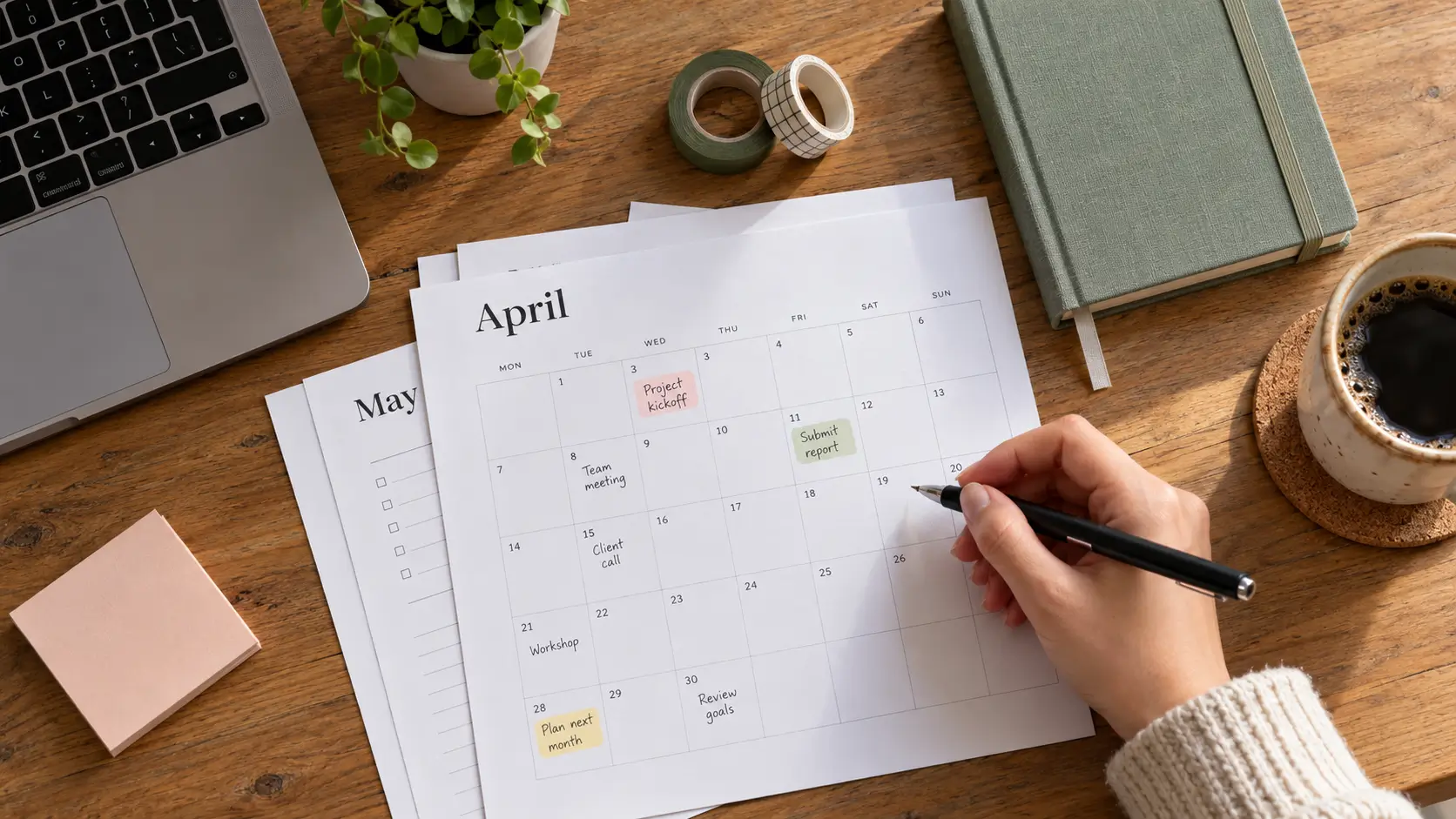
A task list answers “what.” A calendar answers “when.” Time blocking connects them by reserving time for the work you say matters.
Academic skills centers often teach time blocking because it makes workload visible and reduces last-minute overload.
Inform: estimating and buffers
Most plans fail because they assume perfect conditions. A more realistic approach:
-
Estimate how long a task will take, then add a small buffer
-
Block similar tasks together (reading + note consolidation; errands + calls)
-
Add breaks on purpose (fatigue changes your speed and accuracy)
Practical Insight: a weekly + daily flow
Weekly (20–30 minutes)
-
Put immovable commitments in your calendar first
-
Add 2–4 focused blocks for your most important work
-
Add one “admin” block for small tasks and messages
-
Keep at least one open buffer block for surprises
Daily (5 minutes)
-
Pick 1–3 priorities for the day
-
Assign a first work block and a “restart” block
-
Decide your communication check times
If you like timers, interval-based methods can help some people protect focus by creating a clear start and stop. Evidence varies by context, but reviews and studies continue to examine how timed work/break structures affect learning and performance.
Outcomes and Limitations
-
Likely outcome: priorities become time commitments, not just intentions
-
Limitations: time blocking can feel restrictive if your day is unpredictable; keep blocks shorter and use more buffers
Capture, Organize, Retrieve
Explain: capture reduces mental load
When tasks and ideas stay in your head, they compete with what you are trying to do. Planning research suggests that turning intentions into specific plans can reduce cognitive interference from unfinished goals.
Inform: notes that support action
A useful notes setup separates:
-
Quick capture (one place for fast input)
-
Project notes (ongoing, organized by topic)
-
Reference notes (things you want to find again)
For retrieval, keep naming consistent. Use a simple format like:Project - Topic - Date (for example: Biology - Photosynthesis - 2026-02-20)
Practical Insight: templates and “next action” links
To prevent notes from becoming passive storage:
-
End notes with “Next action” (one line)
-
Use checklists for repeated processes (assignment submission, exam prep, weekly chores)
-
Convert “big tasks” into the next visible step (open document, outline headings, draft paragraph)
Implementation intentions can be applied here: “If I finish reading, then I write three questions and one summary sentence.”
Outcomes and Limitations
-
Likely outcome: less time searching and re-deciding
-
Limitations: overly complex tags and folders often collapse; keep structure minimal
Use Technology to Learn Better (Students)
Explain: learning requires retrieval and spacing
For studying, productivity is not only time spent. It is whether that time produces durable learning. A major review of learning techniques rated practice testing and distributed practice as high-utility strategies across many contexts.
Large-scale reviews of spacing effects support the value of distributing practice over time rather than massing it into one session.
Inform: notes, devices, and multitasking
Technology can support learning (flashcards, practice quizzes, spaced reminders), but multitasking can undermine it.
Research comparing laptop and longhand note taking found longhand note takers performed better on conceptual questions in that study context.
Separate research found laptop multitasking can harm learning for both the user and nearby peers.
This does not mean laptops are “bad.” It means you get better results when your device is configured for one job at a time.
Practical Insight: a weekly study system using common tools
Use technology to run a simple loop:
-
Capture: put all deadlines in your calendar immediately
-
Plan: time block short study sessions across the week (spacing)
-
Practice: do retrieval practice (practice questions, self-quizzes)
-
Review: track what you missed and schedule a short re-try
A practical spacing pattern:
-
Same day: 10–15 minute retrieval check
-
2–3 days later: another short retrieval session
-
1 week later: mixed practice across topics
Your tools can be simple: a calendar for blocks, a notes app for summaries and mistakes, and any quiz format you can answer without looking.
To protect study time, universities commonly advise reducing digital distractions—turning off notifications, limiting tabs, and separating study from entertainment cues.
Outcomes and Limitations
-
Likely outcome: less cramming, stronger recall, clearer weak areas
-
Limitations: some subjects need additional approaches (problem sets, labs, writing feedback); retrieval practice supports these but does not replace them
Choose Tools Without Overcomplicating
A tool is useful if it reduces friction without increasing maintenance.
Selection criteria
-
Cross-device access (phone + laptop)
-
Fast capture (friction is the enemy of consistency)
-
Search that works well enough
-
Export or portability if you ever switch tools
-
Privacy and security settings you understand
Trade-offs to expect
-
All-in-one apps reduce tool switching but can require more setup
-
Simple apps are easier to maintain but may lack automation
-
Collaboration features may matter for group projects more than for solo work
If you are currently changing tools often, pause and stabilize your habits first. A consistent calendar + task list + notes setup beats a “perfect” stack you do not use.
A 7-Day Starter Plan
Day 1: Clean inputs
-
Turn off nonessential notifications
-
Choose one calendar and one task list
Day 2: Set capture rules
-
One “inbox” note for quick capture
-
A rule: if it takes under 2 minutes, do it now; otherwise capture it
Day 3: Create focus modes
-
Build a “Study/Work” mode that allows only essential contacts and apps
Day 4: Time block the week
-
Put deadlines and fixed commitments in first
-
Add 2–4 focused work blocks
Day 5: Add retrieval practice
-
Create a simple practice quiz routine (even 10 minutes)
Day 6: Batch communication
-
Set 2–3 check times for messages/email
Day 7: Weekly review
-
Clear your inbox note into tasks/projects
-
Decide next week’s top priorities
-
Adjust based on what your week actually looked like
Conclusion
Technology supports productivity best when it does four jobs well: capture tasks quickly, turn priorities into time, protect attention, and make review easy. Research on task switching, interruptions, and notifications supports taking distraction controls seriously, not as a small preference but as a real performance factor.
Start small: one calendar, one task list, one notes space, and one focus mode you trust. Once the basics are stable, you can add features (automation, templates, advanced tagging) without turning your system into a second job.
FAQs
Do I need a paid productivity app to be productive?
No. Most benefits come from consistent routines (planning, focus settings, review). Paid tools can add convenience, but they are not required.
How do I stop checking my phone while studying?
Use OS-level focus modes, turn off nonessential notifications, and keep the phone out of sight during work blocks. Research suggests notifications alone can disrupt attention.
Is multitasking ever productive?
For simple tasks, switching may feel harmless, but research on task switching and interruptions shows measurable costs and higher stress in many settings.
What is the simplest weekly review?
Look at your upcoming deadlines, schedule 2–4 priority work blocks, clear your task inbox, and choose next week’s top outcomes.
What study methods work well with technology?
Practice testing and spaced practice have strong evidence support, and technology can help schedule and deliver them (quizzes, reminders, spaced review plans).
Reference
-
Rubinstein, J. S., Meyer, D. E., & Evans, J. E. (2001). Executive control of cognitive processes in task switching. Journal of Experimental Psychology: Human Perception and Performance.
-
Mark, G., Gudith, D., & Klocke, U. (2008). The cost of interrupted work: More speed and stress. CHI / ACM.
-
Stothart, C., Mitchum, A., & Yehnert, C. (2015). The attentional cost of receiving a cell phone notification. Journal of Experimental Psychology: Human Perception and Performance (PubMed record).
-
Kushlev, K., & Dunn, E. W. (2015). Checking email less frequently reduces stress. Computers in Human Behavior.
-
Mark, G., Iqbal, S., Czerwinski, M., et al. (2016). Email duration, batching and self-interruption: Patterns of email use on productivity and stress. Microsoft Research publication page and PDF.
-
Masicampo, E. J., & Baumeister, R. F. (2011). Consider it done! Plan making can eliminate the cognitive effects of unfulfilled goals. Journal of Personality and Social Psychology (PubMed record/PDF).
-
Gollwitzer, P. M. (1999). Implementation intentions: Strong effects of simple plans. American Psychologist (PDF).
-
Dunlosky, J., Rawson, K. A., Marsh, E. J., Nathan, M. J., & Willingham, D. T. (2013). Improving students’ learning with effective learning techniques. Psychological Science in the Public Interest / PubMed record.
-
Cepeda, N. J., Pashler, H., Vul, E., Wixted, J. T., & Rohrer, D. (2006). Distributed practice in verbal recall tasks: A review and quantitative synthesis. Psychological Bulletin (PubMed record/PDF).
-
Mueller, P. A., & Oppenheimer, D. M. (2014). The pen is mightier than the keyboard. Psychological Science (SAGE/PDF).
-
Sana, F., Weston, T., & Cepeda, N. J. (2013). Laptop multitasking hinders classroom learning for both users and nearby peers. Computers & Education (ScienceDirect).
-
Apple Support. Allow or silence notifications for a Focus on iPhone.
-
Android. Digital Wellbeing (Focus mode overview) and Google Support page (setup).
-
Stanford Center for Teaching and Learning. Weekly planning: time blocking method.
-
University of Colorado Denver (student resource). Time blocking overview.
-
UNC Learning Center. Decreasing digital distractions (student guidance).
-
University of Dundee. Reducing digital distraction and improving focus when studying.
-
Ogut, E. (2025). Scoping review on Pomodoro technique in education context (PMC article).




Comments 0
No comments yet. Be the first to start the conversation.