



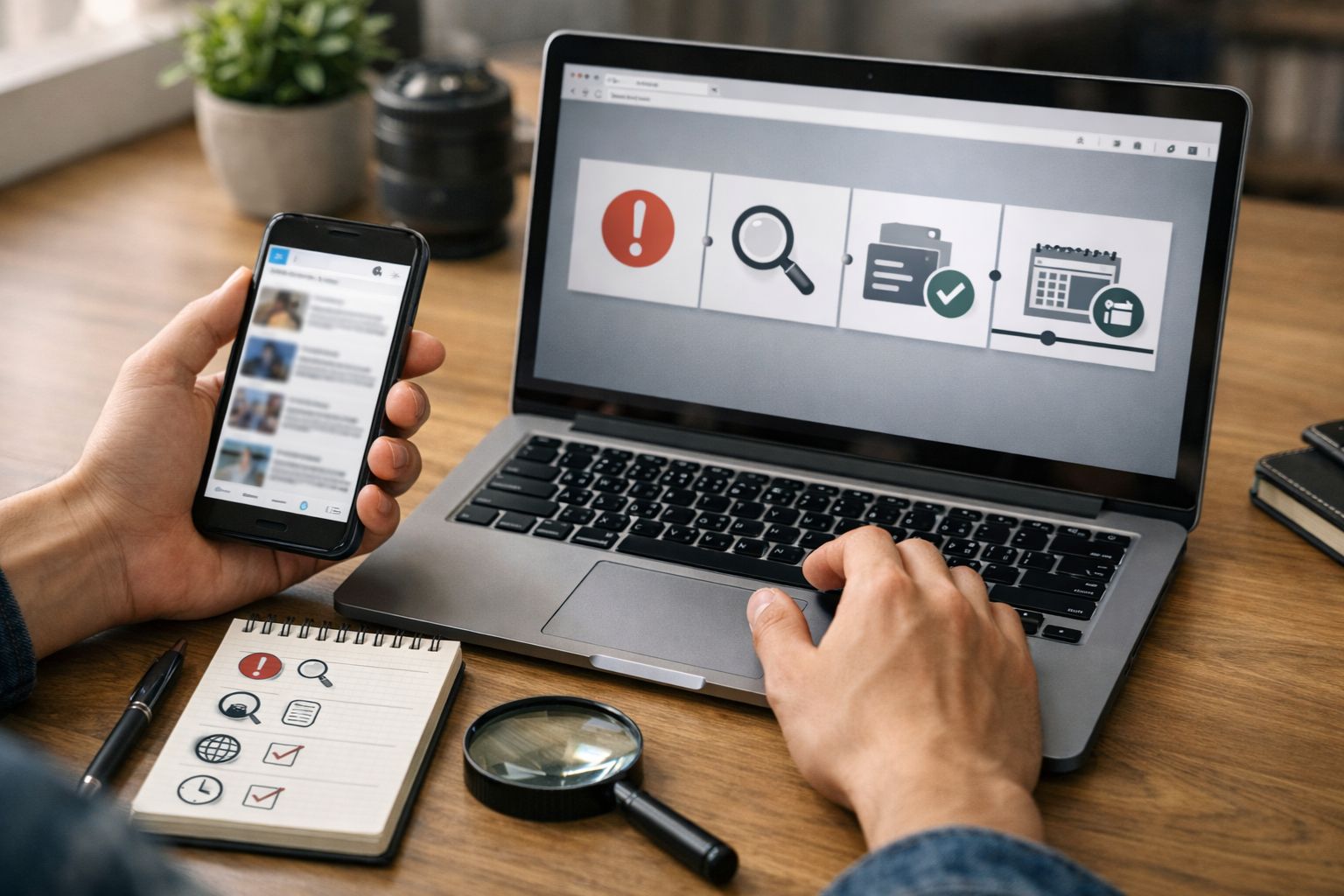
Spotting Fake News in 2 Minutes: A Simple Verification Routine
Most people don’t share misleading posts because they “don’t care.” They share because information arrives fast, on small screens, in group chats, and during busy moments. A headline sounds urgent. A screenshot looks official. A video feels like proof. Then the post spreads before anyone checks where it came from.
Information verification skills are the practical habits you use to judge whether a claim is reliable before you repeat it. In practice, that means pausing, checking who is behind the claim, finding stronger coverage elsewhere, and tracing images or quotes back to their original context. These habits mirror the moves used in media literacy training and professional verification guidance, adapted for everyday browsing.
This guide focuses on a realistic target: a two-minute routine. Two minutes will not prove every claim true or false, especially during breaking news. It will help you decide what to do next: share, save for deeper checking, or stop spreading it.
Note: This guide is informational only and is not medical, legal, or financial advice.
Summary
A reliable two-minute check uses lateral reading: pause and name the claim, investigate who is behind the post, look for better coverage from accountable sources, and trace any screenshot, quote, image, or clip to its original context. When the claim involves health, safety, money, or someone’s reputation, treat the two-minute result as a first filter and verify further before sharing.
Table of Content
- Spotting Fake News in 2 Minutes: A Simple Verification Routine
- What are misinformation, disinformation, and “fake news”?
- Why do misleading posts feel believable?
- The two-minute verification routine
- Quick checks for images, video, and screenshots
- Share, save, or stop: a reusable decision rule
- Real-life walkthroughs
- What two minutes can’t settle
- Conclusion
- FAQs
- Reference
Key Takeaways
-
Pause and restate the claim in plain words before reacting.
-
Check who is behind the post (site, account, author, or organization).
-
Use lateral reading: leave the page and look for independent context.
-
Prefer corroboration from accountable sources over popularity signals.
-
Treat screenshots as unconfirmed until you find the original source.
-
Use reverse image search to spot reused or miscaptioned visuals.
-
Slow down for high-risk claims (health, safety, money, reputations).
What are misinformation, disinformation, and “fake news”?
Misinformation is false or misleading information shared without the intent to harm, while disinformation is false information shared with intent to mislead. UNESCO’s journalism education handbook is a widely used reference for understanding these categories and how they relate to information disorder.
“Fake news” is a common label, but it gets used for many different things (satire, propaganda, rumors, misleading headlines, and fabricated stories). A more useful approach is to ignore the label and verify the claim: who published it, what evidence it cites, and whether it can be corroborated.
Why do misleading posts feel believable?
Misleading content often feels believable because it triggers emotion, looks familiar, and borrows the style of trustworthy communication (logos, formal layouts, “breaking” language, official-sounding phrasing).
Two dynamics matter in daily life:
Speed and popularity are weak signals of truth
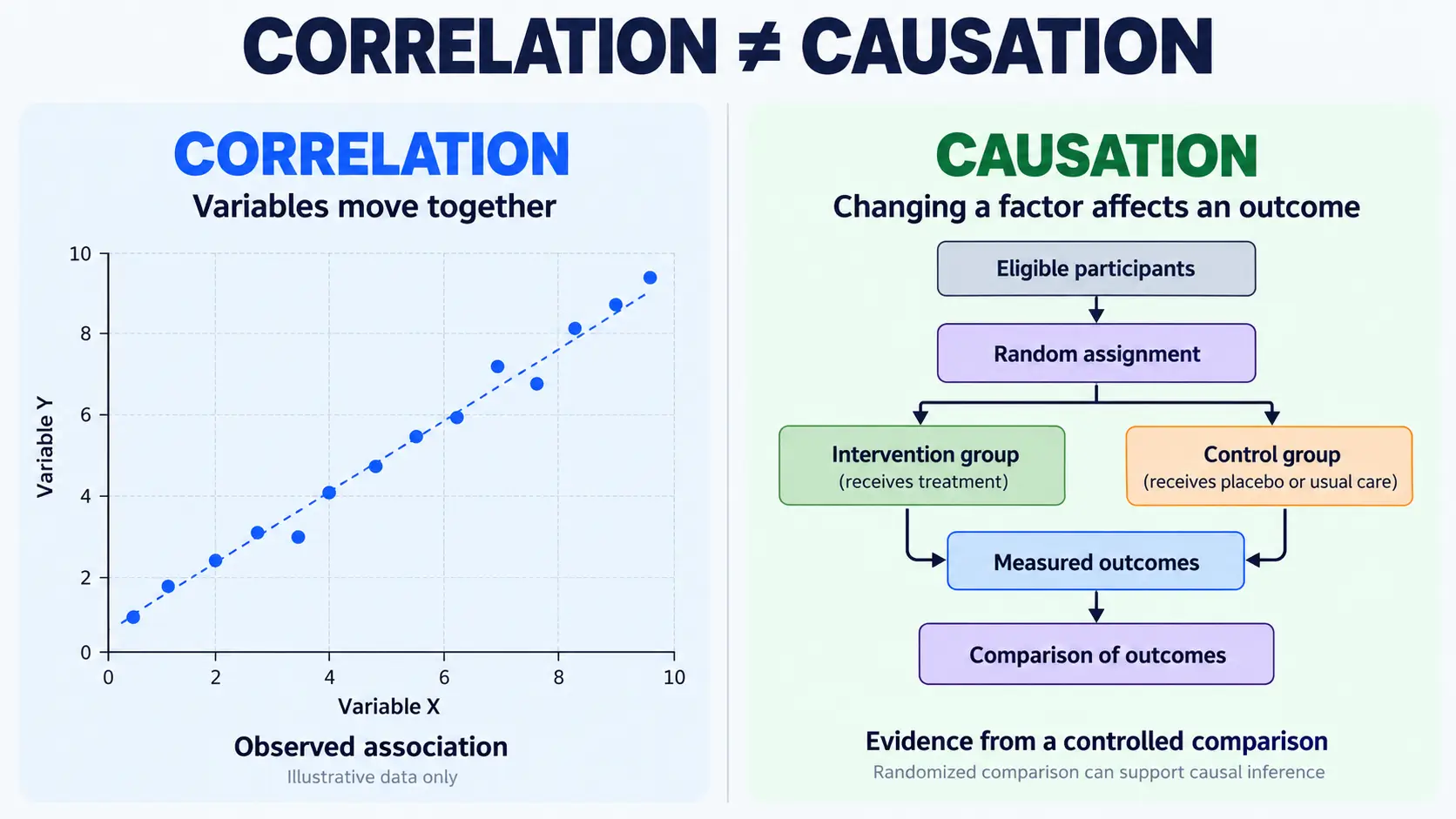
Viral reach does not equal accuracy. A large-scale study published in Science examined diffusion of verified true and false news stories on Twitter (2006–2017) and reported that false news spread farther, faster, and more broadly in that dataset.
That finding doesn’t mean “viral = false.” It means popularity is not a reliable shortcut for credibility.
Repeated exposure can raise perceived accuracy
Seeing a claim many times can increase how accurate it feels. Work summarized in a Nature paper on accuracy prompts discusses how social media sharing often happens when attention is not on accuracy, and it points to prior research on exposure and perceived accuracy.
The two-minute verification routine
A dependable two-minute routine follows SIFT: Stop, Investigate the source, Find better coverage, Trace claims/quotes/media to the original context.
Step 1 (10 seconds): Stop and restate the claim
Write the claim in one sentence, without emotion or commentary.
-
“X happened in Y place on Z date.”
-
“This policy changed.”
-
“This advice prevents or cures something.”
If you can’t restate the claim clearly, you don’t have enough to share.
Step 2 (30 seconds): Investigate who is behind it
Check what the post is from, not only what it says.
-
Website: look for an About page, editorial team, contact details, and corrections practices.
-
Social account: look for impersonation signs (new account, copied name, unclear affiliation) and whether it links to an official organization page.
This step aligns with widely shared media literacy guidance that emphasizes checking the source, author, and supporting links.
Step 3 (45 seconds): Find better coverage elsewhere
Look for independent reporting or authoritative documentation of the same core claim.
-
Search the key terms of the claim (not the exact headline).
-
Prefer accountable outlets or official bodies for primary statements.
-
Watch for “echo chains,” where many posts repeat each other without new evidence.
Lateral reading resources explicitly teach learners to open new tabs and check outside the original page to evaluate credibility.
Step 4 (35 seconds): Trace media, quotes, and screenshots to the original
Trace means finding the earliest reliable version and its context.
-
Quote screenshot: search exact wording in quotation marks and look for a full speech, interview, transcript, or reputable report.
-
Image: run reverse image search to see older uses and captions.
-
Video: search for earlier uploads and look for full-length versions.
Professional verification guidance for user-generated content emphasizes origin and context checks because recycled or miscaptioned media is common during fast-moving events.
Quick checks for images, video, and screenshots
Visuals can be persuasive even when they’re out of context, edited, or unrelated.
Images: confirm context with reverse image search
Reverse image search helps answer: “Where else has this appeared, and when?” Google’s help documentation describes ways to search with an image (including via Google Lens).
Fast checks that work:
-
Look for earlier dates: an old photo reused for a new event is common.
-
Compare captions across matches: mismatched location or event names are a warning sign.
-
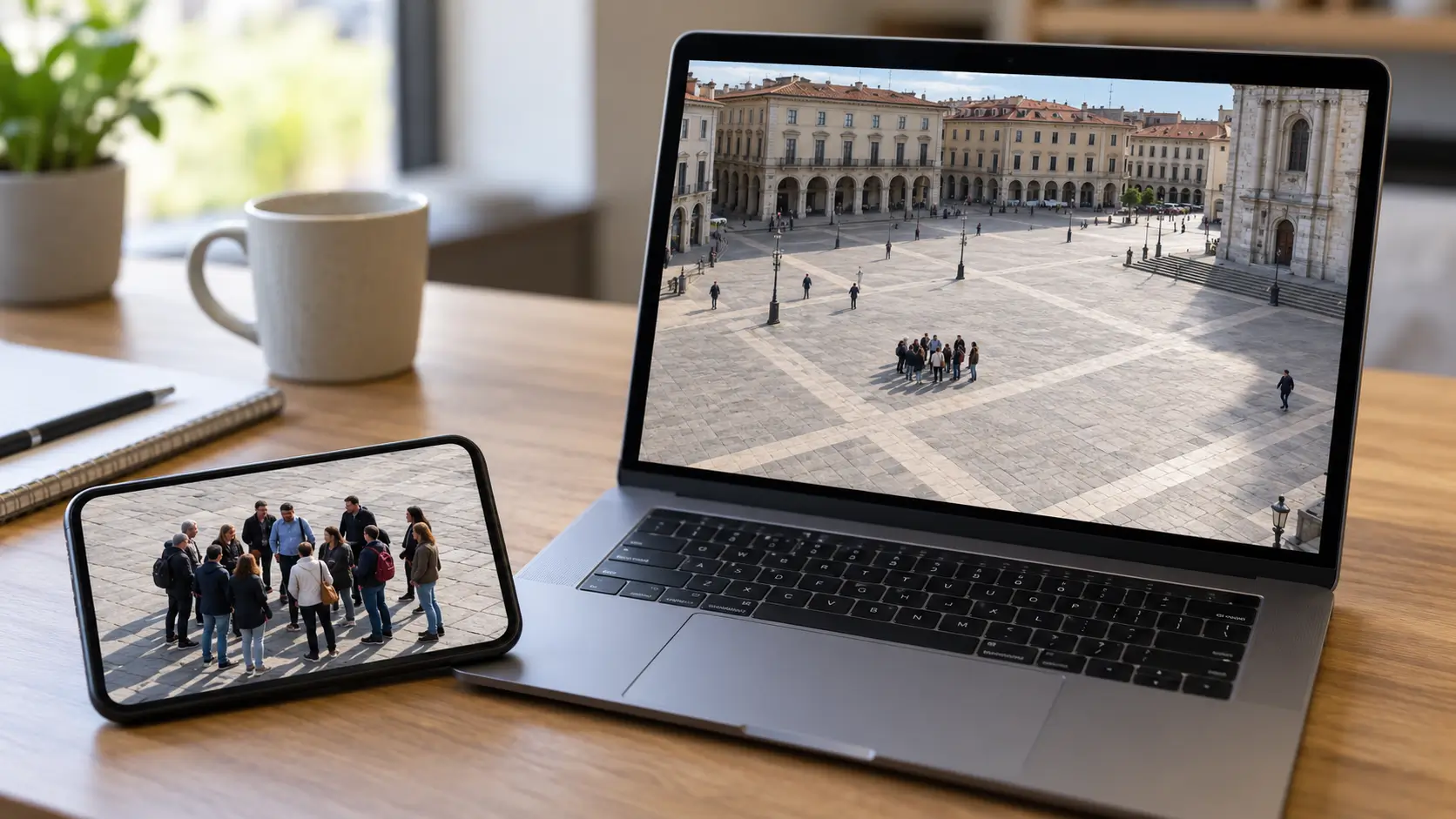
Watch for crops: missing signs, uniforms, or landmarks can change the meaning.
Video: look for the repost trail
Video verification can take longer, but two quick moves help:
-
Search key phrases from the caption to find earlier posts.
-
Screenshot a distinctive frame and reverse image search it.
Screenshots: treat them as unconfirmed until traced
Screenshots remove links, edit history, and timestamps. They are easy to fabricate and easy to repost without context. Treat a screenshot as “unconfirmed” until you find the original post, page, document, or recording.
Share, save, or stop: a reusable decision rule
After two minutes, choose the next action based on evidence strength.
Share
-
The source is identifiable and accountable.
-
Independent credible coverage corroborates the core claim.
-
Media or quotes trace cleanly to original context.
Save (don’t share yet)
-
The claim is plausible but coverage is still thin.
-
Details are changing (breaking news).
-
You found partial evidence but not the original context.
Stop
-
You find only reposts and screenshots, not accountable coverage.
-
The account or site is anonymous or appears deceptive.
-
The image/video traces to a different time, place, or event.
Research on accuracy prompts suggests that shifting attention toward accuracy can reduce misinformation sharing, which supports the practical value of pausing before forwarding.
Real-life walkthroughs
These examples show how the same routine works across common formats.
Walkthrough 1: a viral quote screenshot
A quote screenshot is not evidence until you find the original source.
-
Restate the claim: “Person X said Y.”
-
Investigate the poster: Is it an official account, a parody, or an unknown page?
-
Find better coverage: Search the quote in quotation marks plus the person’s name.
-
Trace: Look for a transcript, full recording, or reputable report that includes the quote.
If you can’t find the original, save it and avoid sharing.
Walkthrough 2: a breaking-news photo post
A breaking-news photo needs corroboration and context.
-
Restate the claim: “Event Z happened in location L today.”
-
Investigate: Is the account local/official? Does it provide checkable details?
-
Find better coverage: Look for reporting by accountable outlets or official agencies.
-
Trace the image: Reverse image search to see if it’s older or from another event.
Walkthrough 3: a health or safety claim in a group chat
Health and safety claims require extra caution because the harm of a wrong share can be real.
-
Restate the claim in plain terms.
-
Look for guidance from recognized health authorities or official agencies.
-
If you can’t confirm, don’t forward.
WHO describes how an “infodemic” can drive confusion and risky behaviors during outbreaks, reinforcing why careful sharing matters.
What two minutes can’t settle
A two-minute check filters many low-quality posts, but it won’t resolve complex or technical claims.
When you should slow down
Spend more time verifying when the claim:
-
affects health, safety, or urgent action,
-
involves money, legal status, or personal data,
-
could harm someone’s reputation,
-
relies on a single anonymous source.
AI-generated media and provenance signals
Provenance tools can help when they’re present, but they are not a complete solution. C2PA publishes specifications for attaching provenance information to media (source and history), often described through “Content Credentials.”
Practical limitations remain:
-
Many platforms and file conversions strip metadata.
-
Not all content carries provenance data.
-
A missing credential does not prove something is fake.
Detection tools are imperfect
Automated deepfake detection changes as generation methods change. NIST has published work on evaluating analytic systems against AI-generated deepfakes, including challenges such as generalization and robustness under post-processing.
In daily life, a better baseline is context + corroboration + traceability, rather than relying on a single “detector” result.
Conclusion
A two-minute check won’t solve every disputed claim, but it can prevent many avoidable mistakes. Pause and restate the claim, investigate who is behind it, use lateral reading to find better coverage, and trace media or quotes to the original context. If the topic is high-risk—health, safety, money, or reputations—treat “unconfirmed” as “don’t share yet,” and verify further using authoritative sources.
FAQs
What is the fastest way to spot fake news?
The fastest reliable approach is to pause, check who is behind the post, look for independent coverage, and trace images or quotes back to the original context.
What is lateral reading?
Lateral reading means leaving the page you’re on, opening new tabs, and checking what independent sources say about the claim and the publisher.
How do I check if an image is reused out of context?
Use reverse image search to find earlier appearances of the same image and compare dates, locations, and captions across results.
Are screenshots reliable evidence?
Screenshots are weak evidence unless you can find the original source because they remove links, context, and edit history.
How can I tell if a fact-checking organization is credible?
Look for transparency about methodology, sources, funding, and a clear corrections policy, which are core commitments in the IFCN Code of Principles.
Reference
-
World Health Organization (WHO). Infodemic (topic page).
-
UNESCO. Journalism, Fake News & Disinformation: Handbook for Journalism Education and Training (UNESDOC record).
-
Vosoughi, S., Roy, D., & Aral, S. “The spread of true and false news online.” Science (2018).
-
Pennycook, G., et al. “Shifting attention to accuracy can reduce misinformation online.” Nature (2021).
-
Civic Online Reasoning (Digital Inquiry Group). Teaching lateral reading (curriculum collection).
-
University of Chicago Library Guides. The SIFT Method.
-
International Federation of Library Associations and Institutions (IFLA). “How to Spot Fake News” infographic (PDF).
-
Google Search Help. “Search with an image on Google” (desktop and Android help pages).
-
International Fact-Checking Network (IFCN), Poynter. Code of Principles commitments.
-
European Journalism Centre / Verification Handbook. Verification Handbook (PDF).
-
Coalition for Content Provenance and Authenticity (C2PA). C2PA Specifications (v2.3).



Comments 0
No comments yet. Be the first to start the conversation.