




How to Download and Print Admit Card for TSC Open Competitive Examination-2079 for Secondary Level, Third Class, Teacher Posts
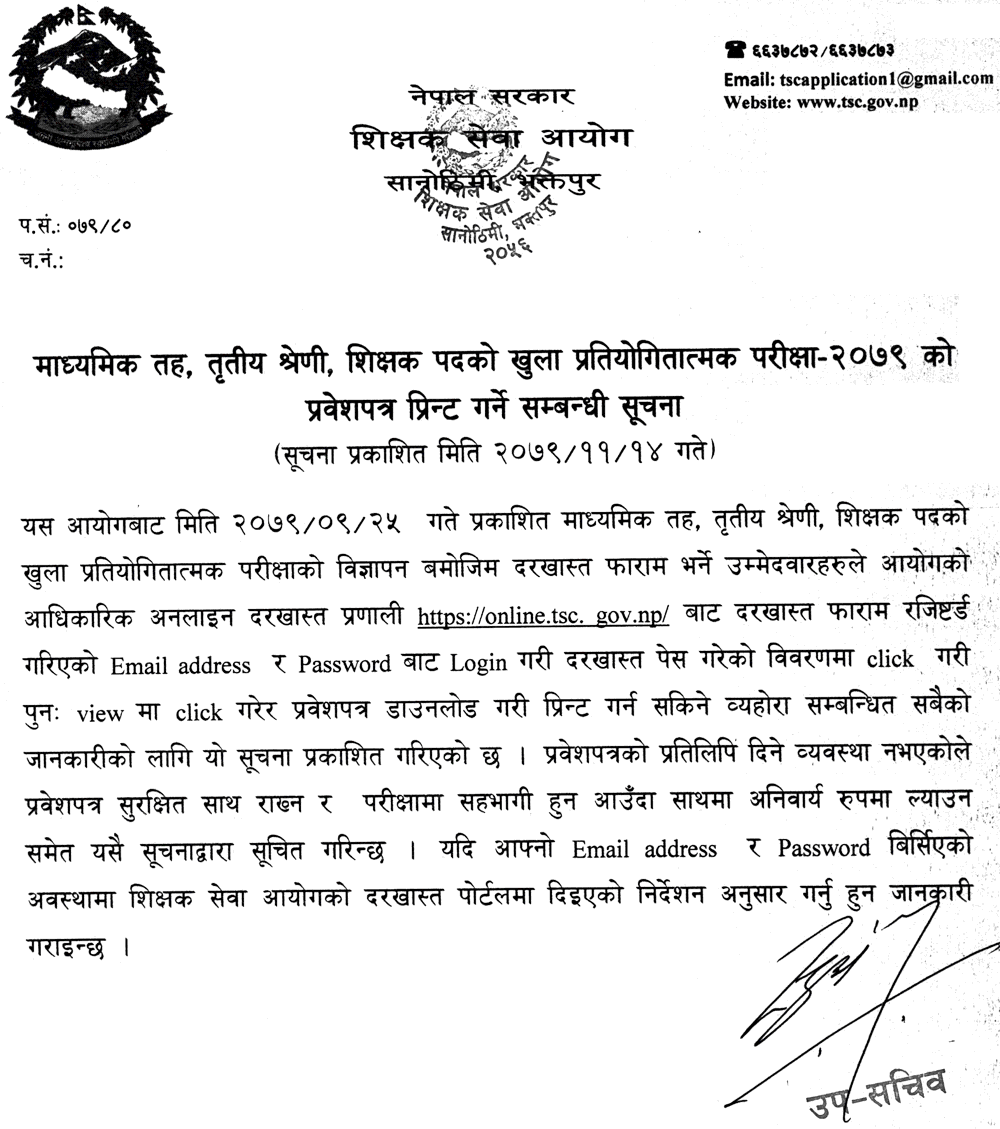
The Teachers Service Commission (TSC - Shikshak Sewa Aayog) has issued a notification regarding the printing of admit cards for the Open Competitive Examination-2079 for Secondary Level, Third Class, Teacher Posts. Here are the details you need to know:
Downloading Admit Card
Candidates who have filled out the application form for the open competitive examination can download and print their admit cards from the TSC's official online application system. To download the admit card, follow these steps:
- Go to the TSC official website https://tsc.gov.np and login with the registered Email Address and Password.
- Click on the details of the application submission.
- Download and print the admit card.
Important Note
There is no provision for giving a copy of the admit card. Therefore, candidates are advised to keep the admit card safe and bring it compulsorily with them while appearing in the examination.
Forgot Email Address and Password
In case a candidate forgets their email address and password, they can follow the instructions given in the application portal of Teachers Service Commission.
Final Words
Candidates are advised to download and print their admit cards well in advance to avoid any last-minute hassle. We wish all the candidates good luck for their examination.






Comments 0
No comments yet. Be the first to start the conversation.