



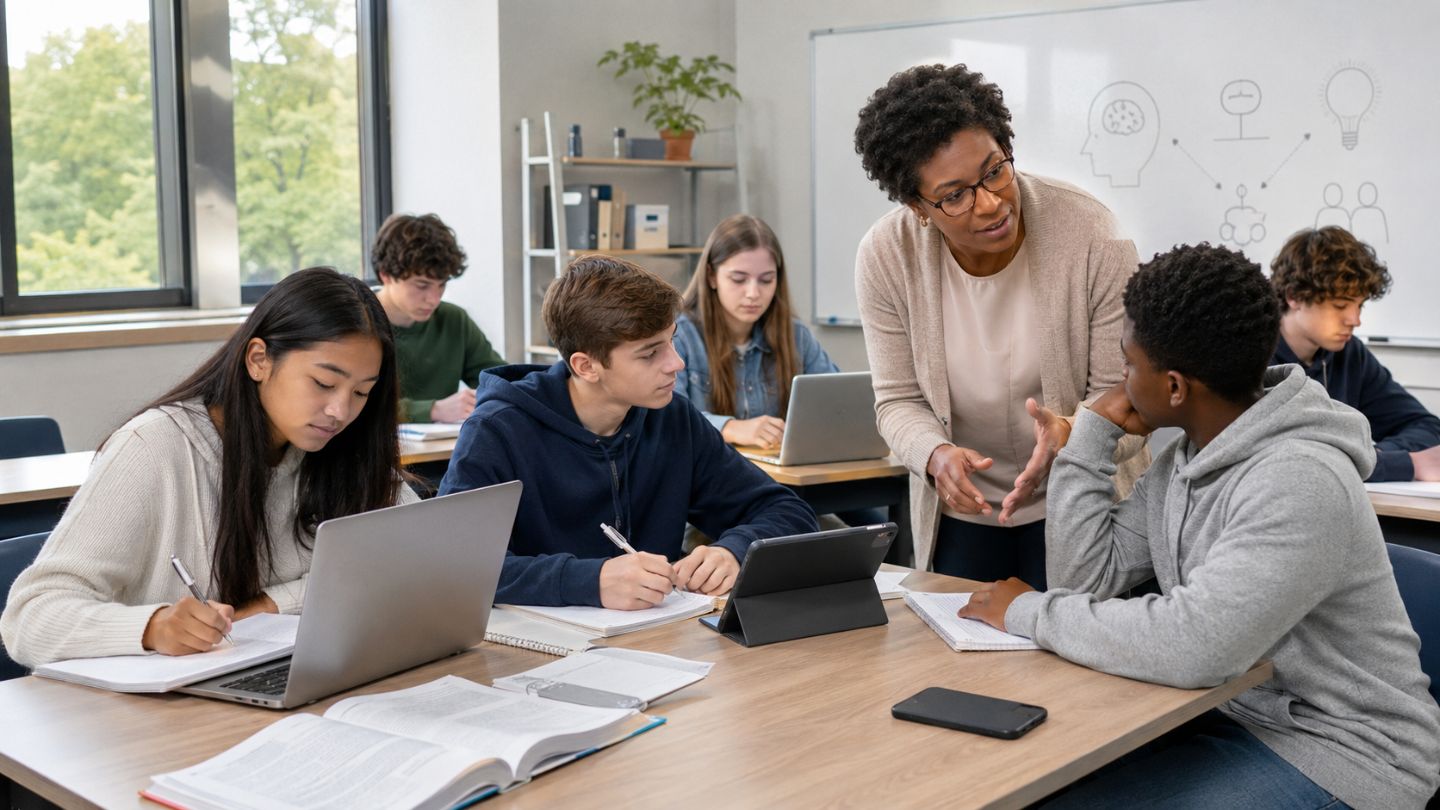
Technology can hurt student learning when it distracts students, replaces active thinking, weakens teacher guidance, widens inequity, reduces meaningful interaction, or creates privacy and safety risks. The device is not the main problem. The problem is a poor fit between the tool, the learning goal, and the student’s needs.
Students use laptops, phones, tablets, learning apps, online videos, search engines, and AI tools for classwork and homework. These tools can support access, feedback, research, practice, creativity, and collaboration. They can also make it easier to multitask, copy answers, skip reasoning, or submit work that hides what the student understands.
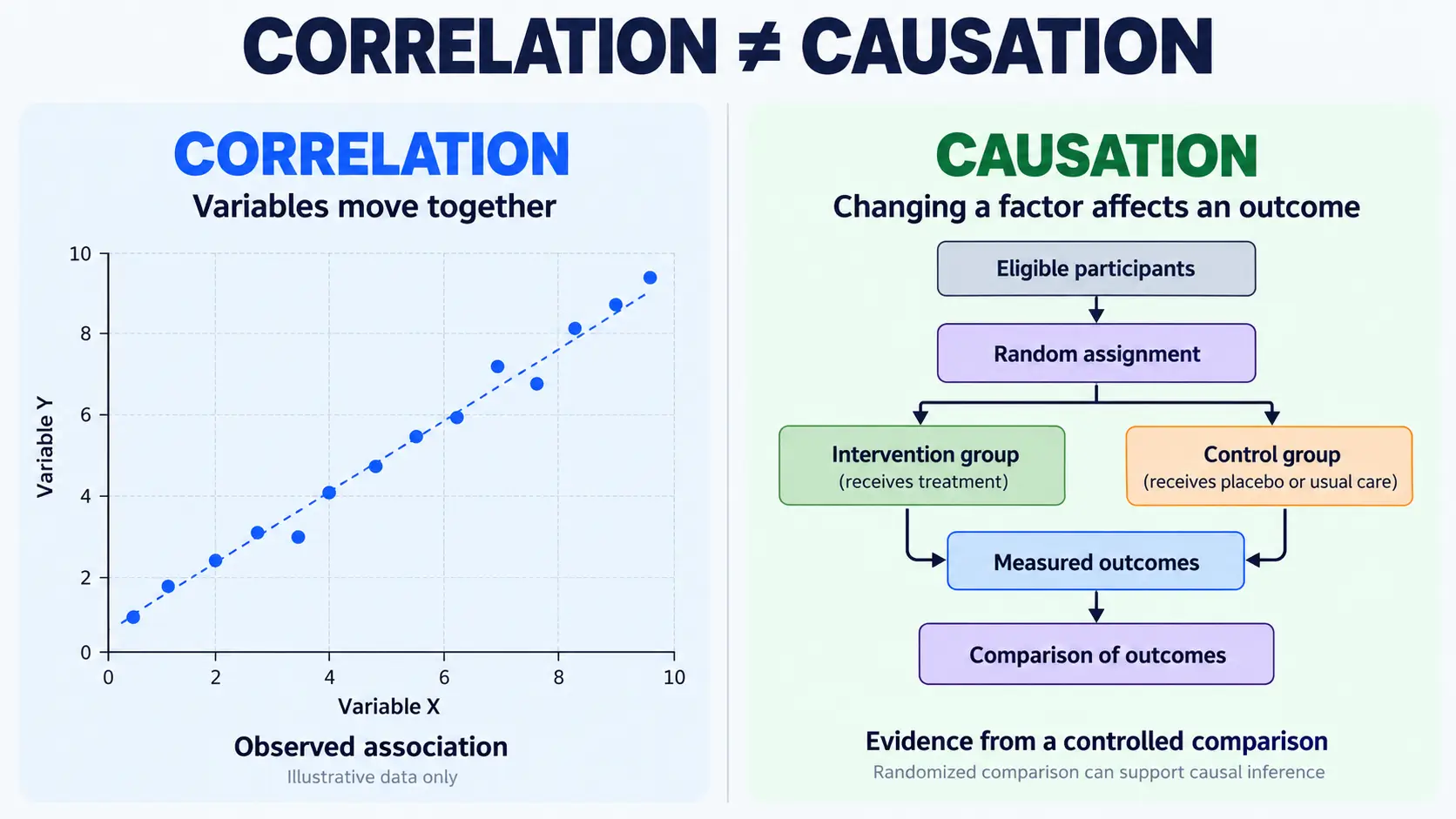
The UNESCO Global Education Monitoring Report 2023 describes education technology as context-dependent and says decisions should consider whether technology is appropriate, equitable, evidence-based, and sustainable. The OECD report on students, digital devices and success also highlights a negative correlation between leisure use of digital devices at school and academic performance.
Answer Summary:
Technology can hurt student learning when it competes with attention, encourages shortcuts, lacks a clear learning goal, increases inequality, reduces discussion, or weakens teacher feedback. It works best when teachers connect the tool to a defined task, students use it actively, access is fair, privacy is protected, and digital work is balanced with reading, writing, practice, rest, and human interaction.
Table of Content
- Quick Answer: 9 Times Technology Can Hurt Learning
- 1. When It Distracts Students From the Lesson
- 2. When It Replaces Active Thinking
- 3. When Students Over-Rely on AI Tools
- 4. When the Tool Is Not Tied to a Learning Goal
- 5. When It Increases Inequality
- 6. When Screen Use Crowds Out Learning Routines
- 7. When It Weakens Human Interaction
- 8. When Privacy and Safety Are Not Protected
- 9. When Teachers Are Not Trained or Supported
- Helpful vs Harmful Technology Use
- Risk Signs and Practical Fixes
- How Teachers, Parents, and Students Can Reduce Harm
- Responsible Technology Use in School
- Conclusion
Key Takeaways:
-
Technology hurts learning most when it divides attention.
-
A tool should serve the lesson, not become the lesson.
-
AI tools can hide weak understanding when used as shortcuts.
-
Unequal access can widen learning gaps.
-
Teacher guidance matters more than the device.
-
Privacy and safety affect trust and participation.
-
Balanced learning includes digital and non-digital work.
Quick Answer: 9 Times Technology Can Hurt Learning
Technology hurts learning when it reduces attention, effort, fairness, safety, or teacher-guided understanding. A digital tool should be judged by what it helps students do, not by whether it feels new or convenient.
Technology can hurt student learning when:
-
Students use devices for non-learning tasks during class.
-
Notifications, games, social media, or messages interrupt attention.
-
Laptops or phones encourage multitasking.
-
Students copy answers instead of explaining ideas.
-
AI tools replace reasoning, drafting, research, or revision.
-
The tool is not connected to a clear learning objective.
-
Some students lack reliable devices, internet, support, or accessibility.
-
Screen-heavy work crowds out reading, writing, rest, and discussion.
-
Apps or platforms create privacy, safety, or age-fit concerns.
This is a conditional issue. A tablet used for a guided science simulation may support learning. The same tablet used for unrelated videos during class may reduce attention and participation.
1. When It Distracts Students From the Lesson
Technology hurts learning when a student’s attention shifts from the lesson to the device. A laptop can support note-taking, coding, reading, research, translation, or practice, but the same laptop can also open messages, games, videos, and unrelated tabs.
The risk can spread across the room. A student watching unrelated content may distract nearby classmates. The article on digital distraction and focus habits for students can support a related internal reading path for students who need practical focus routines.
What research says about laptop distraction
Research on classroom laptops is not a simple argument for banning every device. It shows that unregulated use creates risk. Ragan and colleagues studied unregulated laptop use in large lecture classes, and the Washington University Center for Teaching and Learning summarizes evidence on laptop use, attention, and learning.
A practical classroom question is: What should the device be doing during this task? If the answer is unclear, the device may become a distraction.
Classroom example: During a lecture, students are told they may use laptops for notes. Some summarize the lesson, while others switch between notes and messages. The issue is not the laptop alone; it is the lack of a clear device rule, task design, and attention boundary.
2. When It Replaces Active Thinking
Technology hurts learning when it gives students answers before they have tried to think, write, solve, compare, or explain. Learning requires mental effort. Students need to retrieve information, test ideas, make mistakes, revise, and explain reasoning.
Search engines, summaries, translation tools, answer apps, and AI tools can support learning when used with a clear task. They hurt learning when they remove the thinking students were meant to practice.
Copy-paste learning and passive use
Copy-paste learning happens when students gather answers without processing them. A student may paste definitions into a document and submit work that looks complete, yet the student may not be able to explain the meaning.
Passive video watching can create a similar problem. A video may explain a concept well, but learning is weaker when students only watch without pausing, answering questions, solving a problem, or discussing the idea. For related study habits, readers can review effective learning strategies for school students.
Useful classroom check: Ask students to close the source and explain the idea in two or three original sentences. This shows whether they understand the concept or only copied the answer.
3. When Students Over-Rely on AI Tools
AI tools hurt learning when students use them to skip the learning process. They can help with brainstorming, practice questions, feedback, language support, and study planning, but they become risky when they replace student reasoning.
The biggest classroom issue is process visibility. A teacher may receive a polished answer but not know whether the student understood the topic, checked the sources, or wrote the response. UNESCO guidance on AI in education and research calls for policy, human capacity, and safeguards for responsible use.
A 2024 systematic review by Zhai, Wibowo, and Li examined overreliance on AI dialogue systems and students’ cognitive abilities, including critical thinking and analytical reasoning. Collegenp’s article on AI in teaching and learning can serve as an internal companion topic for readers who want the broader benefits and limits.
AI shortcuts, accuracy, and academic honesty
AI tools can produce fluent responses that still need checking. Students who accept answers without reviewing evidence may learn weak or inaccurate ideas. Students who submit AI-written work as their own also lose practice in planning, drafting, revising, citing, and defending their reasoning.
A practical classroom boundary is to separate support from substitution:
| AI use | Helps when | Hurts when |
|---|---|---|
| Brainstorming | Students compare ideas and choose their own direction | Students copy the plan without thinking |
| Feedback | Students revise based on specific comments | Students accept all changes without review |
| Explanation | Students ask for examples, then explain in their own words | Students skip the lesson and rely only on the tool |
| Writing support | Students disclose use and keep drafts | Students submit tool-written work as personal writing |
4. When the Tool Is Not Tied to a Learning Goal
Technology hurts learning when it is used because it is available, not because it improves the task. A digital activity should help students practice, create, discuss, receive feedback, access material, or demonstrate understanding.
The UNESCO online summary of the 2023 GEM Report frames education technology around learner needs and educational purpose. That means the tool should be chosen after the learning goal is clear.
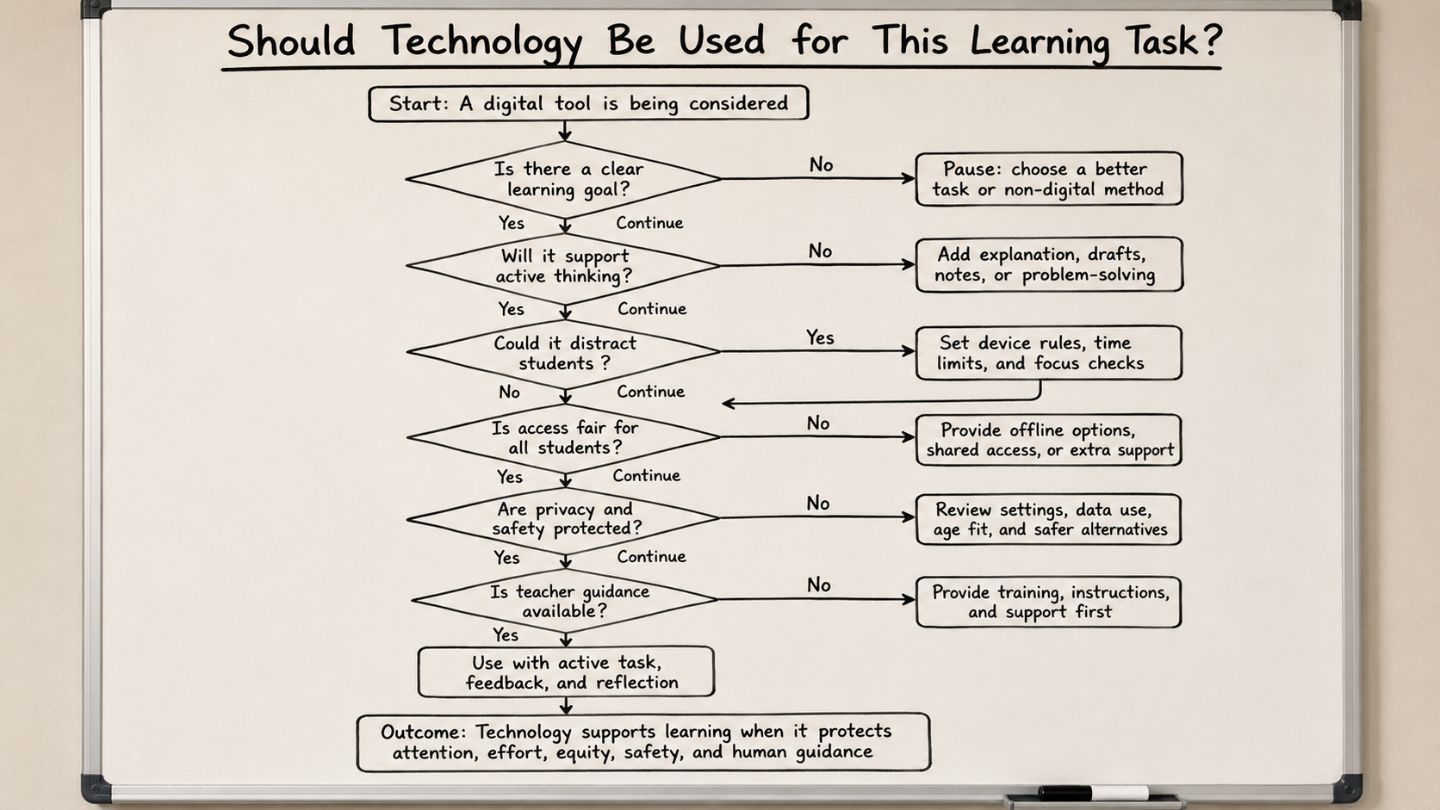
The learning-goal test
Before using a digital tool, teachers can ask:
-
What should students know or be able to do after this task?
-
Does the tool support practice, feedback, access, creativity, or collaboration?
-
What evidence will show that students learned?
-
What distraction risk does this tool introduce?
-
Would a non-digital method work better for this goal?
Example: A short science simulation can help students see a process that is hard to observe in class. A long video without questions, pause points, discussion, or follow-up practice may turn learning into passive watching.
5. When It Increases Inequality
Technology hurts learning when it benefits students who already have stronger access and creates barriers for students with fewer resources. The digital divide is not only about owning a device. It includes internet quality, shared devices, quiet study space, accessibility, language support, teacher support, and family help.
UNESCO’s 2023 report places equity and access at the center of education technology decisions. A student with a personal laptop, reliable internet, and adult support experiences online learning differently from a student using a shared phone with unstable connectivity.
The digital divide beyond devices
Digital inequality may appear when:
-
Students cannot join live classes because the internet is unreliable.
-
Students complete assignments on a phone while others use laptops.
-
Students with disabilities do not receive accessible materials.
-
Families cannot pay for repairs, data packages, or software.
-
Teachers are asked to use platforms without enough training.
-
Students lack a quiet place to study online.
Schools should check whether students can access the assigned tool before making it central to homework, assessment, or participation.
6. When Screen Use Crowds Out Learning Routines
Technology hurts learning when screen-based tasks crowd out reading, writing, discussion, hands-on practice, reflection, and rest. This is an educational concern, not a medical claim.
Students need different kinds of learning time. They need to read closely, write carefully, solve problems without instant answers, talk through ideas, revise drafts, and receive feedback. Digital tools can support these tasks, but they should not replace all of them.
Balanced learning routines
A stronger learning routine may combine digital and non-digital work:
-
Watch a short lesson video, then answer questions without the video open.
-
Research online, then write a source evaluation.
-
Use a practice app, then review mistakes with a teacher or peer.
-
Draft ideas on paper, then revise digitally.
-
Read a digital article, then discuss it without devices.
For a student-focused routine, Collegenp’s article on screen time vs study time can support the same topic without turning the classroom article into health advice.
Health note: This article does not give medical advice about sleep, eyesight, or mental health. Any health-specific claim about screen time should be checked with reputable health sources before publication.
7. When It Weakens Human Interaction
Technology hurts learning when it reduces meaningful teacher-student and peer interaction. Education is not only access to information. Students learn through questions, feedback, dialogue, debate, modeling, and correction.
A UNESCO report on AI and learner rights emphasizes learner privacy, teacher roles, governance, and a human-centered approach to digital education.
Why discussion still matters
A student may watch a lesson video and follow the steps, but still misunderstand the idea. A teacher’s question or a peer’s explanation can reveal that misunderstanding. Online tools can support discussion through forums and shared documents, but they should not remove live explanation, feedback, and classroom dialogue.
Classroom example: In a literature lesson, students complete an online quiz after reading a poem. The teacher receives answers quickly, but students do not hear different interpretations. A better design would pair the quiz with small-group discussion and a short class reflection.
8. When Privacy and Safety Are Not Protected
Technology hurts learning when students cannot trust the digital environment. Privacy, safety, data security, and age-appropriate design affect participation and classroom trust.
Schools may use learning platforms, testing tools, AI systems, apps, and third-party websites. These tools may collect names, email addresses, assignments, grades, device data, or learning behavior. The UNESCO report on AI and learner rights identifies data privacy, learner rights, teacher roles, and governance as policy concerns.
Questions schools should ask before using a tool
-
What student data does the tool collect?
-
Is the tool age-appropriate?
-
Can teachers control privacy settings?
-
Is student data shared with third parties?
-
Can students complete the task without creating unnecessary accounts?
-
Is the tool needed for the learning goal?
Privacy is not separate from learning. If a platform creates confusion, risk, or unequal access, it can reduce trust and participation. Students may also need basic habits from resources such as digital safety tips for students and media literacy for students.
9. When Teachers Are Not Trained or Supported
Technology hurts learning when teachers are expected to use tools without planning time, training, policy clarity, or technical support. Devices do not design strong lessons. Teachers still make decisions about curriculum, assessment, feedback, inclusion, and classroom management.
The UNESCO report on technology in education stresses that teachers need preparation and that education systems need governance for technology use. Teacher support is not an extra feature; it is part of whether the tool can work well in a real classroom.
Pedagogy before platform
Teachers need support to:
-
Match tools to learning goals.
-
Set device-use expectations.
-
Design tasks that require thinking.
-
Assess drafts, notes, and reasoning.
-
Help students evaluate sources.
-
Address AI use transparently.
-
Provide offline options when access is unequal.
-
Review privacy and safety settings.
When teachers are unsupported, technology can add workload and confusion. When teachers are supported, technology is more likely to improve access, feedback, practice, and collaboration. For a related internal article, see digital literacy for educators.
Helpful vs Harmful Technology Use
Technology helps when it strengthens the learning process. It hurts when it distracts from that process or hides whether learning happened.
| Use case | Helps when | Hurts when | Example |
|---|---|---|---|
| Research | Students compare sources and cite evidence | Students copy the first answer | Compare two sources before writing |
| Note-taking | Students summarize ideas | Students transcribe without thinking | Add a short summary after notes |
| Practice apps | Students review mistakes | Students click through tasks | Ask students to explain one error |
| Videos | Students pause, answer, and discuss | Students watch passively | Add questions at pause points |
| AI tools | Students disclose use and verify output | Students submit tool-written work as their own | Require planning notes and drafts |
| Phones | Used for a defined learning task | Used for messages during instruction | Use for time-limited data collection |
Risk Signs and Practical Fixes
Teachers and parents can often spot harmful technology use through behavior, not only test results. The goal is to identify the risk early and adjust the learning design.
| Risk sign | What it may mean | Practical fix |
|---|---|---|
| Students switch tabs often | The task lacks clear boundaries | Give a timed task and name the allowed tools |
| Work looks polished but weak in discussion | The student may not understand the answer | Ask for oral explanation, notes, or draft history |
| Some students submit late due to access problems | The tool may be unfair as homework | Provide offline options or school access time |
| Students watch videos without notes | The activity may be passive | Add pause questions and a short response |
| AI use is hidden | The assessment may not show process | Require disclosure, drafts, and source checks |
| Teachers avoid the tool | Training or policy may be unclear | Provide planning time, examples, and support |
How Teachers, Parents, and Students Can Reduce Harm
Technology becomes safer for learning when expectations are clear and the task requires active thinking. The goal is not to remove every device; the goal is to protect attention, effort, fairness, and trust.
Teacher checklist
-
Start with the learning objective.
-
Use devices only when they support the task.
-
Give clear rules for tabs, apps, and timing.
-
Include device-free explanation or reflection time.
-
Ask students to show process, not only final answers.
-
Teach source checking and responsible AI use.
-
Provide alternatives when access is unequal.
-
Review privacy settings before assigning new tools.
Parent checklist
-
Ask what the device is needed for.
-
Help separate homework time from entertainment time.
-
Ask the student to explain what they learned.
-
Encourage source checking during online research.
-
Discuss AI use, honesty, and learning effort.
-
Tell the teacher if device or internet access is a problem.
Student self-check
Before using a digital tool, students can ask:
-
Am I using this for the assignment or avoiding the hard part?
-
Can I explain the answer without looking at the tool?
-
Did I check the source or accept the first result?
-
Did I keep my own notes, draft, or reasoning?
-
Am I using one tool at a time or multitasking?
Responsible Technology Use in School
Responsible technology use means choosing tools that support learning goals, protect attention, include all learners, and preserve teacher-student interaction. It also means checking privacy, safety, access, and assessment design before making a tool central to learning.
A simple decision rule can help: use technology when it makes learning clearer, more accessible, more active, or better supported by feedback. Limit technology when it mainly adds distraction, copying, confusion, privacy risk, or unequal access.
Conclusion
Technology can hurt student learning when it reduces attention, replaces effort, widens access gaps, weakens interaction, or creates privacy and safety risks. It works well when the teacher starts with the learning goal and then chooses the tool, not the other way around.
A responsible classroom uses technology where it supports learning and limits it where it distracts or hides understanding. Students still need reading, writing, discussion, practice, feedback, and time to think. A balanced approach uses digital tools with purpose, protects human guidance, and makes sure every student can participate fairly..




Comments 0
No comments yet. Be the first to start the conversation.